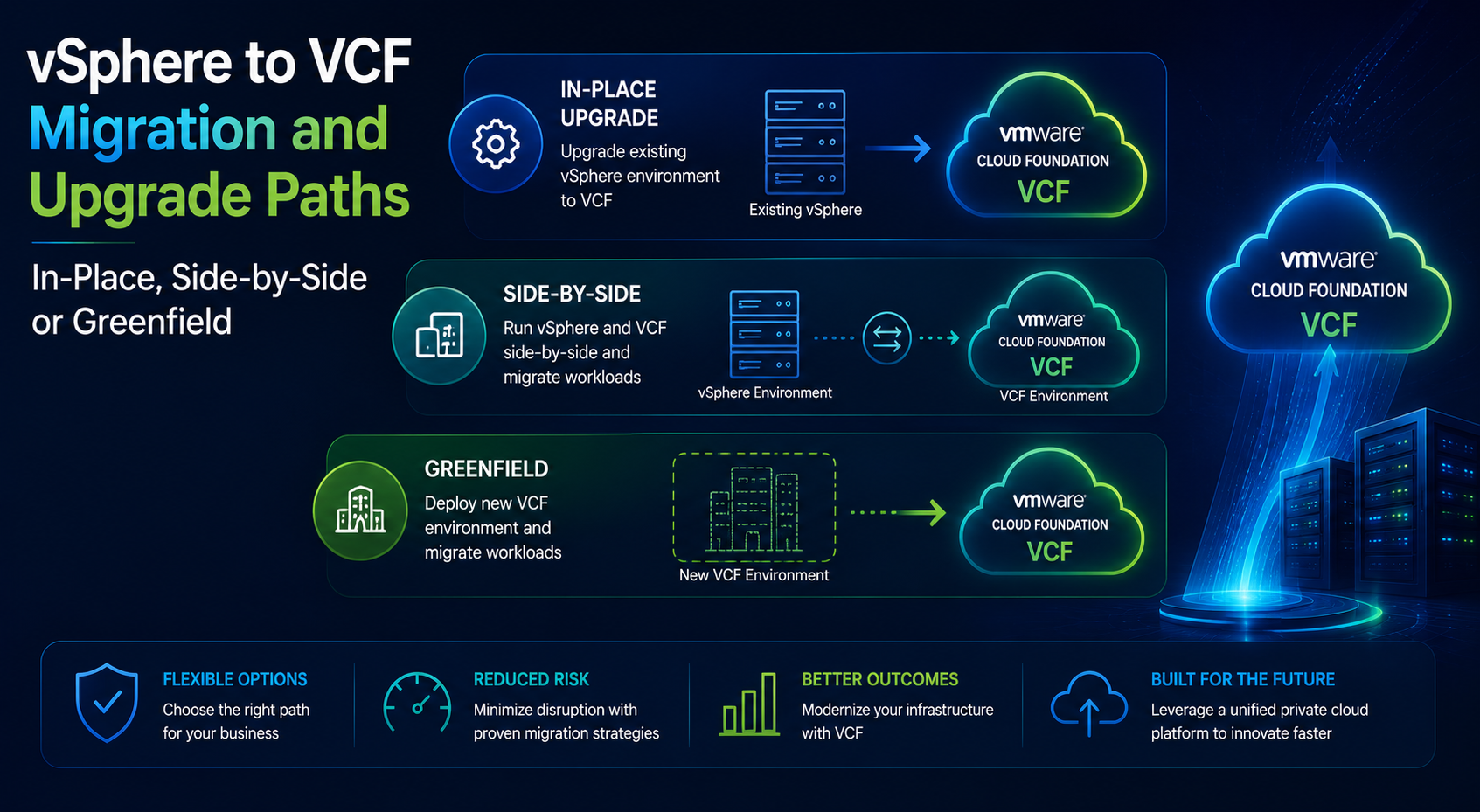
VSPHERE TO VCF MIGRATION AND UPGRADE
A Consult Circle decision guide to the three routes from legacy vSphere into VMware Cloud Foundation, what each one costs in risk and hardware, and how to choose without regretting it.
There is no single upgrade path from a legacy vSphere estate into VMware Cloud Foundation, which is the first thing that surprises people. VCF is not a version of vSphere that you patch your way into. It is an integrated platform with an opinionated architecture, its own lifecycle management, and requirements about how the management plane is built that a organically grown vSphere environment will almost never satisfy by accident.
VCF Upgrade Paths
Choosing between in-place, side-by-side and greenfield?
Consult Circle assesses your estate and hardware position, then recommends the route that fits your budget and change appetite.
That leaves three broad routes. You can convert what you have and bring it under VCF management. You can build a new VCF environment alongside the old one and move workloads across. Or you can start clean on new hardware and treat the old estate as something to be emptied and switched off. Each is defensible. Each is the wrong answer for a meaningful number of estates, and choosing badly is expensive in a way that is difficult to reverse once the hardware order is placed.
This guide compares the three properly: what each involves, what it costs in risk and downtime, which estates suit which, and the questions that usually settle the decision. It is aimed at the point in a project where the direction has to be chosen and defended, before any migration tooling is deployed.
The short version: side-by-side is the right answer for most mid-sized estates, greenfield is right when a hardware refresh was due anyway, and in-place conversion is right far less often than its apparent cost saving suggests. The rest of this guide is about how to tell which case you are in.
What This Guide Covers
- Why VCF is not simply a newer vSphere
- The three routes described properly
- A direct comparison across cost, risk, downtime and hardware
- Which estate profiles suit which route
- The hardware question, which usually decides it
- Licensing and commercial considerations
- A decision checklist and the questions that settle it
Why VCF Is Not Simply a Newer vSphere
A standalone vSphere environment is a set of components you assembled: some hosts, a vCenter, whatever storage you had, networking configured by hand, and a patching approach built up over years. VCF is those components delivered as a validated, lifecycle managed platform, with a management domain that runs the platform itself and one or more workload domains that run your applications.
The practical consequences are the ones that matter for path selection.
- VCF expects a dedicated management domain, built to a defined specification, separate from the clusters running workloads. Most legacy estates run vCenter as just another virtual machine on a production cluster.
- Lifecycle management is centralised. Components are updated together against validated bundles rather than patched individually on your own schedule, which is a change in operating model as much as in technology.
- The networking layer assumes NSX. An estate running on distributed switches and physical routing has a design exercise ahead of it, not a configuration change.
- Storage expectations are stricter, particularly around the management domain, and hardware compatibility is validated rather than assumed.
- The platform is deployed and managed through its own tooling, which is not the same as building the components by hand and pointing them at each other.
None of this makes VCF harder to run once it exists. Most teams find operations simpler afterwards. It does mean that getting there is a build rather than an upgrade, and that framing drives everything below.
The Three Routes
Route one: in-place conversion
You keep the existing hardware and, as far as possible, the existing environment, then bring it under VCF management. In practice this means upgrading vSphere to a supported level, restructuring clusters so that a compliant management domain exists, introducing NSX where it is not already present, deploying the VCF management components, and then importing or converting existing clusters into workload domains.
The appeal is obvious: no second set of hardware, no bulk workload movement, and apparently the shortest path. The reality is that it is the most technically demanding of the three, because every change happens to a live environment carrying production workloads, and because the restructuring required to produce a compliant management domain on hardware that was not designed for one is rarely trivial. Rollback is also the weakest here. When a side-by-side migration goes wrong you still have the original environment. When an in-place conversion goes wrong at step four of nine, you have a partially converted production estate.
It suits estates that are already close to the target shape: recent vSphere versions, NSX already deployed, clean cluster boundaries, hardware with plenty of life left, and good documentation. Those estates exist. They are not common.
Route two: side-by-side migration
You build a new VCF environment adjacent to the existing one, using new hardware, reclaimed hardware, or a mix, then move workloads across in waves using a migration tool such as HCX. The legacy environment shrinks as the new one grows, and hardware freed up by emptied clusters can often be rebuilt and added to the VCF side, which is what keeps the additional hardware requirement manageable.
This is the route most mid-sized estates end up taking, and for good reason. The destination is built clean, to specification, with no compromises inherited from the old design. Workloads move individually with per-wave validation and a genuine rollback position, because the source environment stays intact until the workload is confirmed working. The migration tooling handles version differences between source and destination, so a vSphere 7 estate can move into a current VCF release without an intermediate upgrade of the source.
The costs are a period of running two platforms, the operational overhead of managing that overlap, and the need for enough seed hardware to build a credible starting footprint before the first wave frees anything up. That seed requirement is the practical constraint, and it is the number to establish early.
Route three: greenfield build
You build an entirely new VCF environment on new hardware, in the same data centre or a different one, and treat the legacy estate as something to be emptied and decommissioned. Mechanically this is side-by-side without the hardware reuse, but the intent is different: greenfield treats the migration as an opportunity to change the design rather than to preserve it.
It is the right answer when a hardware refresh was due regardless, when the existing design has accumulated enough compromise that reproducing it would be a mistake, when a data centre move or consolidation is happening in the same window, or when the estate needs to end up somewhere the existing hardware could not follow. It costs the most in capital and the least in constraint.
The risk with greenfield is scope. Migration projects that also become network redesigns, storage strategy changes and operating model overhauls have a way of not finishing. If you take this route, be deliberate about which changes are in scope and which are explicitly deferred to after the migration.
The Three Routes Compared
| Factor | In-place conversion | Side-by-side | Greenfield |
|---|---|---|---|
| Additional hardware | Minimal | Seed footprint, then reuse | Full new footprint |
| Workload downtime | Rolling, per cluster | Per workload, minutes or seconds | Per workload, minutes or seconds |
| Rollback position | Weak once conversion starts | Strong until source is decommissioned | Strong until source is decommissioned |
| Technical risk | Highest | Moderate and well contained | Moderate, concentrated in the build |
| Design quality achieved | Constrained by what exists | Clean, but often mirrors the old design | Clean and unconstrained |
| Calendar duration | Shorter but less predictable | Longer, highly predictable | Longest, driven by procurement |
| Suits estates that are | Already close to VCF shape | Typical mixed legacy estates | Due a refresh or a redesign |
The row that decides most projects is rollback position. Infrastructure teams tend to weight the hardware cost heavily and the rollback position lightly, then discover during execution that the ability to abandon a wave and try again next month is worth considerably more than the servers.
Which Route Suits Which Estate
Three profiles cover most of what we see. Find the one nearest to your situation.
The consolidated modern estate
Running vSphere 8, NSX already deployed, hardware two years old, clean cluster boundaries, one vCenter, good documentation. This is the estate where in-place conversion is genuinely worth evaluating. The gap to a compliant VCF architecture is small, the hardware is on supported lists, and the restructuring required to carve out a management domain is a planning exercise rather than a rebuild. Even here, model the conversion sequence carefully and confirm you have a defined position to fall back to at each step.
The organically grown mixed estate
Multiple vCenters accumulated through acquisitions or departmental builds, a mix of vSphere 7 and 8, distributed switches and no NSX, hardware of varying ages, at least one cluster nobody wants to touch. This is the majority case and side-by-side is almost always the answer. It lets you build a single clean destination out of a fragmented source, move workloads at a pace the business can absorb, and consolidate multiple vCenters into a coherent workload domain structure as a side effect of the migration rather than as a project of its own.
The estate facing a refresh
Hardware approaching end of support or end of life, a capital cycle already anticipated, possibly a data centre contract expiring. Greenfield is the efficient answer because you are buying hardware regardless, and buying it for a clean VCF build costs no more than buying it to prolong an architecture you are leaving. The trap is scope creep, so define the target design before procurement and resist adding to it once the project is running.
The Hardware Question, Which Usually Decides It
More path decisions are settled by hardware than by anything else, and the analysis is worth doing before the architectural debate rather than after it.
- Compatibility. VCF validates hardware more strictly than standalone vSphere does, particularly for storage and for the management domain. Servers that run vSphere happily today may not be supported for the role you have in mind. Check the compatibility position for the exact VCF release you are targeting before assuming reuse.
- Remaining support life. Hardware that falls out of vendor support within eighteen months should not be the foundation of a platform you intend to run for five years, regardless of whether it technically works.
- Capacity headroom. A conversion or migration needs spare capacity to work with. An estate running at eighty five percent utilisation has no room to evacuate a cluster, which removes several options immediately.
- The seed footprint. For side-by-side, the question is how much hardware you need to build a credible initial VCF environment before the first waves free anything up. Establish this number early, because it is the difference between side-by-side and greenfield in budget terms.
- Reuse logistics. Reclaiming hardware from the source estate means rebuilding it, which means physical work, firmware updates and validation. It is cheaper than buying new but it is not free, and it consumes engineering time during the busiest phase of the project.
Licensing and Commercial Considerations
The commercial position influences path selection more than it used to. Subscription licensing is consumed on the basis of the infrastructure you are running, which means a period of running two platforms in parallel has a cost attached beyond the hardware and the effort. That cost is finite and predictable, but it should be in the business case rather than discovered halfway through.
Three practical points. First, model the overlap period explicitly: how many months you expect to be running both platforms and what that costs. Second, understand any minimum commitments that apply to your subscription, since they can make a slow migration disproportionately expensive compared to a decisive one. Third, remember that the migration tooling itself may have a licensing tier requirement, and that the tier needed for near zero downtime migration is higher than the tier needed for scheduled outage migration.
The commercial modelling is not complicated, but it does change the answer. A migration that takes eighteen months because it is being run cautiously in the background can cost more in overlap than the hardware saved by avoiding greenfield. Speed has value here and it is quantifiable.
What Each Route Looks Like in Sequence
The comparison table is useful for choosing. The sequences below are useful for sizing, because they show where the effort sits and where the risk concentrates.
In-place conversion, step by step
- Assess hardware compatibility against the target VCF release and eliminate anything unsupported from the plan
- Upgrade vSphere across the estate to a level compatible with the target, which is itself a phased project with change windows
- Create capacity headroom, usually by consolidating workloads so that at least one cluster can be evacuated
- Build the management domain on the evacuated hardware, to specification, with no compromises
- Deploy NSX and migrate networking off distributed switches where applicable, which is the highest risk step in the sequence
- Bring the remaining clusters under VCF management as workload domains, one at a time
- Validate lifecycle management end to end and confirm the platform updates cleanly
- Retire the interim configuration and document the as-built state
The risk concentration is at step five. Networking changes on a live estate affect everything simultaneously, and the rollback position at that point is weaker than at any other stage of any of the three routes. If you are evaluating in-place, model step five in detail before committing, because that single step determines whether the route is viable.
Side-by-side, step by step
- Size and procure the seed footprint needed to build a credible starting environment
- Build the VCF management domain and the first workload domain to specification
- Deploy and validate the migration tooling between the two environments
- Run a pilot wave of low risk workloads end to end, including validation and a rehearsed rollback
- Execute waves in sequence, reclaiming and rebuilding source hardware as clusters empty
- Extend Layer 2 segments only where workloads genuinely cannot be re-IPed, with a defined end date for each
- Un-extend networks, remove migration infrastructure and decommission the source environment
- Hand over documentation and confirm the operating model has transferred
The risk here is distributed rather than concentrated, which is precisely what makes it manageable. Any individual wave can fail without threatening the programme, because the source environment remains intact until each workload has been validated on the destination.
Greenfield, step by step
Mechanically this follows the side-by-side sequence from step two onwards, with procurement replacing hardware reclamation and a design phase inserted at the front. The distinguishing work is that design phase, and the discipline required to close it. Agree the target architecture, write down which improvements are in scope and which are deferred, and get that document signed before procurement. Every change requested after the hardware arrives costs more than it would have cost before.
Questions Your Board Will Ask
Path selection is a technical decision with a large capital consequence, which means it gets reviewed by people who will not engage with the architecture. These are the questions that come back, and the answers worth having ready.
- Why can we not just upgrade? Because VCF has architectural requirements around the management plane and the networking layer that a conventional vSphere estate does not satisfy. Getting there is a build, and the only question is whether that build happens on the existing hardware or alongside it.
- Why do we need to buy hardware to move to software we already licence? Because the destination has to exist before workloads can move into it. Side-by-side minimises this by reusing hardware freed up as the source empties, so the purchase is a seed footprint rather than a full duplicate estate.
- What happens if it goes wrong? With side-by-side or greenfield, an individual wave can be abandoned and the workload continues running on the source environment. With in-place conversion, the answer is considerably less comfortable, which is the main reason the cheaper route is not always the better one.
- Why will this take five months? Because change windows and application owner availability, not technology, set the pace. The technical work is a fraction of the calendar duration and compressing it does not compress the schedule.
- Can we defer it? Deferral has a monthly cost in support exposure, licensing position and the risk carried by an unsupported platform. Quantify that figure and the deferral conversation usually resolves itself.
Decision Checklist
Work through this before committing to a route. If you cannot answer an item, that gap is itself informative.
Current state
- vSphere and ESXi versions across every cluster, including outliers
- Number of vCenters and whether consolidation is a goal
- NSX present, partially present, or absent
- Current utilisation and whether a cluster could be evacuated to create working space
- Documentation quality, honestly assessed
Hardware
- Age and remaining vendor support for every cluster
- Compatibility position against the target VCF release confirmed, not assumed
- Whether a capital refresh is already planned or budgeted
- Seed footprint sized for a side-by-side build
- Physical constraints: rack space, power, cooling, data centre contract dates
Constraints
- Downtime tolerance per application tier, agreed with owners rather than assumed
- Whether workloads can be re-IPed, decided per application
- Immovable business dates in the next twelve months
- Change control lead times and how many windows are realistically available per month
- Any licensing or support deadline forcing the timeline
Target
- Target VCF version agreed and its requirements understood
- Workload domain structure decided at least in outline
- Whether the migration is also intended to deliver design changes, and which ones are explicitly out of scope
- Who will operate the platform afterwards and what their current experience is
Where Path Decisions Go Wrong
Choosing in-place because it looks cheapest. The hardware saving is real and the risk transfer is real too. An in-place conversion on an estate that is not already close to the target shape converts a manageable migration project into a high stakes conversion with a poor rollback position.
Rebuilding the old design on new hardware. Side-by-side and greenfield both offer a clean sheet, and both are frequently used to reproduce a topology that existed because of a constraint that no longer applies. Ask why each design element exists before recreating it.
Letting greenfield absorb every deferred project. A new platform attracts every improvement anyone has wanted for three years. Define the target, freeze it, and schedule the rest for afterwards.
Deciding the route before checking hardware compatibility. The compatibility position frequently eliminates one route outright, which makes the architectural debate much shorter. Do this analysis first.
Ignoring the cost of the overlap period. Running two platforms has a monthly cost in licensing, support, power and attention. A slow migration is not a cautious one, it is an expensive one.
No agreed decommissioning trigger. Whichever route you take, define in advance what has to be true before the legacy environment is switched off. Without it, the source estate survives for years and the business case never fully lands.
Frequently Asked Questions
Can we upgrade directly from vSphere 7 to VCF?
Not as an upgrade in the conventional sense. VCF is a platform build with architectural requirements that a standalone vSphere environment will not meet by default, particularly around the management domain and the networking layer. The realistic options are converting the environment in place, which is substantial work, or building VCF separately and migrating workloads into it.
Do we have to upgrade the source environment before migrating?
Generally no, if you are migrating rather than converting. Migration tooling is designed to bridge version differences, so a vSphere 7 source can move into a current VCF destination directly. What does need checking is the interoperability matrix for the specific combination of source build, tooling version and target release.
Can we reuse our existing servers?
Often yes, but validate rather than assume. VCF applies stricter hardware compatibility requirements than standalone vSphere, especially for the management domain and for storage. Also weigh remaining vendor support life, since hardware falling out of support inside two years is a poor foundation for a new platform.
How much extra hardware does side-by-side actually need?
Only the seed footprint required to stand up the management domain and enough workload capacity for the first waves. After that, clusters emptied on the source side can be rebuilt and added to the destination. Sizing that seed footprint accurately is one of the more valuable outputs of a discovery exercise.
Is in-place conversion ever the right answer?
Yes, on estates that are already close to the target architecture: current vSphere versions, NSX deployed, clean cluster boundaries, supported hardware with life left in it, and enough capacity headroom to work with. Those conditions are less common than the apparent cost saving makes people hope.
How do we decide between side-by-side and greenfield?
Largely on hardware. If a refresh is already planned or the existing hardware is not viable for VCF, greenfield is the same decision made explicitly. If the hardware has years of life and is compatible, side-by-side lets you reuse it and reduces the capital requirement substantially.
What if we have multiple vCenters?
That usually argues for side-by-side or greenfield, because both let you consolidate into a coherent workload domain structure as part of the move. Converting several independent vCenters in place is considerably more complex than converting one.
Can Consult Circle help us choose?
Yes. We run path selection as a short, self-contained piece of work: current state assessment, hardware compatibility analysis, target design outline and a costed comparison of the viable routes. The output is a decision you can defend internally, and it is useful regardless of who delivers the migration afterwards.
Where Consult Circle Fits
We do this analysis regularly enough to have seen all three routes succeed and all three fail, which is mostly a matter of matching the route to the estate rather than of execution quality. Our assessment work covers current state, hardware position, constraint mapping and a costed comparison, and it is deliberately structured so that the output stands on its own.
From there we can design and build the destination platform and run the workload migration into it, or hand over a design for your team to execute. Both are fine. What we would rather avoid is being brought in after the hardware has been ordered against a route that was chosen for the wrong reason.
Independent advice
Want your chosen route stress tested?
The path decision is the most expensive one in a VCF programme and it is usually made with the least information, because it happens early. If you are at that point now, the useful next step is a current state assessment and a hardware compatibility check, both of which are small pieces of work that change the answer more often than people expect. Consult Circle runs that as a fixed engagement. It is a short conversation to scope.
Related Guides in This Series
- VMware Migration Services: How to Scope, Price and Run a VCF Move
- How to Migrate to VCF Using HCX: A Step by Step Walkthrough from Site Pairing to Cutover
- VCF Migration Services for vSphere 7 and 8 Estates: What Changes After End of Support
- The Complete VMware HCX Migration Checklist: 70 Checks Before, During and After Cutover
- VMware HCX Migration Problems and How to Fix Them: Service Mesh, Network Extension and Failed Transfers
- VMware Cloud Foundation 5.x vs VCF 9.x: Key Differences, Architecture Changes and Upgrade Considerations
- Migrating from Legacy vSphere to VMware Cloud Foundation (VCF) Using HCX