MIGRATION SERVICES FOR VCF
A Consult Circle guide to the support boundaries, the real risk of running past them, and how much runway a VCF migration actually needs.
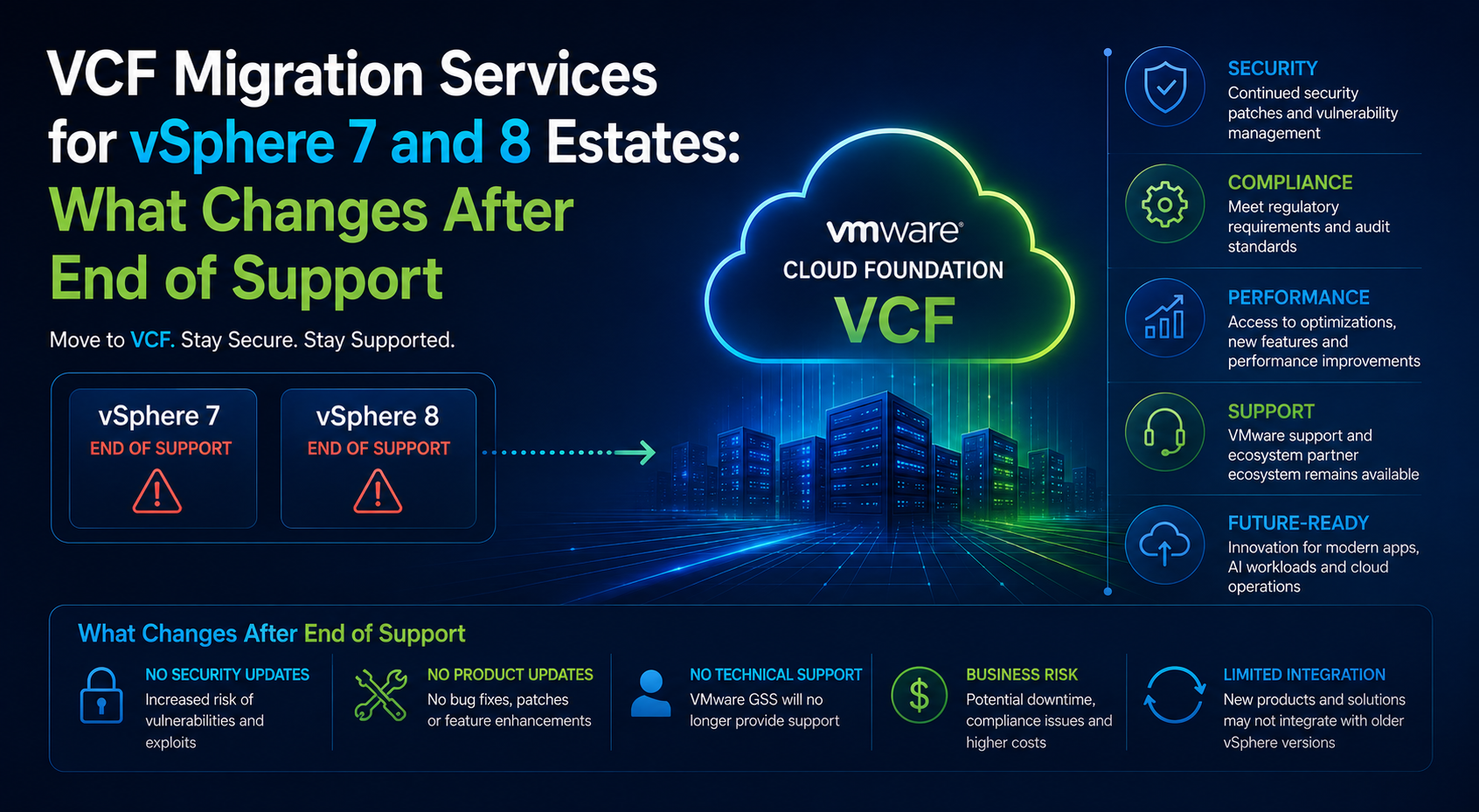
vSphere 7 reached end of general support on 2 October 2025. vSphere 8 follows on 11 October 2027. Those two dates are shaping more infrastructure roadmaps right now than any technical development in the platform, because they convert a project people were planning to think about into a project with a countdown attached.
VCF Migration Services
Running vSphere 7 or 8 with a support deadline approaching?
Consult Circle assesses your exposure and builds a realistic migration runway before the compliance conversation gets difficult.
A support boundary is not a switch. Nothing stops working on the day. What changes is the risk profile, and it changes in ways that are easy to underestimate from inside a stable environment that has been running quietly for years. This guide covers what actually changes, how to assess the exposure honestly rather than dramatically, what the realistic options are, and how much runway a migration into VMware Cloud Foundation needs from a standing start.
It is written for the person who has to explain to a board why this needs budget now rather than next financial year, and for the engineer who has to make the plan real once that budget arrives.
If you are on vSphere 7 today, you are already past the boundary and the question is how quickly you can get off it. If you are on vSphere 8, you have until October 2027, which sounds generous and is not, because a properly phased migration on a mid-sized estate consumes six to nine months of that on its own.
What This Guide Covers
- The support dates and what each one actually means
- What changes on the day support ends, and what does not
- How to assess your exposure honestly
- The four options, including the ones nobody likes
- How much runway a VCF migration needs
- What to do in the next ninety days
- A readiness checklist and answers to the questions that come up most
The Dates That Matter
Support lifecycles have several stages and the terminology matters, because a proposal that says supported and a proposal that says covered can mean quite different things.
| Milestone | What it means | vSphere 7 | vSphere 8 |
|---|---|---|---|
| End of general support | No further patches, security fixes or standard technical support | 2 October 2025 | 11 October 2027 |
| Extended support | Paid extension, typically limited in scope and duration where offered | Chargeable, confirm availability | Not yet relevant |
| End of technical guidance | No support of any kind, including self-service guidance | Follows general support | Follows general support |
| Third party support | Independent providers offering continued support | Available from several vendors | Available in due course |
Confirm the current position for your exact version and licensing arrangement with Broadcom rather than relying on any published summary, including this one. Lifecycle dates have moved before, and the entitlements attached to a particular subscription vary more than they used to.
What Actually Changes When Support Ends
The environment carries on running. Virtual machines do not stop. Nothing phones home and disables itself. The changes are slower and they compound, which is exactly why they get discounted.
Security patches stop
This is the material one. Hypervisor and management plane vulnerabilities continue to be discovered after a version leaves support, and they continue to be published, which means the vulnerability is known to attackers and the fix is not available to you. The exposure is not theoretical: virtualisation infrastructure has been actively targeted in ransomware campaigns for several years now, precisely because compromising the hypervisor layer is more efficient than compromising individual guests.
Compensating controls help and should be implemented regardless: network segmentation of management interfaces, strict access control, removal of management plane exposure from general networks, and enhanced monitoring around the hypervisor layer. They reduce the exposure. They do not remove it, and they do not satisfy an auditor who has asked whether the platform is supported.
Technical support stops
The practical effect is felt during an incident rather than day to day. When something breaks in a way your team has not seen before, there is no vendor escalation path. For most organisations this is the risk that turns abstract into concrete fastest, because everyone can picture the incident where it matters.
The compatibility window closes
Hardware vendors, backup software, monitoring tools and security agents all certify against supported platform versions. Over time, new versions of the things around your platform stop supporting the version you are running. This is gradual and it rarely triggers an incident directly. What it does is progressively remove your options, so that eighteen months after the boundary you find that the upgrade you have been deferring is now blocked by three other things that also need upgrading first.
The compliance position shifts
Running unsupported infrastructure is a finding in most audit frameworks and an issue in most cyber insurance renewals. Organisations frequently discover the compliance consequence before they experience the technical one, and it tends to arrive with less notice.
Assessing Your Exposure Honestly
Not every estate carries the same risk from the same version. A useful assessment produces a position you can defend in either direction, which means it has to be capable of concluding that the exposure is manageable for another six months as well as concluding that it is urgent.
- Management plane exposure. Where do vCenter and the host management interfaces sit, and who can reach them? A management plane on an isolated network reachable only from a bastion host is a materially different risk from one reachable from the general corporate network.
- Data sensitivity. What is actually running on the platform? Regulated data, payment processing and personal data raise the consequence of a compromise regardless of its likelihood.
- Blast radius. How much of the organisation stops if the platform stops? Estates carrying the entire production footprint deserve more urgency than those running development and test.
- Backup independence. Are backups genuinely isolated from the platform they protect, with immutability and a tested restore path? This is the control that most reduces the consequence of a hypervisor level compromise, and it is worth verifying rather than assuming.
- Monitoring coverage. Would you detect anomalous activity at the hypervisor layer, or only in the guests? Detection at the platform layer is often thinner than teams expect.
- Change appetite. How quickly could you actually respond if a critical vulnerability were published tomorrow with no patch available? The honest answer to that question is usually the one that settles the urgency debate.
The Four Options
Migrate to VCF
The strategic answer for organisations staying on the VMware platform. It resolves the support position, consolidates the estate, and puts you on a platform with a lifecycle you can plan against. It is also the option with the longest lead time, which is why the decision needs making early even though the work extends beyond the deadline.
Buy extended or third party support
Where available, this buys time rather than solving the problem. It is a legitimate tactic when a migration is genuinely underway and needs a few more months of cover, and it is a poor substitute for a plan when it is being used to defer the decision. Understand precisely what is covered, particularly whether security fixes are included or only technical guidance, because those are very different products at similar prices.
Accept the risk with compensating controls
Sometimes defensible for a defined period on a contained estate, and it must be a documented, dated decision with a named owner rather than a drift into inaction. Write down the controls implemented, the review date, and what would trigger an earlier response. If you cannot write that down, you have not accepted the risk, you have ignored it.
Leave the platform
Some organisations are using this moment to move to a different virtualisation platform or to public cloud. It is a real option and it is a larger project than a VCF migration, not a smaller one, because it changes the operating model, the tooling and the skills required alongside the infrastructure. Evaluate it properly if you are going to evaluate it, and do not let it become a way of deferring the VCF decision by keeping an alternative theoretically open for eighteen months.
How Much Runway a VCF Migration Needs
This is the number that matters most for anyone working back from a deadline. For a mid-sized estate of roughly 300 to 800 workloads, starting from a position where no VCF environment exists yet, the phases stack up like this.
| Phase | Elapsed time | Can it be compressed? |
|---|---|---|
| Decision and business case | 4 to 8 weeks | Yes, with executive sponsorship |
| Discovery and assessment | 2 to 4 weeks | Partially, but compressing this costs you later |
| Hardware procurement | 6 to 16 weeks | Rarely, and not by the project team |
| Destination platform build | 4 to 8 weeks | Somewhat, with adequate resourcing |
| Migration tooling and pilot | 2 to 3 weeks | Little, it is gated by validation |
| Wave execution | 10 to 20 weeks | Only by adding change windows, not engineers |
| Decommissioning | 1 to 2 weeks | Yes, but it is the wrong thing to cut |
Phases overlap, so the total is not the sum. A realistic end to end figure from decision to decommissioning is nine to fifteen months for an estate of that size. Working back from October 2027, an organisation on vSphere 8 that has not started planning by the middle of 2026 is already relying on everything going well.
The phase that most often surprises people is procurement. It sits outside the project team’s control, it is measured in months rather than weeks, and it gates the destination build which gates everything after it. If hardware is required, start that conversation before the migration plan is finished rather than after.
The phase that cannot be compressed by spending more is wave execution, because its pace is set by available change windows and application owner availability. Doubling the engineering team does not double the number of Thursday evenings in a month.
What to Do in the Next Ninety Days
If this is currently a concern rather than a project, these are the actions that produce the most progress for the least commitment. None of them require the full budget to be approved first.
- Establish exactly what you are running: versions per cluster, workload counts, and anything that is not on the standard build. Most organisations are less certain about this than they assume.
- Confirm your actual support and licensing position with Broadcom in writing rather than inferring it from published lifecycle summaries.
- Run a hardware compatibility check against the VCF release you would target, because the answer frequently eliminates one migration route and shortens the strategy debate considerably.
- Assess and document the exposure using the criteria above, so the risk conversation is based on your estate rather than on general anxiety.
- Implement the compensating controls that are worth having regardless: management plane isolation, tightened access control, verified and immutable backups, hypervisor layer monitoring.
- Get an indicative scope and cost for a migration, even if the budget cycle is months away, because the business case needs a number and a rough one now beats a precise one in six months.
- Identify the immovable business dates in the next eighteen months and map them against a candidate migration schedule.
- Name an owner. Support deadline projects drift most often because they belong to everybody in general and nobody in particular.
The Cost of Waiting, Worked Through
Deferral feels free because its costs are diffuse and its saving is immediate. Making the comparison explicit usually changes the conversation, because the recurring costs turn out to be larger than the one-off ones.
Take an estate of six hundred workloads across four clusters, currently on vSphere 7, with a migration scoped at roughly forty consultancy days. Deferring the start by twelve months does not save forty days of effort, because that work still happens. What it does is add twelve months of several recurring items.
- Extended or third party support, where purchased. A recurring cost with no residual value. Whatever it is, multiply by the deferral period and put it in the comparison, because it is the most visible line and the easiest to defend against.
- Accumulated vulnerability exposure. Difficult to price precisely and straightforward to describe: twelve additional months during which published hypervisor vulnerabilities have no available fix. The relevant number is not the probability of a breach but the cost of one, which most organisations have already estimated for other purposes.
- Compressed delivery. A migration run against a closer deadline is a more expensive migration. Fewer change windows means more parallel activity, more contingency, more out of hours work and less capacity to absorb a problem without slipping the date.
- Compatibility drift. Every month past a support boundary, another component around the platform releases a version that no longer supports what you are running. Deferral does not hold the position steady, it narrows the options.
- Deferred decommissioning benefit. The saving from switching off the legacy estate is real, is usually the largest line in the business case, and arrives only when the environment is actually switched off. Every month of delay is a month of that saving not being realised.
Set against those, the saving from deferral is the cost of the migration moved twelve months into the future, discounted. For most estates the comparison does not survive contact with the numbers, which is exactly why it is worth doing explicitly rather than arguing the point qualitatively.
Talking to Your Auditor, Your Insurer and Your Board
Three audiences ask about this and each wants something different. Preparing the right answer for each saves a great deal of time later.
The auditor
Auditors ask whether the platform is supported and, if not, what compensating controls are in place and who accepted the risk. A documented, dated risk acceptance with a named owner, a review date and a migration plan attached converts a finding into a managed issue in most frameworks. The absence of that documentation is what turns it into a problem, more than the unsupported status itself.
The insurer
Cyber insurers increasingly ask about the support status of core infrastructure at renewal. Raise it with your broker before renewal rather than after an incident, get the position in writing, and be able to describe both the compensating controls and the remediation timeline. An organisation with a funded migration plan and a defined end date presents very differently from one with neither.
The board
Boards do not want the architecture. They want to know what the exposure is, what it costs to remove, what it costs to defer, and when it ends. Lead with the deferral cost, since it is the number that makes the decision, and keep the technical explanation to a single sentence about the platform no longer receiving security fixes.
Support Position Readiness Checklist
Know your position
- Current vSphere and ESXi version recorded for every cluster, including anything outside the standard build
- Support and licensing entitlement confirmed in writing with the vendor
- Extended support availability, scope and cost established if it is being considered
- End of support date for every component in the platform, not just the hypervisor
Reduce the exposure now
- Management interfaces isolated from general networks and reachable only through controlled paths
- Administrative access reviewed, with multi-factor authentication enforced and dormant accounts removed
- Backups verified as immutable, genuinely isolated from the platform, and restore tested within the last quarter
- Hypervisor layer logging forwarded to your security monitoring and alerting on anomalous activity
- Risk formally accepted, dated, owned and scheduled for review rather than left implicit
Plan the exit
- Target VCF version and architecture agreed at least in outline
- Migration route chosen: in-place conversion, side-by-side or greenfield
- Hardware compatibility confirmed and procurement started if new hardware is needed
- Workload eligibility audit completed and remediation work scheduled
- Wave plan drafted against the change windows actually available per month
- Decommissioning of the legacy estate scheduled and included in the business case
Where Organisations Get This Wrong
Treating the deadline as the finish line. The deadline is when the exposure begins, not when the project should complete. Working back from it means starting far earlier than the date suggests, because the migration itself consumes most of the runway.
Buying extended support instead of making a decision. Extended support is a bridge to somewhere. Bought without a plan on the other side, it purchases twelve months and the same conversation.
Assuming compensating controls resolve the compliance position. They reduce risk meaningfully and they do not change the answer to whether the platform is supported, which is the question the auditor and the insurer are asking.
Underestimating procurement. Hardware lead times sit outside the project team’s control and gate everything downstream. Start that conversation early even if the specification is not final.
Planning execution against engineering capacity. Wave pace is set by change windows and application owner availability. Plan against the constraint that actually binds.
Leaving the legacy estate running after the migration. The support exposure persists until the environment is switched off, along with the cost. Decommissioning is part of the plan, not an optional tidy-up afterwards.
Frequently Asked Questions
When did vSphere 7 lose support, and what about vSphere 8?
vSphere 7 reached end of general support on 2 October 2025. vSphere 8 general support ends on 11 October 2027. Confirm the current position for your specific version and entitlement directly with Broadcom, since lifecycle dates have been adjusted before and subscription entitlements vary.
What actually happens to our environment on the day support ends?
Operationally, nothing. No patches or security fixes are issued from that point and standard technical support is no longer available, so the risk accumulates from that date rather than arriving on it. The compliance and insurance consequences frequently surface before any technical one does.
Is third party support a reasonable alternative?
It is reasonable as a bridge while a migration is genuinely underway. Examine the scope carefully, particularly whether security fixes are included or only technical guidance, since those are materially different offerings. As a substitute for a migration plan it defers the decision at a recurring cost.
How long do we actually need to migrate to VCF?
For a mid-sized estate starting from no existing VCF environment, nine to fifteen months from decision to decommissioning is realistic. Procurement and wave execution dominate that, and neither compresses well by adding engineers.
Can we migrate from vSphere 7 directly, or do we need to upgrade first?
You can generally migrate directly, because the migration tooling is designed to bridge version differences between source and destination. What needs confirming is the interoperability matrix for your specific combination of source build, tooling version and target VCF release.
What if we cannot get budget until the next financial year?
Do the free work now. Establish your inventory, confirm your entitlement position, run the hardware compatibility check, document the risk acceptance formally and implement the compensating controls. That work costs little, shortens the eventual project, and materially strengthens the budget case when the cycle opens.
Does running unsupported software affect our cyber insurance?
It can. Insurers increasingly ask about the support status of infrastructure at renewal, and unsupported platforms can affect terms or the treatment of a claim. Raise it with your broker rather than discovering the position during a claim, and get the answer in writing.
Can Consult Circle help if we are already past the deadline?
Yes, and it is a common starting point rather than an unusual one. The first piece of work is usually an exposure assessment and a set of compensating controls to reduce risk immediately, run in parallel with scoping the migration properly. Being past a deadline changes the urgency, not the approach.
Where Consult Circle Fits
We work with organisations at both ends of this: those planning ahead of a boundary and those already past one and needing to reduce exposure while a migration is scoped. The immediate work is usually the same either way. Establish what is actually running, confirm the entitlement position, tighten the controls that reduce consequence, and produce a migration plan with a defensible timeline attached.
From there we design and build the VCF environment and run the workload migration into it, including the decommissioning that ends the exposure rather than merely relocating it.
Ninety day plan
Need a plan you can take to the board?
If you are on vSphere 7, the exposure is live now and the useful first step is an assessment that tells you how much risk you are actually carrying and what can be done about it this month, before the migration is even scoped. If you are on vSphere 8, October 2027 is closer than it reads once procurement and phased execution are accounted for. Either way, the conversation starts with what is actually running, and that is a short piece of work.
Related Guides in This Series
- VMware Migration Services: How to Scope, Price and Run a VCF Move
- How to Migrate to VCF Using HCX: A Step by Step Walkthrough from Site Pairing to Cutover
- vSphere to VCF Migration and Upgrade Paths: In-Place, Side-by-Side or Greenfield
- The Complete VMware HCX Migration Checklist: 70 Checks Before, During and After Cutover
- VMware HCX Migration Problems and How to Fix Them: Service Mesh, Network Extension and Failed Transfers
- VMware Cloud Foundation 5.x vs VCF 9.x: Key Differences, Architecture Changes and Upgrade Considerations
- Migrating from Legacy vSphere to VMware Cloud Foundation (VCF) Using HCX