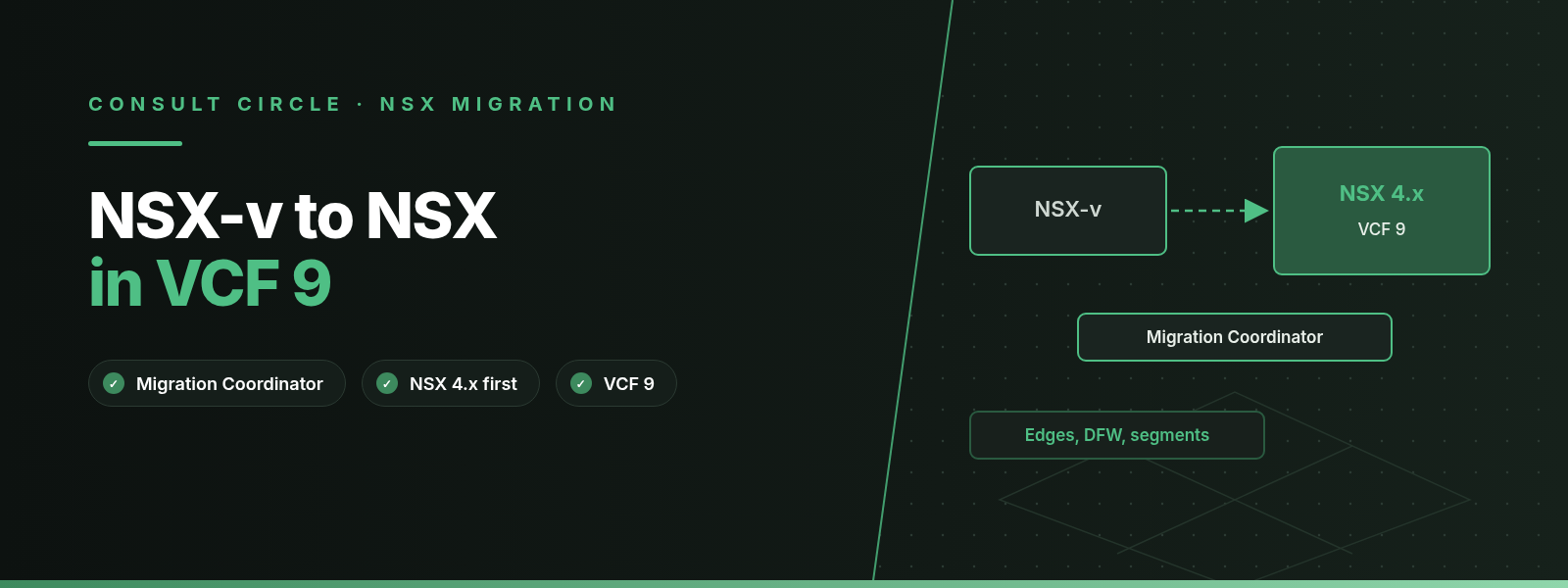
NSX-v to NSX migration guide, updated for VCF 9.1
You cannot migrate NSX Data Center for vSphere (NSX-v) straight into VMware Cloud Foundation (VCF) 9.x: the NSX Migration Coordinator was removed in VCF 9.0, so the supported route is NSX-v to NSX 4.x with the 4.x Migration Coordinator, then NSX 4.x into VCF 9.1. The other route is to build VCF 9.1 fresh and move the virtual machines across, rebuilding the network and security policy on the new platform.
NSX-v left general support on 16 January 2022 and technical guidance on 16 January 2023, yet we still meet estates running it in 2026, usually on vSphere 7 clusters that nobody wanted to touch. This guide covers what Broadcom documents today about getting from NSX-v to NSX in VCF 9: which tools still exist, which have gone, what maps across and what does not, and how we plan the cutover and rollback. Where we give an opinion, we label it.
Key points
- NSX-v general support ended on 16 January 2022 and technical guidance on 16 January 2023 (Broadcom KB 314283).
- VCF 9.0 does not support migrating NSX-v directly to NSX, and the NSX Migration Coordinator is no longer available from VCF 9.0 onwards. Migrate to NSX 4.x first, then bring NSX 4.x into VCF 9.
- NSX 4.2 still ships the Migration Coordinator, with Fixed Topology, User-defined Topology (Complete, Configuration, Configuration and Edge) and advanced modes, including a Distributed Firewall only mode.
- HCX V2T workload migrations were deprecated in HCX 4.10 and removed in VCF Operations HCX 9.0.
- NSX-v is not supported with vSphere 8.0, so the network migration has to happen before the vSphere upgrade.
What is the support status of NSX-v in 2026?
NSX-v is out of every support phase. Broadcom KB 314283 sets the end of general support at 16 January 2022 and the end of technical guidance at 16 January 2023. KB 324201 goes further: many older NSX-v builds have been pulled from general download, 6.4.14 is the recommended release for anyone still running it, and customers are advised to migrate because NSX-v is no longer in general support or technical guidance.
The vSphere side closes the door from the other direction. KB 313842 states that all versions of NSX-v are unsupported with vSphere 8.0. If NSX-v is deployed, vCenter and ESXi upgrades to 8.0 are blocked. Most NSX-v estates are therefore sitting on vSphere 7, and vSphere 7 reached end of general support on 2 October 2025 (KB 415405). Two unsupported layers are now stacked on each other.
2022
NSX-v end of general support (16 January)
2023
NSX-v end of technical guidance (16 January)
5
Fixed topologies supported for end-to-end migration in NSX 4.2
512
Hosts per NSX Manager in the NSX 4.2 migration limits
Why can't you upgrade NSX-v in place to NSX?
NSX-v and NSX (the product once called NSX-T) are separate products with different managers, data planes and object models. NSX-v used VXLAN logical switches, a Distributed Logical Router (DLR) and Edge Services Gateway (ESG) virtual machines, all managed through a vCenter-tied NSX Manager. NSX uses Geneve overlay segments, tier-0 and tier-1 gateways that run on NSX Edge nodes, and a policy model with groups and security policies. There is no upgrade bundle that turns one into the other. A "migration" means building NSX alongside NSX-v, translating the configuration, and then moving hosts or workloads onto the new data plane.
Broadcom's tool for that translation is the NSX Migration Coordinator, a service inside NSX Manager. The VCF 9.0 NSX product support notes are explicit: VCF 9.0 does not support migrating an NSX-v environment directly to NSX, the Migration Coordinator is no longer available from that release, and NSX-v customers must first migrate to NSX 4.x with that release's Migration Coordinator before upgrading NSX 4.x to VCF 9.0. The NSX 4.2.0 release notes had already announced the removal, and confirm that Migration Coordinator support remains for the NSX 4.x release series.
For background on the original NSX-T rationale, our earlier article on how to start a migration from NSX-v to NSX-T is still a useful primer. This guide replaces its tooling advice for VCF 9.
Which migration paths are left in 2026?
Three routes are still practical. Two use the NSX 4.2 Migration Coordinator, and one skips it entirely.
Path A
In-place with NSX 4.2
The Migration Coordinator translates the configuration, cuts over the Edges and swaps NSX-v for NSX on the existing hosts. Then vSphere is upgraded and the estate is converged into VCF 9.1.
Path B
Lift-and-shift with NSX 4.2
New clusters run NSX 4.2. The coordinator migrates configuration and Edges and bridges each NSX-v logical switch to its NSX segment while VMs move across with vMotion.
Path C
Greenfield VCF 9.1
Build VCF 9.1 with NSX 9.1 on new hardware, rebuild segments, gateways and DFW policy there, and move VMs in waves. No Migration Coordinator is involved.
The Migration Coordinator modes in NSX 4.2
The NSX 4.2 migration guide groups the modes as follows. Fixed Topology migrates the whole NSX-v environment, but only if it matches one of five supported topologies. User-defined Topology lets you build tier-0 and tier-1 gateways yourself and map ESGs and DLRs onto them, with three variants: Complete Migration (end-to-end), Configuration Migration (lift-and-shift of configuration only) and Configuration and Edge Migration (lift-and-shift that also migrates the Edges for north-south cutover). There are equivalent modes for NSX-v managed by Aria Automation.
The advanced modes cover narrower jobs: Edge Cutover (in-place), Distributed Firewall (lift-and-shift of the DFW only), Distributed Firewall, Host and Workload (in-place), and VLAN-to-Overlay Migration. The guide recommends the NSX for vSphere mode whenever the environment has ESGs.
| Path | Tooling | Hosts | Main risk | Status in 2026 |
|---|---|---|---|---|
| A. In-place | NSX 4.2 Migration Coordinator, Fixed or Complete | Reused | No built-in rollback once hosts migrate | Supported through NSX 4.x |
| B. Lift-and-shift | NSX 4.2 Configuration and Edge Migration plus vMotion | New clusters | Bridge and Edge cutover timing | Supported through NSX 4.x |
| B with HCX | HCX 4.x V2T mobility groups | New clusters | Tooling removed in HCX 9.0 | Deprecated in HCX 4.10 |
| C. Greenfield | VCF 9.1, NSX 9.1, HCX 9.1 | New | Manual policy rebuild | Current platform |
| DFW only | Distributed Firewall mode | Either | Unsupported rule objects | Supported through NSX 4.x |
Table 1. NSX-v to NSX migration paths and their status, from the NSX 4.2 migration guide, HCX 4.10.3 release notes and VCF 9.0 product support notes.
How does Path A, in-place migration with NSX 4.2, work?
Path A reuses the hosts you already have. You deploy a new NSX 4.2 Manager and Edge nodes, start the migration-coordinator service on one Manager node, and walk through the stages the guide lays out: import the NSX-v configuration, resolve the issues it reports, migrate the configuration, migrate the Edges, migrate the hosts, and finish. During host migration, NSX-v software is removed from each host and NSX is installed in its place.
Fixed Topology is the simpler of the two in-place modes, but it only accepts five shapes of network. In summary, they are: an ESG pair in HA with L4 to L7 services but no load balancer; ECMP ESGs with no services; two tiers of ESG with services on the second tier; a one-armed load balancer ESG; and VLAN-backed micro-segmentation with no VXLAN at all. Across all five, IP multicast, IPv6 and SSL VPN are unsupported. Anything else goes through User-defined Topology, where you build the tier-0 and tier-1 gateways yourself and map each ESG and DLR to them.
Some operating rules from the guide are worth printing on the change ticket. Run the migration from one Manager node by its own IP or hostname, never the cluster VIP. Do not run a manager-to-policy promotion during the migration. Avoid lifecycle work on NSX-v Manager or vCenter while hosts are being migrated. Remove NSX-v as soon as the migration succeeds.
Once NSX 4.2 is running, the vSphere 8 block in KB 313842 no longer applies. The VCF 9.1 installer can then take in an existing vCenter 8.0 Update 3a or later with NSX Manager 4.2 or later. For convergence, the 9.1 documentation says NSX 4.2.1 or later deployments registered to vCenter instances without Enhanced Linked Mode are converged at their current version and can be upgraded to NSX 9.1 afterwards. vCenter instances with existing NSX registrations and Enhanced Linked Mode are not supported for convergence. Our VCF 5.2 to 9.1 upgrade guide and vSphere to VCF paths article cover that second half.
Still running NSX-v?
Get a migration path that ends on a supported VCF 9.1 platform
Consult Circle assesses NSX-v estates, picks the path that fits your topology and hardware, and runs the migration through to VCF 9.1 with HCX for the workloads.
See our VCF migration serviceHow does Path B, lift-and-shift with NSX 4.2, work?
Path B is for estates moving to new hardware but still wanting Broadcom's configuration translation. You build new clusters prepared for NSX 4.2 and run User-defined Topology in Configuration and Edge Migration mode. The coordinator migrates the configuration, bridges each NSX-v logical switch to its matching NSX segment, and migrates the Edges so north-south traffic leaves through the NSX tier-0 gateway. Workload VMs then move across while the bridge keeps each subnet as one Layer 2 domain.
Where HCX fitted, and where it no longer does
Under HCX 4.x, the Configuration and Edge Migration mode could hand the workload step to HCX. The HCX 4.9 user guide calls this Workload Migrations for NSX V2T: you created mobility groups in HCX, picked V2T-Migration, and HCX pulled the network mapping from the Migration Coordinator through its API. The restrictions were strict. HCX Network Extension and WAN Optimization could not be used, because the NSX-v and NSX environments had to be joined with NSX bridging. You could not add VMs to a mobility group after it started. Encrypted and suspended VMs were excluded. Migration ran one way only, with Bulk migration as the route back.
The HCX 4.10.3 release notes state that V2T workload migrations using the Migration Coordinator are deprecated in HCX 4.10. The VCF 9.0 product support notes then record their removal in VCF Operations HCX 9.0. In 2026, the vMotion option inside the NSX 4.2 Migrate Workloads step is the one that still has a future. If you already run HCX 4.10 or 4.11 and started a V2T programme on it, finish it there before upgrading HCX.
How does Path C, greenfield VCF 9.1 with HCX, work?
Path C builds a new VCF 9.1 instance with NSX 9.1 and treats NSX-v as a source to evacuate. You design segments, tier-0 and tier-1 gateways and the DFW policy in NSX 9.1 directly, then move VMs in waves with VCF Operations HCX 9.1. Our guides to migrating to VCF with HCX and sizing an HCX migration cover the HCX side.
Check HCX support for the source carefully. The HCX 9.0 software version requirements listed NSX for vSphere at the source as "provided for evacuation only", pointing to KB 82702, and not supported at the destination. The VCF 9.1 edition of the same page no longer has an NSX for vSphere row: it asks for source NSX and vSphere versions within technical guidance or newer, and still points to KB 82702 for evacuating versions that are no longer generally available. Broadcom KB 71398 adds that source-side NSX registration in HCX is only needed to extend NSX logical networks and migrate NSX security tags. Confirm with Broadcom, against KB 82702 and the interoperability matrix, exactly what your source combination supports before you commit to dates.
Our recommendation: pick Path C when the NSX-v estate is small, its rule base is untidy, or the hardware is due for replacement anyway. Rewriting a few hundred DFW rules into clean NSX groups and policies takes less effort than resolving every warning the coordinator raises on a ten-year-old rule base. Our firewall rule migration guide describes the rebuild approach we use.
Migration Coordinator (Paths A and B)
- Translates DFW, groups, tags, NAT, routing and supported load balancer settings for you
- Keeps object names, so audit history lines up
- Needs a temporary NSX 4.2 stage before VCF 9.1
- Brings old rule clutter across unchanged
Greenfield rebuild (Path C)
- Lands directly on NSX 9.1, with no NSX 4.2 stage
- A chance to redesign groups and rule order
- Every rule is rewritten and must be retested
- HCX support for the NSX-v source must be confirmed first
What maps from NSX-v to NSX?
Most constructs have a direct equivalent. The coordinator also changes the shape of some of them. DFW sections, for example, are split into blocks of 1,000 rules, and ESG-to-DLR routes become static routes.
Two mappings need a second look in VCF 9. First, load balancing: the coordinator can turn ESG load balancers into NSX load balancers, but the VCF 9.0 product support notes say general-purpose load balancing is no longer part of the VCF entitlement and recommend Avi Load Balancer. Only infrastructure component balancing and Layer 4 balancing for vSphere Supervisor stay entitled. Plan any ESG load balancer as an Avi move. Our F5 to Avi guide covers the design side. Second, partner services: the coordinator migrates east-west Network Introspection rules to NSX 4.2, but KB 322083 says the Network Introspection for Security feature is discontinued after the last NSX 4.2.x release, and supported until the end of general support for NSX 4.2.x or 11 October 2027, whichever comes first. If a partner firewall sits in the east-west path today, talk to that vendor about its VCF 9 integration before you design anything.
What does not migrate?
The NSX 4.2 detailed feature support page is long. These are the gaps we check first, because they change the design rather than just adding a post-migration task.
| Area | Not migrated (NSX 4.2 guide) | What we do |
|---|---|---|
| Host networking | vSphere Standard Switch, NIOC v2, host profiles, lockdown mode, ephemeral port groups, VXLAN port other than 4789 | Move to VDS and fix before import |
| Switching | L2 bridging, hardware VTEP, multicast or hybrid replication transport zones | Redesign or switch to unicast first |
| ESG routing | IPv6, NAT64, multicast routing, redistribution prefix filters, default originate | Rebuild on the tier-0 gateway by hand |
| Load balancer | Application rules, LDAP, DNS and MSSQL monitors, IPv6 VIPs and members | Recreate, ideally on Avi |
| DFW and groups | Cluster, Datacenter, DVPG and Host objects in rules; exclusion list; groups by regular expression | Rewrite with tags or VM groups |
| VPN | SSL VPN, certificate-based L2VPN, L2VPN client mode, IPsec peers set to any | Replace or rebuild after cutover |
| Management | Local users, FIPS mode, appliance certificate, NSX roles on vCenter groups | Recreate in NSX |
Table 2. NSX-v features the NSX 4.2 Migration Coordinator does not migrate, from the NSX 4.2 detailed feature support page.
Watch the grouping limits as well. A security group migrates with up to 500 static members. If a VM carries more than 25 security tags, none of its tags are migrated. Security groups that use exclusion membership, or that have missing members, are not supported. The NSX 4.2 limits page also caps the source at 512 hosts per NSX Manager, 10,000 logical switches and 100,000 DFW rules per NSX Manager, with security groups, IP sets and security tags together kept at or under 10,000.
The VCF 9.0 NSX product support notes list further removals that matter to old NSX-v designs: VMware no longer supports vShield Endpoint, NSX agents on physical servers for overlay connectivity are no longer supported, and only one NSX instance is supported per vCenter instance. Check any agentless antivirus or guest introspection product with its vendor for VCF 9 support.
What are the prerequisites?
- Full export of the NSX-v configuration and a current NSX-v Manager backup
- NSX-v on a release your NSX 4.2 build supports, checked in the interoperability matrix (KB 324201 recommends 6.4.14)
- Every host on a vSphere Distributed Switch, with no NIOC v2, host profiles or lockdown mode
- Topology recorded against the five fixed topologies, or a target tier-0 and tier-1 design written down
- Rule base checked for Cluster, Datacenter, DVPG and Host objects, regular expression groups and VMs with more than 25 tags
- Load balancer and partner service plans agreed, given the VCF 9 load balancer entitlement and the Network Introspection end date
- Edge node sizing and TEP addressing for the new NSX data plane
- Target vCenter version and Enhanced Linked Mode status confirmed for VCF 9.1 convergence
How to plan the migration in phases
This is the sequence we use for Path A and Path B. For a single-site estate with one NSX-v Manager and a few hundred DFW rules, we usually plan eight to twelve weeks from assessment to VCF 9.1. Large cross-vCenter estates take longer. Treat those numbers as our experience, not a Broadcom figure.
Assess and export
Inventory ESGs, DLRs, logical switches, DFW sections, Service Composer policies, partner services and VPNs. Match the topology against the NSX 4.2 fixed topologies and the unsupported feature list.
Clean up NSX-v
Remove unused rules and groups, replace unsupported objects in rules, move standard switch hosts to VDS and resolve overlapping IPsec subnets. Everything fixed here is one less blocker in Resolve Configuration.
Build NSX 4.2
Deploy a new NSX 4.2 Manager and Edge nodes. The guide does not support migrating into a pre-existing NSX configuration. Start the migration-coordinator service on one node.
Rehearse import and resolve
Import the configuration and work through every reported issue. Roll back from the Import Configuration page and repeat until the import is clean.
Migrate configuration and Edges
In a change window, migrate the configuration, check that it has been realised, then cut over the Edges. Our recommendation is to treat the Edge cutover as an outage window for north-south traffic and tell application owners in advance.
Migrate hosts or workloads
For Path A, migrate hosts cluster by cluster. For Path B, vMotion VMs across the bridged segments wave by wave, then finish the migration and remove NSX-v.
Move to VCF 9.1
Upgrade vSphere to 8.0 Update 3a or later, converge or import into VCF 9.1 with NSX 4.2.1 or later, then upgrade NSX to 9.1 through the VCF lifecycle tools.
How do cutover and rollback work?
The coordinator only lets you roll back from the furthest step you have completed. How far you can go back depends on the stage.
| Stage | Rollback in NSX 4.2 | Note |
|---|---|---|
| Import Configuration | Yes, from this page | Safe to repeat while rehearsing |
| Resolve Configuration | Via the Import Configuration page | Resolved input is discarded |
| Migrate Configuration | Yes | Collect a support bundle first |
| Migrate Edges | Yes | Confirm traffic returns through the NSX-v ESGs; manual steps may be needed |
| Migrate Hosts | No built-in rollback | Manual: remove NSX, reinstall NSX-v |
Table 3. Rollback options at each Migration Coordinator stage, from the NSX 4.2 roll back page.
If rollback from Migrate Configuration fails, the guide's answer is to start again: remove the vCenter compute manager, delete the NSX Manager appliance and deploy a fresh NSX environment. For hosts, it documents a manual rollback that removes NSX and reinstalls NSX-v, and for NSX-v 6.4.8 or later it requires an API call on the NSX-v Manager first to unblock EAM events. It also advises rolling back a failed host only after the cluster containing it has stopped.
In our experience, the Edge cutover is the real point of no easy return for users. Agree a go or no-go check before it: BGP sessions up on the tier-0 gateway, routes received upstream, test VMs on each migrated segment reaching their gateway and the outside world. If any check fails, roll back Edges straight away. Do not wait to see whether it settles. In Path B, keep the bridge in place until the last VM on each segment has moved and its owners have signed off, then remove it.
NSX-v to VCF 9.1
Need an NSX-v migration planned and run for you?
We assess NSX-v rule bases, design the NSX 4.2 or greenfield VCF 9.1 target, and run the cutover with a tested rollback plan, for UK and international clients.
Book an NSX-v migration reviewFrequently Asked Questions about NSX-v to NSX migration in VCF 9
Is NSX for vSphere (NSX-v) still supported?
No. Broadcom KB 314283 sets the end of general support for NSX-v at 16 January 2022 and the end of technical guidance at 16 January 2023, and KB 324201 advises customers to migrate to NSX.
Can I migrate NSX-v directly to NSX 9 in VCF 9?
No. The VCF 9.0 product support notes state that VCF 9.0 does not support migrating NSX-v directly to NSX and that the NSX Migration Coordinator is no longer available. You migrate to NSX 4.x first with that release's Migration Coordinator, then bring NSX 4.x into VCF 9.
Which NSX version is the last to include the Migration Coordinator for NSX-v?
NSX 4.x is the last release series with it. The NSX 4.2.0 release notes say support for the Migration Coordinator remains for the NSX 4.x series and that it would be removed in the next major release, which happened in NSX 9.0.
Can HCX 9.x migrate workloads from NSX-v to NSX using V2T?
No. HCX V2T workload migrations with the Migration Coordinator were deprecated in HCX 4.10, and the VCF 9.0 product support notes record that VCF Operations HCX 9.0 discontinued V2T migration support.
Can I upgrade vSphere to 8.0 while NSX-v is installed?
No. KB 313842 states that no version of NSX-v is supported with vSphere 8.0 and that vCenter and ESXi upgrades to 8.0 are blocked when NSX-v is deployed, so migrate NSX-v to NSX first.
Does the Migration Coordinator migrate the distributed firewall?
Yes. DFW sections, rules, security groups, IP sets and security tags migrate within documented limits, with sections split into blocks of 1,000 rules, and there is a Distributed Firewall only mode for estates that use NSX-v just for micro-segmentation. Rules that use Cluster, Datacenter, DVPG or Host objects, and the DFW exclusion list, have to be recreated.
Do NSX-v Edge load balancers carry over to VCF 9?
Partly. The NSX 4.2 coordinator migrates ESG load balancers with some feature gaps, but the VCF 9.0 product support notes say general-purpose load balancing is no longer part of the VCF entitlement, and Broadcom recommends Avi Load Balancer.
How long does an NSX-v to NSX migration take?
In our experience, a single-site estate with one NSX-v Manager and a moderate rule base takes eight to twelve weeks from assessment to VCF 9.1. Broadcom does not publish a duration, and cross-vCenter or partner-service estates take longer.
Sources
- Broadcom KB 314283: End of Availability, VMware NSX Data Center for vSphere
- Broadcom KB 324201: End of Distribution of older NSX for vSphere and NSX-T versions
- Broadcom KB 313842: Migrate NSX Data Center for vSphere to NSX before upgrading to vSphere 8.0
- Broadcom KB 415405: End of General Support for vSphere 7.0
- Broadcom KB 322083: End of Availability announcement for NSX Network Introspection for Security
- Broadcom KB 71398 (319145): NSX requirements for HCX integration
- Broadcom: VCF 9.0 release notes, NSX product support notes
- Broadcom: VCF 9.0 release notes, VCF Operations product support notes (HCX V2T removal)
- Broadcom: VMware NSX 4.2.0 release notes
- Broadcom: NSX 4.2 Migration Guide, Migration Modes
- Broadcom: NSX 4.2 Migration Guide, Fixed topologies supported for end-to-end migration
- Broadcom: NSX 4.2 Migration Guide, Detailed feature support for migration
- Broadcom: NSX 4.2 Migration Guide, Limits supported for migration
- Broadcom: NSX 4.2 Migration Guide, Roll back a migration
- Broadcom: VMware HCX 4.10.3 release notes
- Broadcom: HCX 4.9 User Guide, Understanding Workload Migrations for NSX V2T
- Broadcom: HCX 9.0 User Guide, Software version requirements
- Broadcom: VCF 9.1 Workload Mobility, HCX software version requirements
- Broadcom: HCX 9.0 User Guide, NSX requirements for the source site installation
- Broadcom: VCF 9.1.0 release notes, What's new in VCF Installer
- Broadcom: VCF 9.1, Supported and not supported configurations to converge to VCF
- VMware Cloud Foundation blog: What's new in VCF Operations HCX 9.0
Written by the Consult Circle VMware HCX migration team. Last reviewed 3 November 2026.