Network security migration guide
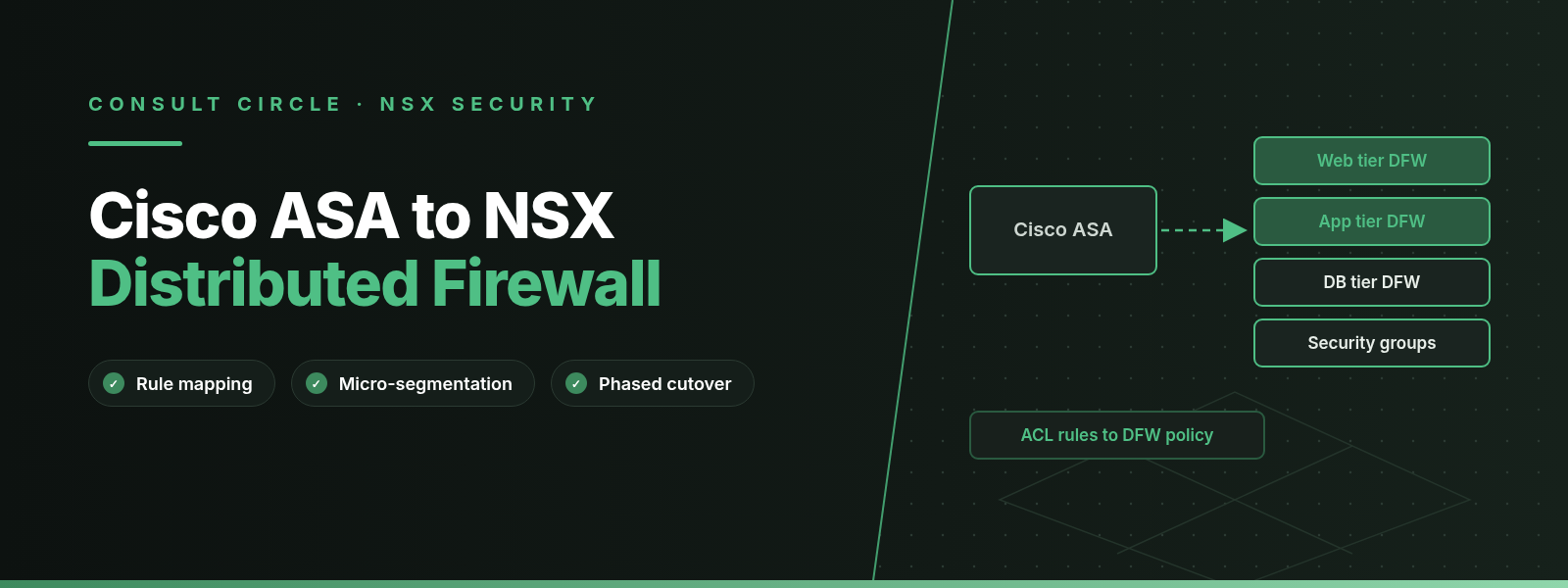
Moving firewall policy from Cisco ASA to the VMware NSX Distributed Firewall (DFW) in VMware Cloud Foundation (VCF) 9.x means rebuilding interface ACLs as DFW policies that are enforced at every virtual machine's vNIC, with Cisco ASA object-groups becoming NSX groups driven by tags. NAT, VPN and routing do not move into the DFW: they stay on NSX Tier-0 and Tier-1 gateways (where the NSX Gateway Firewall also runs), on the ASA, or on another device.
Most VMware estates we assess still filter workload traffic with a pair of Cisco ASAs in front of a handful of VLANs. That design only inspects traffic that crosses a zone boundary. Anything moving between two servers in the same VLAN never touches the firewall. The NSX Distributed Firewall, now documented by Broadcom under the VMware vDefend Firewall product line, closes that gap. Getting there safely depends on how you translate years of ACL entries into a policy model that works quite differently. This guide covers the mapping, the rule clean-up, the phased cutover and the mistakes we see most often. Every product behaviour and limit below comes from Broadcom or Cisco documentation listed in the sources. Where we give an opinion, we say so.
Key points
- The DFW filters traffic at each VM's vNIC, so it can control east-west and same-VLAN flows that an ASA never sees.
- ASA object-groups map well to NSX groups and services. ASA security levels and interface ACLs have no direct equivalent and must be rewritten as explicit rules with an Applied To scope.
- DFW categories are evaluated in a fixed order: Ethernet, Emergency, Infrastructure, Environment, Application, then the default rule, which allows all traffic until you change it.
- NSX Migration Coordinator is built for NSX for vSphere to NSX moves. Broadcom does not document it as a Cisco ASA conversion tool.
- Clean the ASA rule base with hit counts first, run new rules in an allow-and-log phase, watch flows in Security Intelligence, then switch the default rule to drop.
Why move firewall policy from Cisco ASA to the NSX Distributed Firewall?
An ASA makes decisions per interface. Each interface sits in a zone, and traffic is only inspected when it crosses from one zone to another. That was a reasonable model when a data centre had a web tier, an application tier and a database tier on three VLANs. It struggles with today's estates. A compromised web server can talk to every other server in its VLAN without the ASA seeing a packet, and the only way to tighten that is to create more VLANs and more interfaces.
The DFW turns the model around. Broadcom describes the policy lifecycle as designing groups from tags, segments or VM names, writing policies into categories, publishing them, and then watching rule hits and flows in Security Intelligence. The rules are enforced at the vNIC, so a VM carries its policy with it when it moves between hosts. You also do not need to rebuild the network as an overlay to get there. The VCF 9.0 documentation on distributed security for VDS says you can activate DFW, IDS/IPS, Identity Firewall, L7 App ID, FQDN filtering and Security Intelligence on ordinary vSphere Distributed Switch port groups, and that DFW supports DVPGs and NSX segments in the same cluster.
For many ASA customers that last point matters most. You can bring the DFW to the VLANs that already exist, prove the policy, and leave the decision about overlay networking for later.
East-west
NSX Distributed Firewall
Stateful filtering at each VM's vNIC. Takes over the server-to-server and zone-to-zone rules that live on the ASA today.
North-south
NSX Gateway Firewall
Runs on NSX Edge nodes and can be configured on Tier-0, Tier-0 VRF and Tier-1 gateways. Broadcom positions it for traffic entering or leaving the environment.
Stays put
ASA or other edge device
Internet edge, remote access VPN and any functions you have not redesigned can stay on the ASA during and after the move.
Visibility
Security Intelligence
Flow visibility, rule hits and rule recommendations. In VCF 9 it runs on the Security Services Platform, which replaces NSX Application Platform.
How big is your ASA rule base?
Estimate the effort before you commit to a migration plan
Our Cisco ASA to NSX Migration Estimator turns your ACL, object-group and interface counts into a rough effort and phase plan, so you can scope the project before anyone touches a rule.
Open the ASA to NSX estimatorWhat maps from Cisco ASA to NSX, and what does not?
Some ASA constructs translate almost directly. Others reflect a model the DFW does not use at all, and those need a design decision rather than a conversion script. Table 1 gives the short version.
| Cisco ASA construct | NSX equivalent | How cleanly it maps |
|---|---|---|
| object network, object-group network | Group (IP addresses, or dynamic criteria such as VM tags) | Good, but rebuild IP lists as tags where you can |
| object service, object-group service | Service | Good; check the 15 entries per service limit |
| access-list (extended ACEs) | DFW policy and rules | Needs re-ordering into categories |
| access-group on an interface | Applied To (a group) | No direct equivalent; redesign |
| Security levels 0 to 100 | None; explicit allow rules plus default rule | Must be rewritten as rules |
| object-group user (identity firewall) | Identity Firewall | Redesign against Active Directory groups |
| FQDN network objects | DFW FQDN filtering | Review per rule |
| NAT, site-to-site and remote access VPN, routing | Gateway (Tier-0/Tier-1) or keep on the ASA | Out of DFW scope |
Table 1. Cisco ASA constructs and their nearest NSX equivalents. Object types are from the Cisco ASA 9.20 firewall configuration guide; NSX features are from the vDefend Firewall 9.0 documentation.
Security levels and access-group versus Applied To
On an ASA, every interface has a security level from 0 to 100. Cisco's firewall best practice guide states that traffic from a higher level to a lower level is allowed by default, while traffic from lower to higher is denied unless an ACL applied inbound on the lower-level interface permits it. Interfaces with the same level cannot talk unless you enable same-security-traffic permit inter-interface. Once you bind an ACL to an interface with access-group, Cisco notes that the security-level defaults are ignored for that interface and only the ACL entries count.
That last detail catches people out during conversion. Some of the traffic your applications rely on today may not appear in any ACL at all, because it flows from a higher-level interface to a lower one on an interface that has no ACL bound. An export of the ACLs alone will miss it. Before you convert anything, list every interface, its security level and whether an ACL is bound to it, and treat each implicit permit as a rule you must write out explicitly in NSX.
The DFW has no zones or interfaces in this sense. Its nearest concept is Applied To, which sets which vNICs receive a rule. Both policy and rule level Applied To default to DFW, meaning every vNIC in scope. Broadcom recommends using groups instead and avoiding DFW-wide scope unless a rule really needs it. One behaviour matters for converted rule sets: if the policy-level Applied To is set to a group, the rule-level settings inside that policy are ignored.
Object-groups become groups and services
Cisco ASA 9.20 has network objects, network object-groups, service objects, service object-groups, network-service objects, user and security object-groups, and time ranges. Network object-groups can nest other groups with group-object, and objects and object-groups share one namespace. These translate well to NSX groups and services, which is why most conversion projects start here.
Two details are worth checking early. Broadcom's vDefend 9.1.1 configuration maximums allow 15 user-defined entries per service, so large ASA service object-groups may need splitting across several NSX services. And ASA security object-groups hold Cisco TrustSec security group tags, which have no NSX meaning; rebuild those as NSX tags on the VMs themselves.
ACLs become policies and rules
ASA ACLs and DFW rules share one basic behaviour. Cisco documents that the ASA tests each ACE in order and stops at the first match. Broadcom documents the same top-down, first-match evaluation for DFW rules inside a category. The difference is that DFW rules also sit inside categories that are evaluated in a fixed order, so your old ACL order only survives inside each category. Rules also become stateful or stateless at policy level, and Broadcom warns that mixing stateless and stateful rules on a single logical switch port may cause undefined behaviour.
NAT, VPN and routing stay outside the DFW
The DFW filters traffic. It does not translate addresses, terminate VPN tunnels or route packets. Those functions belong on an NSX Tier-0 or Tier-1 gateway, on the ASA, or on another edge device. The Gateway Firewall runs on NSX Edge nodes and Broadcom describes it as a perimeter firewall for north-south traffic. Its categories are Emergency, System, Pre Rules, Gateway Specific and Default, and the System category holds read-only rules NSX generates for internal control plane traffic such as VPN.
Cisco's 9.1 configuration guide adds a detail that helps here: when NAT is in use, ASA ACLs reference the real, untranslated addresses. If you are carrying rules across from an older ASA configuration, confirm which addresses each ACE refers to before you build groups from them.
How does the NSX Distributed Firewall evaluate rules?
This is where most of the design work happens. Broadcom documents five DFW categories, evaluated left to right: Ethernet, Emergency, Infrastructure, Environment and Application. Inside a category, rules are checked top-down and the first match is enforced. If no rule in a category matches, evaluation moves to the next category. An Allow in the Ethernet category passes the packet on for Layer 3 to 7 evaluation in the categories that follow. A rule in Environment can use the Jump to Application action, which sends the flow to the top of the Application category.
| DFW category | Broadcom's recommended use | Typical ASA rules that land here |
|---|---|---|
| Ethernet | Layer 2 rules | Rarely any; ASA ACLs are Layer 3 and 4 |
| Emergency | Quarantine and allow rules | Block lists, incident response rules |
| Infrastructure | Access to shared services | DNS, NTP, AD, backup, monitoring ACEs repeated on every interface |
| Environment | Rules between zones | The old interface boundaries: DMZ to inside, prod to dev |
| Application | Rules between applications and tiers | Web to app to database ACEs |
Table 2. Where converted ASA rules usually belong. Recommended use is from Broadcom; the right-hand column is our experience.
How to use tags and dynamic groups instead of IP lists
A direct conversion copies every ASA network object into an NSX group with the same IP addresses. It works, and it keeps the main weakness of the old design: when a server is rebuilt with a new address, somebody has to edit the firewall. NSX groups can instead use dynamic membership criteria, such as a VM tag and scope, so a VM joins the right groups the moment it is tagged.
Tag hygiene matters more than people expect. A Broadcom knowledge base article for NSX 4.x and 9.x describes VMs missing from a group because the tag scope was spelled "Operator" instead of "Operators", and it says matching must be exact, including case. Agree a tag dictionary before anyone starts tagging.
Do
- Agree a short tag scheme (application, tier, environment, data class) before conversion starts
- Keep IP-based groups for things NSX cannot tag: physical servers, external networks, partner ranges
- Set Applied To on every policy so rules only reach the vNICs that need them
- Put shared-service rules once in Infrastructure instead of repeating them per application
Avoid
- Copying each ASA network object one for one into an IP group
- Leaving Applied To at DFW for every rule
- Free-text tags typed by hand with inconsistent case
- Recreating the ASA interface layout as hundreds of Environment rules
How to clean up the ASA rule base before you convert it
Every ASA we have reviewed carries rules nobody can explain. Converting them faithfully moves the problem into NSX, where it is harder to spot because the rules are spread across categories. Clean up first.
The ASA keeps a hit count for each ACE. Cisco's command reference gives the syntax and shows output in this form:
show access-list [ id [ ip_address | brief | numeric ] | element-count | forward-reference | internal ]

access-list test line 1 extended permit icmp any any (hitcnt=0) 0xb422e9c2
Cisco documents that the brief keyword shows the access list identifiers, hit count and last-hit timestamp in hexadecimal, and only lists ACEs with a non-zero hit count. A zero only means nothing matched while the counter was running, so find out how long the counters have been collecting and make sure the period includes month-end, quarter-end and any batch jobs that run rarely.
Look for three things. Zero-hit rules are candidates for removal once the application owner agrees. Shadowed rules sit below a broader rule that already matches the same traffic; Cisco's own guide warns that a permit-all ACE at the top of an ACL means later entries are never reached. Overly broad rules, such as any-to-any on a port range, should be split into specific rules before conversion, or they become a permanent allow in NSX.
On the NSX side, Broadcom's DFW lifecycle covers the same ground after migration: use the Hit Count column, run a Rule Analysis report from the Security Services Platform, and audit unused rules using flow inactivity and Security Intelligence recommendations. Rule Analysis checks for contradictions, redundancies and irrelevant rules across source, destination, Applied To, services, context profiles and direction.
Which tools can convert a Cisco ASA configuration to NSX?
Broadcom does not document a Cisco ASA import tool for NSX. NSX Migration Coordinator is often suggested, and it is a capable tool, but VMware describes it as designed for migrating from NSX for vSphere to NSX. Nothing in the material we reviewed says it reads ASA configurations. If you are also leaving NSX-v, our NSX-v to NSX in VCF 9 guide covers that path.
Third-party firewall policy management products and scripts exist that parse ASA configurations and produce NSX objects through the NSX API. Test any of them against a copy of your own configuration before you trust it, because the hard parts of this migration (security-level implicit permits, rule re-ordering into categories and the move from IP lists to tags) are design decisions that a parser cannot make for you.
In our experience, the most reliable approach combines both. Automate the bulk object conversion, then have an engineer place each rule into a category, set its Applied To scope and decide which IP groups should become tag-based groups.
How to migrate from Cisco ASA to the NSX DFW in phases
We run these projects in five phases. The first three change nothing on the wire, which is what makes the approach safe on production estates.
Discover
Export the full ASA configuration, interface list with security levels, NAT and VPN configuration, and hit counts collected over at least one business cycle. List every interface where traffic is permitted only by the security-level default.
Map
Remove dead and shadowed rules with application owners. Convert objects into NSX groups and services, design the tag scheme, and place each remaining rule in a DFW category with an Applied To group.
Monitor
Activate distributed security on the clusters, publish the converted rules with logging, and leave the default rule as allow. Watch flows and rule hits in Security Intelligence. Flows that hit the default rule are the gaps in your policy.
Enforce
When an application's flows all match explicit rules, add a drop or reject rule at the end of that application's policy, or change the default rule once every application is covered. Run the ASA rules in parallel during this phase so you have two layers.
Retire
Remove the now-redundant ACL entries from the ASA, keep it for internet edge, NAT and VPN if that is the design, and audit the DFW for unused rules with Hit Count and Rule Analysis.
Security Intelligence needs some planning in VCF 9. The vDefend 9.0 release notes say it is supported through the Security Services Platform and that NSX Application Platform is no longer supported from NSX 9.0 and VCF 9.0. Older guides that refer to NSX Intelligence on NSX Application Platform describe the previous design. Size and deploy the Security Services Platform before phase 3, because the monitoring phase depends on it. Broadcom also documents a behaviour in SSP 5.1.1 where the recommendation engine creates new anonymous destination groups for external and physical networks instead of reusing your existing IP groups, so review recommendations before you publish them.
What are the NSX DFW scale limits in VCF 9.1?
Converted ASA rule sets are often large, so check them against configmax before you design. These figures are from the VMware vDefend 9.1.1 configuration maximums on configmax.broadcom.com.
4,000
DFW rules per vNIC
120,000
DFW rules per ESXi host, across all vNICs
128
Objects per DFW rule
15
Entries per user-defined service
| Limit (vDefend 9.1.1) | Medium NSX Manager | Large NSX Manager | Extra Large NSX Manager |
|---|---|---|---|
| System-wide DFW rules | 25,000 | 100,000 | 200,000 |
| Firewall sections or policies | 5,000 | 10,000 | 25,000 |
| DFW rules per section or policy | 1,000 | 2,500 | 2,500 |
| User-defined services | 2,500 | 8,000 | 30,000 |
| Workloads supported | 2,500 | 50,000 | 50,000 |
Table 3. Selected DFW configuration maximums for clustered NSX Managers. Singleton managers have lower limits; see configmax for those and for Gateway Firewall figures.
The per-vNIC limit is the one converted rule sets hit first. If every rule is applied to DFW, every vNIC receives every rule, and a large ASA rule base can approach 4,000 rules on each VM. Applied To is how you keep that number down. The 128 objects per rule limit counts everything in source, destination, services, context profile and Applied To together, which matters when an ASA ACE references a nested object-group with many members.
How to test the new policy and plan rollback
Broadcom's DFW lifecycle suggests combining Traceflow with Security Intelligence flows to debug rule behaviour and drops. We use Traceflow for each application's critical paths before enforcement, and again after, so there is a record that the path worked under the new policy.
DFW changes are saved as a draft and pushed with Review & Publish. Broadcom documents publishing and reverting firewall drafts, and configmax lists up to 100 saved firewall configurations across published and manual drafts. Save a named draft before each enforcement change. If an application breaks, reverting to the previous draft is faster than editing rules under pressure.
Our recommendation is to keep the ASA rules active until each application has run under DFW enforcement through at least one full business cycle. The two layers overlap for a while, which costs some operational effort but gives you a second control if a DFW rule is wrong.
- Every ASA interface, security level and bound ACL recorded, with implicit permits written out as rules
- Zero-hit and shadowed ACEs reviewed with application owners and removed or justified
- Tag scheme agreed, documented and applied, with case and scope checked
- Management appliances on the DFW exclusion list before distributed security is activated
- Security Services Platform deployed and Security Intelligence collecting flows
- Rule counts per vNIC checked against the 4,000 limit, with Applied To set on every policy
- Named draft saved before each enforcement step, and Traceflow tests recorded
- NAT, VPN and routing ownership agreed for the ASA, Gateway Firewall or another device
Common mistakes in ASA to NSX DFW migrations
Forgetting the security-level implicit permits
Traffic from a higher-level interface to a lower-level one is permitted by default on the ASA when no ACL is bound. It never appears in an ACL export, so a straight conversion leaves it out. Under DFW enforcement that traffic is dropped, and it is usually something important, such as outbound access from an internal zone to a shared services network.
Treating the default rule as an implicit deny
The ASA denies anything not permitted. The DFW default rule allows everything until you change it. A team that publishes converted rules and stops there has changed very little about what traffic can flow.
Applying every rule everywhere
Leaving Applied To at DFW is the default, and it is the fastest way to reach the per-vNIC rule limit. It also makes troubleshooting harder, because every VM evaluates rules that will never match its traffic.
Converting rules one for one
Copying 3,000 ACEs into 3,000 DFW rules keeps every shadowed and unused entry, and repeats shared-service rules once per interface. Clean up first, and put DNS, NTP, Active Directory and backup rules once in the Infrastructure category.
Moving NAT and VPN thinking into the DFW
The DFW does not do NAT or VPN. Decide early whether those functions move to an NSX Tier-0 or Tier-1 gateway or stay on the ASA, and design the north-south path before the east-west rules are enforced.
Enforcing without flow data
Switching to default deny without weeks of flow data from Security Intelligence means application owners find the missing rules for you, in production. In our experience, monitoring needs several weeks per application group.
Firewall migration often runs alongside other moves. If workloads are also moving into VCF, see our vSphere to VCF migration and upgrade paths and the HCX port requirements guide, which lists the flows your firewall must allow during an HCX migration. Teams replacing load balancers at the same time can read our F5 BIG-IP to VMware Avi Load Balancer migration guide, and the VCF 5.2 to 9.1 upgrade guide covers the platform underneath.
Cisco ASA to NSX migration
Want your ASA rule base converted and enforced without an outage?
Consult Circle cleans up ASA rule bases, designs NSX tag and group schemes, and runs phased DFW enforcement in VCF 9.x for UK and international clients. Start with the estimator, or talk to us directly.
Try the migration estimator Talk to our teamFrequently Asked Questions about Cisco ASA to NSX DFW migration
Can NSX Migration Coordinator convert a Cisco ASA configuration?
No. VMware describes NSX Migration Coordinator as a tool for migrating from NSX for vSphere to NSX, and Broadcom does not document any Cisco ASA import. ASA conversions use scripts, third-party tools or manual rebuilding through the NSX API or UI.
Does the NSX Distributed Firewall replace NAT and VPN on the ASA?
No. The DFW filters traffic at each vNIC and does not provide NAT or VPN. Those functions run on NSX Tier-0 or Tier-1 gateways, where the Gateway Firewall also applies, or stay on the ASA or another edge device.
Do I need NSX overlay networking to use the DFW?
No. Broadcom's VCF 9.0 documentation describes activating distributed security on vSphere Distributed Switch port groups, which brings the DFW, IDS/IPS, Identity Firewall and Security Intelligence to VLAN-backed workloads. DFW supports DVPGs and NSX segments in the same cluster.
In what order does the DFW evaluate categories?
The DFW evaluates Ethernet, Emergency, Infrastructure, Environment and Application in that order, then the default rule. Inside each category rules are checked top-down and the first matching rule is enforced.
Is the DFW default rule allow or deny?
Allow. Broadcom documents that the default rule is configured to allow all traffic, and recommends adding allow-list rules for required traffic and then changing the default rule to drop or reject.
How many DFW rules can a single VM have?
4,000 rules per vNIC in VMware vDefend 9.1.1, according to configmax.broadcom.com. The same source lists 120,000 rules per ESXi host across all vNICs, so scope rules with Applied To rather than applying them to every workload.
What replaced NSX Intelligence for flow visibility in VCF 9?
Security Intelligence on the Security Services Platform. The vDefend 9.0 release notes state that Security Intelligence is supported through the Security Services Platform and that NSX Application Platform is no longer supported from NSX 9.0 and VCF 9.0.
How long does a Cisco ASA to NSX DFW migration take?
It depends mostly on rule count and how much of the rule base is still in use. In our experience the monitoring phase sets the timeline, because you need flow data across at least one full business cycle per application before enforcing. Our ASA to NSX Migration Estimator gives a first estimate from your own counts.
Sources
- Broadcom TechDocs: Configuring Distributed Firewall (vDefend Firewall 9.0)
- Broadcom TechDocs: Distributed Firewall categories (vDefend Firewall 9.0)
- Broadcom TechDocs: Firewall policies and firewall rules (vDefend Firewall 9.0)
- Broadcom TechDocs: vDefend Gateway Firewall (9.0)
- Broadcom TechDocs: Configuring Gateway Firewall (9.0)
- Broadcom TechDocs: Gateway Firewall categories (9.0)
- Broadcom TechDocs: Activate NSX on Distributed Virtual Port Groups (VCF 9.0)
- Broadcom: VMware vDefend 9.0 release notes
- Broadcom TechDocs: Rule Analysis (Security Services Platform 5.1)
- Broadcom KB 433508: VM not included in NSX group due to incorrect tag criteria
- Broadcom KB 446117: Security Intelligence recommendation engine and anonymous groups
- Broadcom configmax: VMware vDefend 9.1.1 configuration limits (Distributed Firewall, Gateway Firewall)
- VMware blog: Migration Coordinator, selecting the migration mode
- Cisco: ASA 9.20 Firewall CLI Configuration Guide, Objects for Access Control
- Cisco: ASA 9.1 General Operations CLI Configuration Guide, Adding an Extended Access List
- Cisco: Secure Firewall ASA Command Reference, show access-list
- Cisco: Firewall Best Practices (security levels and ACLs)
Written by the Consult Circle VMware HCX migration team. Last reviewed 3 November 2026.