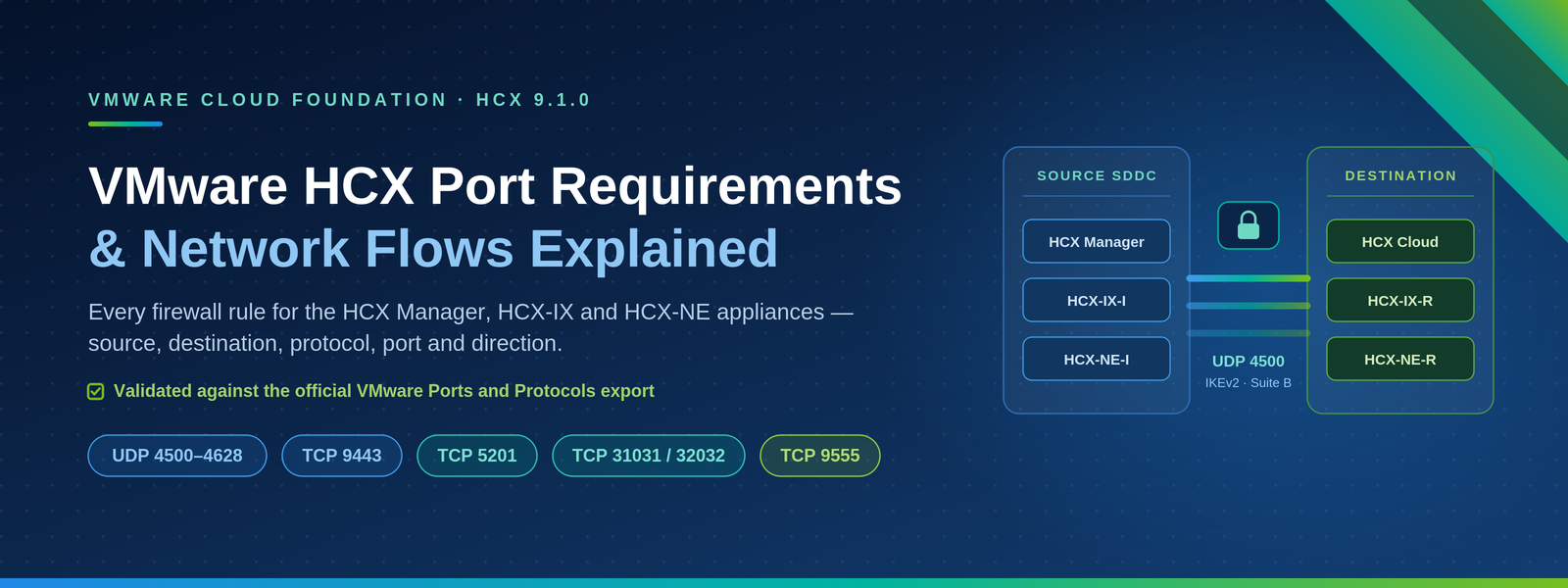
Every firewall rule you need for the HCX Connector, HCX-IX and HCX-NE appliances - with source, destination, protocol, port, direction and purpose for each flow.
If you have ever watched an HCX Service Mesh sit at "Deploying" for forty minutes, or a Bulk Migration stall at 0% while the tunnel shows Up, the cause is almost always the same: a missing firewall rule. HCX is not a single conversation between two appliances. It is roughly two dozen distinct flows spanning the vSphere management network, the ESXi host management and vMotion VMkernel interfaces, core infrastructure services, the public internet, and the WAN link to the destination cloud.
This guide walks through the HCX source-site network flow model end to end and translates it into firewall rules you can hand to a network team. It is based on the "Network Flows at an HCX Enabled Source Environment" reference topology, which deliberately excludes OS Assisted Migration (OSAM), WAN Optimization and NSX-V to NSX-T (V2T) flows for clarity. Those are covered separately at the end.
Planning an HCX migration?
Get your firewall rules right the first time
Our VMware HCX migration specialists design and validate every network flow before your Service Mesh is deployed - no stalled migrations, no tunnel surprises.
Explore our HCX migration servicesIn this article
- The four classes of HCX traffic and why the distinction matters
- HCX component roles at the source site
- Administrative and appliance management access (TCP 22, TCP 9443)
- Common management protocols: DNS, NTP, syslog and Aria Operations
- Internet-bound activation, licensing and update flows (TCP 443)
- vCenter, SSO and NSX integration flows
- ESXi host flows: OVF import, NFC, replication and vMotion (TCP 902, 31031, 44046, 8000)
- Service Mesh internal control flows (TCP 8123, TCP 9443)
- Site-to-site WAN transport (UDP 4500) and on-demand probing flows
- Layer 2 extension considerations at the vSphere Distributed Switch
- A consolidated HCX port reference table, sorted by port number
- Design guidance, common firewall mistakes and an FAQ
1. The Four Classes of HCX Traffic
The reference topology colour-codes HCX traffic into four families. Grouping your firewall policy the same way keeps the rule base readable and makes troubleshooting far quicker, because each family fails in a distinctive way.
| Flow class | Where it runs | What breaks if it is blocked |
|---|---|---|
| HCX WAN flows | Source site → destination site, across the internet or a private circuit (Direct Connect, ExpressRoute, Interconnect, MPLS) | Site pairing fails, Service Mesh tunnels stay Down, no migration or network extension is possible |
| SDDC integration flows | Inside the source site, between HCX and vCenter, ESXi, NSX and the HCX appliances | Appliance deployment fails, migrations stall, inventory and compute profiles do not populate |
| Common management protocols | HCX appliances to shared infrastructure services (DNS, NTP, syslog) | Certificate and IPsec failures from clock skew, name resolution failures, no log forwarding |
| On-demand probing flows | Bidirectional between the local and remote interconnect appliances | Tunnels still work, but Central CLI perftest and transport analytics return no data |
Table 1 - HCX traffic classes and their failure signatures.
2. HCX Components at the Source Site
Before mapping ports, it helps to be precise about which appliance originates each conversation. Firewall rules written against "HCX" as a single object almost always end up too broad or too narrow.
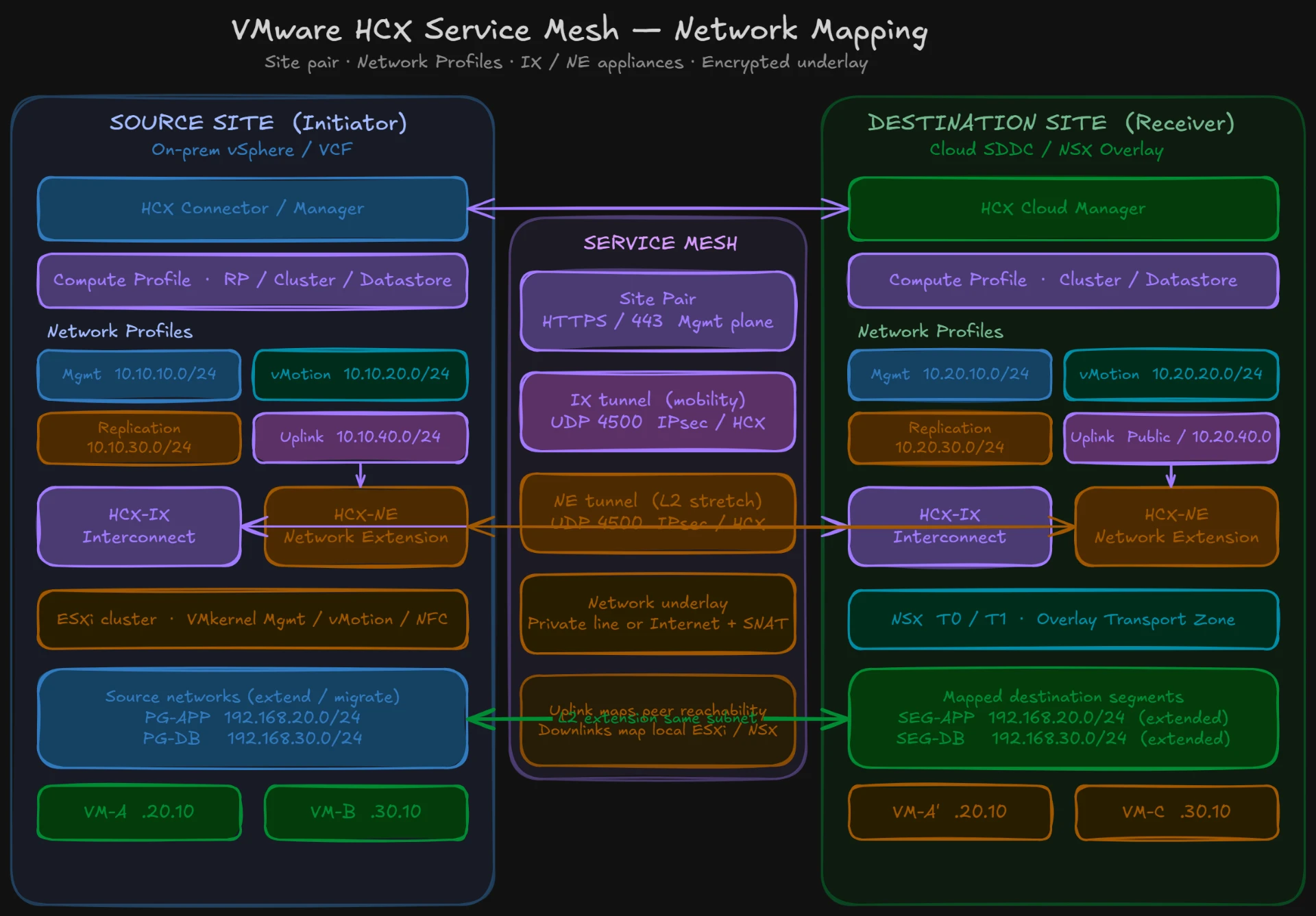
HCX Site Manager (HCX Connector)
The management-plane appliance deployed in the source vSphere environment. It registers with vCenter, publishes the HCX plugin, holds the site pairing, deploys and lifecycle-manages every Service Mesh appliance, and is the only component that talks to the internet for activation and updates. In the destination cloud the equivalent appliance is the HCX Cloud Manager.
HCX-IX (Interconnect appliance)
The data-plane appliance for migration. Labelled HCX-IX-I at the source (initiator) and HCX-IX-R at the destination (responder). It terminates the IPsec transport tunnel, reads virtual machine data from ESXi hosts, and drives vMotion, Cold, Bulk and Replication Assisted vMotion migrations.
HCX-NE (Network Extension appliance)
The data-plane appliance for Layer 2 extension, labelled HCX-NE-I and HCX-NE-R. It bridges a source port group or NSX segment across the WAN into the destination network, preserving IP addressing during a migration wave.
Supporting infrastructure in scope
- vCenter Server - inventory, appliance deployment, plugin registration and vMotion orchestration
- ESXi hosts - management VMkernel and vMotion VMkernel interfaces on every host in the compute profile
- NSX Manager - optional, required for source NSX segment extension, NSX tag migration and V2T
- DNS, NTP and syslog servers - consumed by the HCX Manager and by every Service Mesh appliance
- Aria Operations (vRealize Operations) with the HCX Management Pack - optional monitoring integration
3. Administrative and Appliance Management Access
HCX presents two separate administrative interfaces on two separate ports, and this trips up a surprising number of deployments. TCP 443 serves the HCX user interface and REST API, which is also what the vSphere Client plugin consumes. TCP 9443 serves the HCX appliance management interface - the appliance configuration, activation, certificate management and offline upgrade console. Both are needed by an HCX administrator, and blocking 9443 will typically only become apparent when you attempt an offline upgrade or a certificate change.
| Source | Destination | Protocol / Port | Purpose |
|---|---|---|---|
| HCX Mobility Admin workstation | HCX Site Manager (Connector) | TCP 22 | SSH access to the HCX Manager console for support, log collection and Central CLI (ccli) access to Service Mesh appliances. |
| HCX Mobility Admin workstation | HCX Site Manager (Connector) | TCP 9443 | HCX appliance management interface: initial activation, vCenter and SSO registration, certificate management, offline upgrade bundles. |
| HCX Mobility Admin workstation | HCX Site Manager (Connector) | TCP 443 | HCX administration UI and REST API, including the interface surfaced through the vSphere Client plugin. |
Table 2 - Administrative access to the HCX Site Manager.
4. Common Management Protocols: DNS, NTP and Syslog
These are the flows most often forgotten, because they feel like generic infrastructure plumbing rather than HCX requirements. They are not optional. Every HCX appliance - the Manager and each deployed Service Mesh appliance - needs name resolution and time synchronisation, and both the Manager and the appliances forward logs independently.
Note especially that the HCX-IX and HCX-NE appliances make their own DNS and syslog calls. If those appliances sit on a management network segment with a tighter policy than the HCX Manager, you must replicate these rules for the Service Mesh management IP pool, not just for the Manager.
| Source | Destination | Protocol / Port | Purpose |
|---|---|---|---|
| HCX Site Manager (Connector) | DNS server | TCP 53, UDP 53 | Name resolution for vCenter, ESXi hosts, NSX Manager, the remote site FQDN and the VMware/Broadcom internet endpoints. |
| HCX Site Manager (Connector) | NTP server | UDP 123 | Time synchronisation. Required for valid TLS sessions and for certificate-based IKEv2 authentication on the transport tunnel. |
| HCX Site Manager (Connector) | Syslog server | TCP 514, UDP 514 | Remote syslog forwarding of HCX Manager service and audit logs. |
| HCX-IX and HCX-NE appliances | DNS server | TCP 53, UDP 53 | Name resolution from the Service Mesh appliance management interfaces. |
| HCX-IX and HCX-NE appliances | Syslog server | TCP 514, UDP 514 | Remote syslog forwarding from each Service Mesh appliance, independent of the Manager. |
| Aria Operations (vROps) with HCX Management Pack | HCX Site Manager (Connector) | TCP 443 | Optional. The management pack polls the HCX REST API to collect migration, tunnel and appliance metrics. |
Table 3 - Common management protocol flows.
5. Internet-Bound Flows: Activation, Licensing and Updates
An HCX system activated in Connected Mode must reach two VMware/Broadcom-hosted services over TCP 443. These are outbound-only flows from the HCX Manager, crossing the internet boundary.
| Source | Destination | Protocol / Port | Purpose |
|---|---|---|---|
| HCX Site Manager (Connector) | connect.hcx.vmware.com | TCP 443 | HCX activation and entitlement. Validates the activation key and registers the system. |
| HCX Site Manager (Connector) | hybridity-depot.vmware.com | TCP 443 | HCX update and upgrade depot. Delivers version notifications and online upgrade bundles. |
Table 4 - Outbound internet flows from the HCX Manager.
Three practical caveats
- Do not use IP-based allow lists. Both endpoints resolve via CNAME to Cloudflare CDN records, so the answer set changes. Firewall rules must be written against the FQDN, or against an outbound HTTPS policy with a URL/FQDN object.
- Watch TLS inspection. Transparent HTTPS interception on the perimeter will break these connections in environments that validate the presented certificate chain. Add both FQDNs to the SSL inspection bypass list.
- Proxies are supported. If outbound HTTPS is centralised through a proxy, configure it on the HCX Manager directly rather than relying on transparent redirection.
Systems activated in Local Mode use a different endpoint for licensing rather than connect.hcx.vmware.com, and air-gapped sites can be operated with offline upgrade bundles delivered through the TCP 9443 appliance management interface. Confirm the exact endpoint set against the documentation for your HCX version, since this has changed across the VMware Cloud Foundation licensing transition.
6. vCenter, SSO and NSX Integration Flows
The HCX Manager is tightly coupled to vCenter Server. It registers as a solution, publishes the vSphere Client plugin, reads inventory, and instructs vCenter to deploy and power on Service Mesh appliances. The Platform Services Controller or embedded SSO Lookup Service is used for authentication and service discovery.
Note that this is a bidirectional relationship. The HCX Manager calls the vSphere API on TCP 443, and vCenter in turn calls back to the HCX Manager on TCP 443 and TCP 9443 to render the plugin and validate the registered extension. On a stateful firewall you still need both directions permitted, because these are separate connections rather than return traffic.
| Source | Destination | Protocol / Port | Purpose |
|---|---|---|---|
| HCX Site Manager (Connector) | vCenter Server | TCP 443 | vSphere API. Inventory discovery, appliance deployment, power operations and migration orchestration. |
| HCX Site Manager (Connector) | vCenter Server / PSC (SSO Lookup Service) | TCP 443 | vSphere 6.0 and later SSO and Lookup Service registration and authentication. |
| vCenter Server | HCX Site Manager (Connector) | TCP 443 | HCX HTTPS. Plugin registration validation and extension callbacks. |
| vCenter Server | HCX Site Manager (Connector) | TCP 9443 | vSphere Web Client / plugin communication with the HCX appliance management service. |
| HCX Site Manager and HCX-IX | vCenter Server | TCP 443 | VPXA listener. Host-agent style communication used during migration operations. |
| HCX Site Manager and HCX-IX | vCenter Server | TCP 902 | Authentication and licence management traffic associated with the interconnect appliance registration. |
| HCX Site Manager and HCX-IX | vCenter Server | UDP 902 | VPXA heartbeat. Keeps the interconnect appliance visible and healthy to vCenter. |
| HCX Site Manager (Connector) | NSX Manager | TCP 443 | Optional NSX API access. Required for source NSX segment extension, NSX tag migration and V2T (NSX-V to NSX-T) workflows. |
Table 5 - vCenter, SSO and NSX integration flows.
7. ESXi Host Flows: OVF Import, NFC, Replication and vMotion
This is where most Service Mesh and migration failures actually live. HCX does not read virtual machine data through vCenter; it talks directly to ESXi hosts. That means every host in the compute profile - not just a representative one - must be reachable from the HCX Manager and from the HCX-IX appliance, on both the management VMkernel and the vMotion VMkernel interface.
The distinction between the two VMkernel interfaces matters. Cold migration, Bulk Migration and Replication Assisted vMotion read data over the management VMkernel using NFC and the HCX replication ports. vMotion-based migrations - including HCX vMotion and Cross-Cloud vMotion - use TCP 8000 to the vMotion VMkernel interface. If your vMotion network is isolated from the HCX appliance network, vMotion migrations will fail while Bulk Migrations succeed, which is a very common and initially baffling symptom.
| Source | Destination | Protocol / Port | Purpose |
|---|---|---|---|
| HCX Site Manager (Connector) | ESXi host (management VMkernel) | TCP 80, TCP 443, TCP 902 | OVF import. Deployment of the HCX-IX, HCX-NE and other Service Mesh appliances directly to the target host. |
| HCX-IX appliance | ESXi host (management VMkernel) | TCP 80, TCP 443 | ESX authentication and host management API access prior to data transfer. |
| HCX-IX appliance | ESXi host (management VMkernel) | TCP 902 | HCX Cold Migration using the Network File Copy (NFC) service. |
| HCX-IX appliance | ESXi host (management VMkernel) | TCP 31031 | HCX Bulk Migration - initial (first) replication of virtual machine data. |
| HCX-IX appliance | ESXi host (management VMkernel) | TCP 44046 | HCX Bulk Migration and Replication Assisted vMotion - ongoing delta / continuous replication. |
| HCX-IX appliance | ESXi host (vMotion VMkernel) | TCP 8000 | HCX vMotion and Cross-Cloud vMotion memory and state transfer. |
Table 6 - ESXi host flows from HCX components.
If you are troubleshooting a Bulk Migration that never gets past base sync, our guide to HCX Bulk and RAV migrations stuck at 0% walks through the most common causes - including the ESXi host flows above.
8. Service Mesh Internal Control Flows
Once deployed, the Service Mesh appliances maintain a persistent control relationship with the HCX Manager. These flows never cross the WAN - they are strictly local to the site - but they do frequently cross an internal firewall or micro-segmentation boundary between the management network and the HCX appliance network.
| Source | Destination | Protocol / Port | Purpose |
|---|---|---|---|
| HCX Site Manager (Connector) | HCX-IX and HCX-NE appliances | TCP 9443 | HCX Configuration Channel. Appliance configuration, health, state reporting and lifecycle management. |
| HCX Site Manager (Connector) | HCX-IX appliance | TCP 8123 | HCX Bulk Migration control channel. Instructs and monitors the replication engine. |
| HCX Site Manager (Connector) | HCX-IX appliance | TCP 443 | VPXA listener communication used during migration operations. |
| HCX-IX and HCX-NE appliances | HCX Site Manager (Connector) | TCP 9443 | Return configuration and status channel from each Service Mesh appliance. |
Table 7 - Local control-plane flows between the HCX Manager and Service Mesh appliances.
9. Site-to-Site WAN Flows
These are the flows that cross the WAN boundary - whether that boundary is the public internet, a Direct Connect / ExpressRoute / Cloud Interconnect circuit, or an MPLS link. They are the smallest group and the most important to get right.
9.1 Management plane: site pairing
The site pairing itself is a single outbound HTTPS connection from the source HCX Manager to the destination HCX Cloud Manager. There is no inbound requirement at the source for the pairing to work: the source firewall must allow outbound to the destination, and the destination firewall must allow inbound from the source.
| Source | Destination | Protocol / Port | Purpose |
|---|---|---|---|
| HCX Site Manager (Connector), source site | HCX Site Manager (Cloud), destination site | TCP 443 | HCX multisite management over SSL/TLS 1.2. Site pairing, remote inventory, Service Mesh coordination and migration control. |
Table 8 - Site pairing and multisite management.
9.2 Data plane: the transport tunnel
Every byte of migrated virtual machine data and every extended Layer 2 frame travels inside an IPsec tunnel on UDP 4500. HCX uses IKEv2 with certificate-based authentication and Suite B cryptography, and it uses UDP encapsulation exclusively. This is worth stating plainly because it is the single most common misconception in HCX firewall design:
| Source | Destination | Protocol / Port | Purpose |
|---|---|---|---|
| HCX-IX-I (source uplink) | HCX-IX-R (destination uplink) | UDP 4500 | HCX WAN transport. IPsec tunnel with IKEv2, certificate-based authentication and Suite B crypto, carrying all migration traffic. |
| HCX-NE-I (source uplink) | HCX-NE-R (destination uplink) | UDP 4500 | HCX WAN transport for Network Extension. Carries all extended Layer 2 traffic inside the same encrypted transport. |
Table 9 - HCX WAN transport flows.
9.3 On-demand probing flows
Two additional flows run between the interconnect appliance pairs. They are bidirectional and, unlike the transport tunnel, are used for diagnostics and telemetry rather than production data. They will not stop a migration if blocked, but you will lose the ability to run link performance tests and to see transport analytics in the HCX interface - exactly the tooling you need when something is slow.
| Source | Destination | Protocol / Port | Purpose |
|---|---|---|---|
| HCX-IX-I and HCX-NE-I | HCX-IX-R and HCX-NE-R (and return) | TCP 4500 | Central CLI (ccli) perftest. On-demand link throughput and latency measurement between appliance pairs. Bidirectional. |
| HCX-IX-I and HCX-NE-I | HCX-IX-R and HCX-NE-R (and return) | UDP 4500 | Transport analytics. Continuous path characterisation, jitter, loss and throughput telemetry. Bidirectional. |
Table 10 - On-demand probing and analytics flows.
10. Layer 2 Extension at the Distributed Switch
Network Extension has a local-side requirement that is not a TCP or UDP port at all, and therefore does not appear in firewall rule sets - which is precisely why it gets missed. The HCX-NE appliance attaches to the source vSphere Distributed Switch or NSX transport zone and needs a mechanism to receive frames destined for MAC addresses it does not own.
| Mechanism | Applies to | Requirement |
|---|---|---|
| HCX L2 Bridge Port | vSphere Distributed Switch (VDS) | A dedicated bridge port configuration on the distributed port group backing the extended network. |
| NSX-V Sink Port | NSX for vSphere logical switches | Sink port enabled on the HCX-NE appliance interface so unknown unicast is delivered to it. |
| NSX-T Learning Port | NSX-T / NSX segments | MAC learning enabled with unknown unicast flooding on the segment profile applied to the extended segment. |
Table 11 - Distributed switch requirements for HCX Network Extension.
In practice this means the port group or segment carrying the extended network must permit MAC learning or forged transmits as appropriate for the platform. HCX configures most of this automatically when it has sufficient privilege on vCenter and NSX, which is another reason the NSX API flow on TCP 443 is worth allowing even in environments that consider it optional.
11. Consolidated HCX Port Reference
The table below consolidates every flow described above into a single reference, sorted by port number. Use it as the checklist when handing requirements to a network or security team.
| Port / Protocol | Used by | Direction | Description |
|---|---|---|---|
| TCP 22 | Admin → HCX Manager | Local, inbound to HCX | SSH console access and Central CLI (ccli) entry point. |
| TCP 53 / UDP 53 | HCX Manager, HCX-IX, HCX-NE → DNS | Local, outbound | Name resolution for all HCX components. |
| TCP 80 | HCX Manager, HCX-IX → ESXi | Local, outbound | OVF import and ESX authentication (redirects to HTTPS). |
| UDP 123 | HCX Manager, appliances → NTP | Local, outbound | Time synchronisation. Critical for TLS and IKEv2 certificate validation. |
| TCP 443 | HCX Manager ↔ vCenter, PSC/SSO, NSX, ESXi | Local, bidirectional | vSphere API, SSO Lookup Service, NSX API, HCX UI and REST API, plugin callbacks. |
| TCP 443 | HCX Manager → connect.hcx.vmware.com, hybridity-depot.vmware.com | Outbound to internet | Activation, entitlement and update depot access. |
| TCP 443 | Source HCX Manager → destination HCX Manager | Outbound across WAN | Site pairing and multisite management over SSL/TLS 1.2. |
| TCP 443 | Aria Operations → HCX Manager | Local, inbound to HCX | HCX Management Pack metric collection (optional). |
| TCP 514 / UDP 514 | HCX Manager, HCX-IX, HCX-NE → syslog | Local, outbound | Remote syslog forwarding. |
| TCP 902 | HCX Manager, HCX-IX → ESXi and vCenter | Local, outbound | NFC cold migration data, OVF import, authentication and licence management. |
| UDP 902 | HCX Manager, HCX-IX → vCenter | Local, outbound | VPXA heartbeat. |
| TCP 4500 | HCX-IX / HCX-NE pairs | Bidirectional across WAN | Central CLI perftest on-demand link measurement. |
| UDP 4500 | HCX-IX-I → HCX-IX-R, HCX-NE-I → HCX-NE-R | Outbound across WAN (bidirectional for analytics) | IPsec transport tunnel (IKEv2, Suite B, certificate based) and transport analytics. The core HCX data path. |
| TCP 8000 | HCX-IX → ESXi vMotion VMkernel | Local, outbound | HCX vMotion and Cross-Cloud vMotion. |
| TCP 8123 | HCX Manager → HCX-IX | Local, outbound | Bulk Migration control channel. |
| TCP 9443 | Admin, vCenter → HCX Manager; HCX Manager ↔ appliances | Local, bidirectional | HCX appliance management interface and HCX Configuration Channel. |
| TCP 31031 | HCX-IX → ESXi management VMkernel | Local, outbound | Bulk Migration initial replication. |
| TCP 44046 | HCX-IX → ESXi management VMkernel | Local, outbound | Bulk Migration and RAV continuous / delta replication. |
Table 12 - Consolidated HCX port requirements, sorted by port number.
12. Flows Excluded From This Topology
The reference diagram deliberately omits three feature sets to keep it readable. If you are deploying any of them, plan for additional flows:
- OS Assisted Migration (OSAM). Adds the Sentinel Gateway (SGW) and Sentinel Data Receiver (SDR) appliances, plus Sentinel agent traffic from each guest workload to the SGW. This introduces flows originating from the guest operating system network rather than the management network, which is usually a different firewall zone entirely.
- WAN Optimization. Adds the WAN Opt appliance in the path between the HCX-IX appliance and the WAN uplink, with its own local control flows to the HCX Manager.
- V2T migration (NSX-V to NSX-T). Relies on the NSX API flow on TCP 443 shown in the diagram, plus additional NSX Manager communication at both ends.
Validate these against the port list for your specific HCX version before committing a firewall change request.
13. Design Guidance and Common Mistakes
Underlay requirements beyond ports
- MTU: the path between interconnect appliance uplinks must support at least 1500 bytes end to end without fragmentation. Network Extension adds encapsulation overhead, so a higher path MTU materially improves throughput.
- Bandwidth and latency: HCX will function over high-latency links, but migration switchover windows and Network Extension performance degrade. Measure with perftest before committing to a wave plan.
- NAT: HCX supports NAT on the uplink for the interconnect appliances. The UDP 4500 encapsulation is what makes this work cleanly.
- Do not rate-limit or policy-shape UDP 4500. Traffic shapers that deprioritise unclassified UDP will throttle the entire HCX data path.
The five most common firewall errors
- Opening UDP 500 and IP protocol 50 instead of UDP 4500, on the assumption that HCX behaves like a conventional IPsec VPN.
- Permitting the HCX Manager to reach ESXi hosts but not the HCX-IX appliance, so appliance deployment succeeds and migration fails.
- Omitting the vMotion VMkernel network, so Bulk Migration works and vMotion-based migration does not.
- Allowing TCP 443 to the HCX Manager but not TCP 9443, so the interface works until an upgrade or certificate change is attempted.
- Writing IP-based rules for connect.hcx.vmware.com and hybridity-depot.vmware.com, which fail when the CDN resolution changes.
Validating the configuration
- Use the HCX interface Interconnect > Service Mesh > Appliances view to confirm tunnel status before troubleshooting anything else.
- SSH to the HCX Manager and use Central CLI (ccli) to connect to individual appliances, then run perftest to measure the link and confirm the probing flows are permitted.
- Check appliance health and the Configuration Channel status when a Service Mesh deployment hangs - this is almost always TCP 9443.
- Correlate against firewall deny logs filtered on the HCX appliance management IP pool and uplink IP pool, which is faster than working forward from the symptom.
Free planning tool
Estimate your VCF migration timeline
Scope waves, effort and timelines for your VMware Cloud Foundation migration with our interactive estimator - then validate the network design with the port reference above.
Try the VCF Migration Estimator14. Frequently Asked Questions
What port does HCX use for site pairing?
TCP 443 outbound from the source HCX Manager to the destination HCX Cloud Manager, over SSL/TLS 1.2. No inbound rule is needed at the source site for pairing itself.
Does VMware HCX need UDP 500 open?
No. HCX uses UDP 4500 exclusively for the IPsec transport tunnel, including IKEv2 negotiation. It also uses TCP 4500 for on-demand perftest. UDP 500 and ESP protocol 50 are not required.
What is TCP 8123 used for in HCX?
It is the Bulk Migration control channel between the HCX Manager and the HCX-IX interconnect appliance. It is a local flow and never crosses the WAN.
What are HCX ports 31031 and 44046?
TCP 31031 carries the initial (first) replication for Bulk Migration. TCP 44046 carries the ongoing delta and continuous replication used by Bulk Migration and Replication Assisted vMotion. Both run from the HCX-IX appliance to each ESXi host management VMkernel interface.
Why does HCX need TCP 9443 as well as TCP 443?
TCP 443 serves the HCX user interface and REST API. TCP 9443 serves the appliance management interface used for activation, certificate management and offline upgrades, and is also the HCX Configuration Channel between the Manager and the Service Mesh appliances.
Can HCX work through a NAT device?
Yes. The interconnect appliance uplinks can sit behind NAT, which is one of the reasons the transport is UDP 4500 encapsulated. Ensure the NAT translation is stable and that UDP session timeouts are long enough not to tear down an idle tunnel.
Can HCX use an HTTP proxy for internet access?
Yes, for the outbound HTTPS activation and update flows. Configure the proxy on the HCX Manager directly. The transport tunnel on UDP 4500 cannot traverse an HTTP proxy.
Which ports must be open on every ESXi host?
TCP 80, TCP 443 and TCP 902 on the management VMkernel for OVF import, authentication and NFC; TCP 31031 and TCP 44046 on the management VMkernel for replication; and TCP 8000 on the vMotion VMkernel for vMotion-based migrations. These apply to every host in the compute profile.
Conclusion
HCX firewall design is not difficult, but it is unforgiving of partial implementation. The pattern that works is to treat the requirement as four separate rule groups - WAN transport, SDDC integration, common management protocols and probing - and to write each one against the correct source object: the HCX Manager, the appliance management IP pool, or the appliance uplink IP pool. Rules written against a vague "HCX" object are where deployments go wrong.
Get UDP 4500 and TCP 443 right and the sites will pair and the tunnels will come up. Get the ESXi host flows right - both VMkernel interfaces, every host in the compute profile - and migrations will actually complete. Everything else in this guide exists to make the deployment observable and maintainable.
Version note: port requirements evolve between HCX releases. This guide reflects the source-site network flow model shown in the HCX Network Flows reference topology. Always validate against the VMware Ports and Protocols tool (ports.vmware.com) and the Network Port and Protocol Requirements section of the HCX User Guide for the specific version you are deploying.
Need a hand with the network design for your migration? Our VMware HCX services and VCF migration services cover firewall design, Service Mesh deployment and wave planning end to end. You may also find our step-by-step HCX migration guide useful.