VMware Cloud Foundation upgrade guide
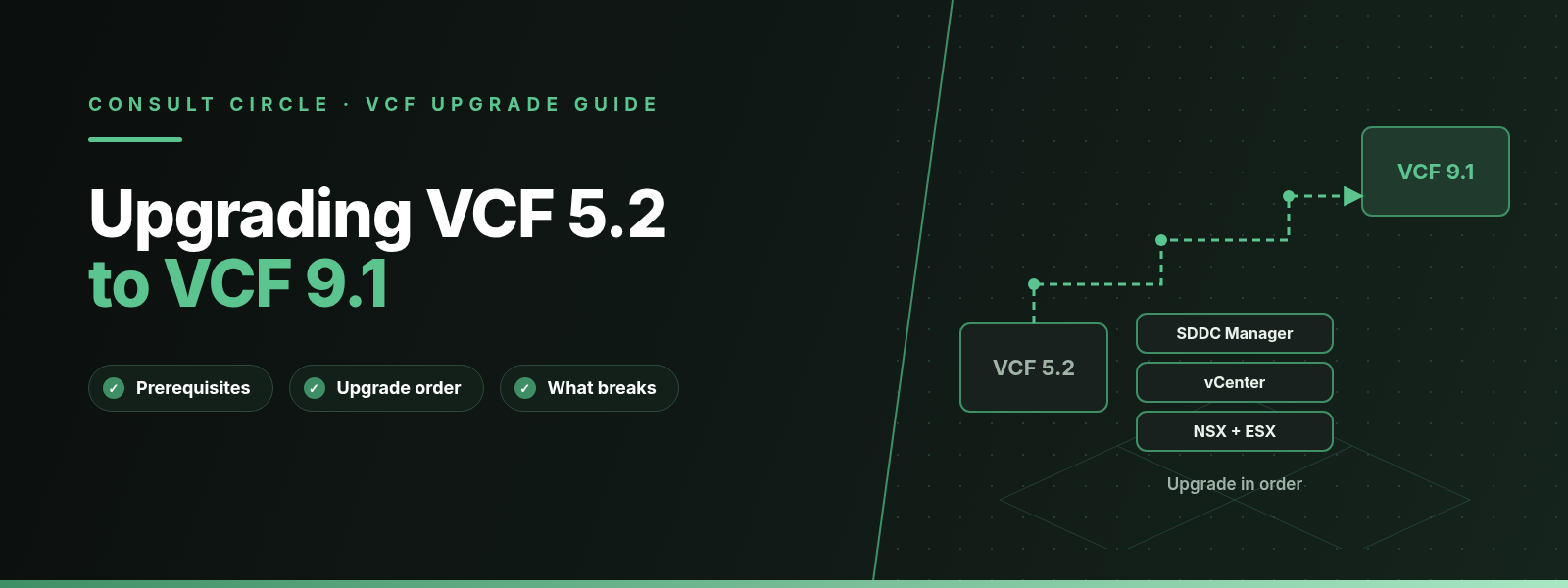
You can upgrade VMware Cloud Foundation (VCF) 5.2.x directly to VCF 9.1.x without stopping at 9.0, provided you follow Broadcom's strict component order: VCF Operations first, then SDDC Manager, then the new VCF management services and licence server, then NSX, vCenter, ESX and the NSX Edges in the management domain. Workload domains come afterwards as a Day-N task, and anything older than 5.2 has to reach 5.2.x first.
We plan and run VCF upgrades for UK clients, and this guide follows the route Broadcom documents in the VCF 9.1 upgrade guide and release notes. It covers which 5.x builds can go straight to 9.1.0 or 9.1.1, what has to be true before you start, the exact order Broadcom enforces, and the features, APIs and integrations that stop working on the way. Where we add our own opinion or experience, we label it.
Key points
- VCF 5.2.x supports a sequential or skip-level upgrade to 9.1.x. Platforms on 5.0, 5.1 or 4.x must bring the management domain and every workload domain to 5.2.x first.
- VCF enforces a forward-only rule: VCF 5.2.0 to 5.2.3 can go to 9.1.0, but VCF 5.2.4 (released 27 May 2026) can only go to 9.1.1 or later.
- The order is fixed. VCF Operations, SDDC Manager and the new VCF management services come before NSX, vCenter and ESX. Doing it out of order produces errors such as a missing NSX pre-upgrade bundle.
- Coming from 5.2, vCenter goes through a Reduced Downtime Upgrade. Broadcom quotes about 5 minutes of vCenter downtime at switchover under ideal conditions.
- Expect breakage around syslog on port 514, vCLS, IPFIX on uplinks, vLCM baselines, certificates without full SANs, pre-9 NSX security licences, and paired HCX sites.
Which VCF 5.x versions can upgrade directly to VCF 9.1?
Broadcom's upgrade guide states that you can perform a sequential or skip-level upgrade to VCF 9.1.x from VCF 5.2.x. Skip-level means you do not have to install VCF 9.0 on the way. If any part of the platform is on a version earlier than 5.2, the management domain and all workload domains must be upgraded to VCF 5.2.x before the 9.1 upgrade can start.
For VCF 4.x, the VCF blog post from Broadcom's Professional Services team says the same thing: upgrade to 5.2 first, then follow the 9.1 process. Our vSphere to VCF migration and upgrade paths guide covers the routes for estates that are not on VCF yet.
The forward-only rule and VCF 5.2.4
VCF 9.1 validates upgrade paths by release date. You can only upgrade a component to a target version released after your current version. Broadcom gives three worked examples in the upgrade guide:
- VCF 5.2.0 (25 June 2024) to VCF 9.1.0 (11 May 2026) is supported.
- VCF 5.2.4 (27 May 2026) to VCF 9.1.0 is not supported, because 5.2.4 shipped after 9.1.0.
- VCF 5.2.4 to VCF 9.1.1 (3 September 2026) is supported.
The rule applies to every component in the bill of materials, not only SDDC Manager. vCenter 8.0 Update 3j and ESX 8.0 Update 3j, which are part of the VCF 5.2.4 BoM, cannot go to 9.1.0 but can go to 9.1.1. Broadcom KB 450972 lists the same "back-in-time" condition for vSphere 8.0 U3j and U3k, and KB 447234 documents the symptom on SDDC Manager 5.2.4.0: both 9.1.0 interim builds show as "incompatible with the current environment". William Lam's VCF 9.1.1 post confirms that 9.1.1 restores the path for VCF 5.2.4 and vSphere 8.0 U3j to U3k.
The 9.1.1 release notes also confirm that you can upgrade from 5.2.x straight to 9.1.1 without installing 9.1.0 and patching. For most 5.2 estates in November 2026, 9.1.1 is the target we would pick.
| Current version | To 9.1.0 | To 9.1.1 | Source |
|---|---|---|---|
| VCF 4.x, 5.0, 5.1 | No, reach 5.2.x first | No, reach 5.2.x first | Broadcom upgrade guide |
| VCF 5.2.0 to 5.2.3 | Supported | Supported | KB 450972, upgrade guide |
| VCF 5.2.4 | Not supported | Supported | Upgrade guide, KB 447234 |
| vSphere 8.0 U3j or U3k (in a 5.2.4 BoM) | Not supported | Supported | Upgrade guide, William Lam |
Table 1. VCF 5.x upgrade paths to 9.1. Always confirm your exact builds in the Broadcom Interoperability Matrix (VCF upgrade path) before you book a window.
What changes between VCF 5.2 and VCF 9.1?
Before 9.0, a VCF instance was built around four core components: SDDC Manager, NSX Manager, vCenter and ESX. In 9.x the management components belong to a VCF fleet, and the upgrade guide lists them as VCF Operations (previously Aria Operations), the cloud proxy, VCF Automation (previously Aria Automation), and two components introduced in 9.1: VCF management services and the licence server.
VCF management services is a cluster that runs on the VCF services runtime. It hosts the fleet lifecycle and SDDC lifecycle components, the software depot, Salt master and Salt RaaS, telemetry and the identity broker. Fleet lifecycle and SDDC lifecycle take over the job that VMware Aria Suite Lifecycle did in 5.2, which is why Aria Suite Lifecycle has no upgrade to 9.1.
SDDC Manager stays, but Broadcom's upgrade guide says its UI is being deprecated and will be removed in a future release. After the upgrade, you run lifecycle work from VCF Operations under Build, then Lifecycle. Our VCF 5.x vs VCF 9.x comparison goes deeper on the architecture.
Lifecycle console
VCF Operations
Mandatory in 9.x. You start the whole upgrade here, and after 9.1 you plan and run domain upgrades from Build, then Lifecycle.
New in 9.1
VCF management services
Hosts fleet lifecycle, SDDC lifecycle, the depot, Salt and the identity broker. Needs at least 12 IP addresses and three FQDNs.
New in 9.1
Licence server
Deployed with management services in the first VCF instance. KB 440630 calls it mandatory and asks for A and PTR records.
Still there
SDDC Manager
Upgraded to 9.1 early in the sequence. Its UI is deprecated, so retrain the team on VCF Operations before go-live.
What are the prerequisites for upgrading VCF 5.2 to 9.1?
Broadcom's "Prerequisites for Upgrading the VCF Core Components" page is short and specific. These are the items it lists before you touch the management domain:
- A temporary IP address from the management subnet for each vCenter appliance upgrade (it can be reused).
- No vCenter appliance joined to an Active Directory domain (KB 373004).
- No expired or expiring passwords or certificates, checked in SDDC Manager.
- TPM modules on ESX hosts running the latest 2.0 firmware, or disabled in the BIOS if not in use (KB 312159).
- ESX hardware compatible with the target version, and the vSAN HCL database updated by hand (KB 2145116).
- File-based or image-based backups of SDDC Manager and every vCenter and NSX Manager, plus a cold snapshot of SDDC Manager.
- No failed workflows, no SDDC Manager resources in an activating or error state, and no active alarms on hosts or clusters.
Prerequisites that sit outside the core checklist
Several other requirements are spread across the VCF Operations, management services and ESX pages. These are the ones that catch teams out:
- Aria Operations has to be on the latest 8.x release. The VCF blog's upgrade walkthrough says it must be on 8.18 before it can go to 9.1. If you have no Aria Operations, you deploy a new VCF Operations instance on the management domain vCenter.
- Every cluster must use vSphere Lifecycle Manager images. VCF 9.0 and later does not support vLCM baselines, so transition those clusters before the ESX step.
- Certificates for VCF Operations, VCF Automation and VCF Operations for Networks need complete Subject Alternative Names. KB 449907 describes upgrades failing where a certificate only carries an IP address.
- The VCF instance that hosts VCF Operations needs a cloud proxy. Without one, management services cannot be deployed.
- FQDNs for management services must be lower case and cannot use .local. Broadcom validates them against RFC 1034 and RFC 1123.
12
Minimum IPs for the VCF services runtime (/28); 30 recommended (/27)
26
Numbered steps in Broadcom's 5.2.x to 9.1 upgrade order
~5 min
vCenter downtime at RDU switchover, under ideal conditions
1514
TLS syslog port; vCenter 9.1 blocks port 514
Networking for VCF management services
Management services need a block of addresses on the network where they run: a minimum of 12 IP addresses as a /28, with 30 (a /27) recommended for later components and scale-out. You also need three FQDNs (VCF services runtime, fleet component and instance component) plus one each for the identity broker and the licence server. All of them must resolve to unique, unused addresses outside the runtime's range.
The runtime uses an internal block of 198.18.0.0/15. If that range exists anywhere on your network, change it to 240.0.0.0/15 or 250.0.0.0/15. Broadcom notes that you cannot change the internal network from the 9.1.0.x UI; that option arrives in the 9.1.1 UI, and the API supports it through the internalClusterCidrIpv4 key. This is another reason we target 9.1.1 rather than 9.1.0.
Planning a VCF 5.2 upgrade?
Get a dated upgrade plan for your exact builds before you book a window
Consult Circle assesses VCF 5.2 estates, checks the upgrade path against your bill of materials, sizes VCF management services and runs the management domain upgrade with your team.
Talk to our VCF upgrade teamWhat is the upgrade order from VCF 5.2 to VCF 9.1?
The upgrade order is not a recommendation. Broadcom's release notes say upgrading to 9.1 "requires a strict component upgrade sequence", and the upgrade guide publishes a numbered table for VCF 5.2.x sources. You start with the VCF instance that hosts the VCF Operations instance for your fleet, upgrade its management components and management domain in that order, then the management domains of any other instances. Workload domains can wait.
| # | VCF 5.2 component | Upgrade action for 9.1.x |
|---|---|---|
| 1 | Aria Operations and cloud proxy | Upgrade to VCF Operations 9.1 |
| 2 to 4 | vSphere Replication, Live Site Recovery, vSAN Data Protection | Converge or upgrade to Protection and Recovery 9.1 |
| 5 | Avi Load Balancer | Upgrade to Avi 32.1.1 |
| 6 | SDDC Manager | Upgrade to 9.1 |
| 7 | New: management services and licence server | Deploy |
| 8 | VMware Identity Manager | No upgrade; identity broker 9.1 deployed in step 7 |
| 9 to 10 | Aria Automation and Orchestrator | Upgrade to VCF Automation and VCF Operations Orchestrator 9.1 |
| 11 to 12 | Aria Operations for Networks and for Logs | Upgrade Networks; deploy Log Management 9.1 |
| 13 | VMware HCX | Upgrade to VCF Operations HCX 9.1 |
| 14 to 16 | NSX Global Manager, NSX Manager, vCenter | Upgrade to 9.1 |
| 17 to 18 | vSphere Kubernetes Service, Supervisor | VKS 3.6.0 or later, then Supervisor 9.1 |
| 19 to 20 | vSAN witness host, ESX | Upgrade ESX to 9.1 |
| 21 | NSX Edge and NSX finalise | Upgrade Edge clusters, finalise NSX |
| 22 to 26 | VDS, VMware Tools, VM compatibility, vSAN on-disk format, vSAN File Service | Upgrade (VMware Tools to 13.1) |
Table 2. Broadcom's component order for upgrading a VCF instance from 5.2.x to 9.1.x, condensed from the VCF 9.1 upgrade guide. Live Site Recovery, vSAN Data Protection and Avi are not part of the VCF SKU.
How the management domain upgrade runs
The steps below follow Broadcom's 5.2.x procedure pages. Menu names are as Broadcom documents them for 9.1.
Upgrade Aria Operations to VCF Operations 9.1
Upload the VCF Operations 9.1 PAK file in the Aria Operations administration interface. Afterwards, remove VCF Operations from the Aria Suite Lifecycle 8.x environment without deleting its VM, and keep Aria Suite Lifecycle running for VMware Identity Manager 3.3.x day-2 work.
Upgrade SDDC Manager to 9.1
Run the SDDC Manager upgrade and its precheck. Broadcom's blog notes this step has not changed much from earlier releases.
Deploy VCF management services and the licence server
In VCF Operations, open Build, then Lifecycle, select the instance that hosts VCF Operations, and use the Install Management Services tab. VCF Operations and SDDC Manager must both be on 9.1.x first.
Upgrade the other management products
Aria Automation, Orchestrator, Operations for Networks and HCX follow, and Log Management is deployed fresh. The VCF blog suggests running Automation as its own workstream because of custom integrations.
Plan the domain upgrade and run prechecks
Choose the optimised maintenance window or the sequential option for vCenter and NSX Manager. The optimised route prepares the new vCenter while the old one stays online, upgrades NSX Manager, then switches over.
Upgrade the vSAN witness and ESX hosts
A physical vSAN witness host is upgraded by hand before the stretched cluster; virtual witnesses go with the cluster workflow. In VCF 9, NSX VIBs are upgraded during the ESX step, so hosts no longer enter maintenance mode during the NSX Manager upgrade.
Upgrade NSX Edges and finalise NSX
Starting with VCF 9.1, the NSX Manager cluster and the Edge clusters are upgraded separately. Where an NSX instance is shared with workload domains, the Edge upgrade and finalise step must be started from the management domain once every sharing domain is done.
Workload domains and shared NSX
Upgrading workload domains is not a mandatory part of the 9.1 upgrade. Broadcom treats it as a Day-N procedure that can run any time after the management domain of that instance is upgraded. The exception is shared NSX. Where one NSX instance serves several domains, you must upgrade NSX, vCenter and ESX on every domain that shares it before you can finalise. With the optimised sequence, NSX Manager cannot proceed until every sharing domain has completed its vCenter RDU switchover. Broadcom also warns against cancelling the automatically created upgrade plan on a dependent domain, because that cancels it on all of them.
Doing it out of order
KB 447995 shows what happens when the sequence is skipped. With SDDC Manager on 9.1 and NSX still on 4.2.3.0, SDDC Manager reports "NSX pre-upgrade bundle missing" even though the bundle sits in Binary Management. The fix is to go back to the documented sequence. The same KB notes that the Offline Bundle Transfer Utility is not supported for SDDC Manager 9.x; offline sites use the VCF Download Tool instead.
What breaks when you upgrade VCF 5.2 to 9.1?
In our experience, most blockers found in planning reviews are features that 9.1 removes or blocks, rather than faults in the upgrade workflow. The list below comes from the VCF 9.1 Product Support Notes and the upgrade guide.
| Change in 9.1 | What breaks | Action before upgrade |
|---|---|---|
| vCenter blocks syslog on port 514 | Unencrypted syslog to vCenter stops | Move senders to TLS on port 1514 |
| vCLS deactivated, cannot be re-enabled | Scripts and runbooks that manage vCLS | Remove vCLS steps from runbooks |
| IPFIX on VDS uplink port groups deprecated | vCenter upgrade is blocked if active | Remove IPFIX from uplinks and LACP ports |
| vLCM baselines unsupported | ESX upgrade cannot proceed | Move clusters to vLCM images |
| Stricter certificate checks | Upgrade fails on IP-only SANs | Reissue CA-signed certs with full SANs |
| Pre-9 NSX security licences unsupported | NSX security features drop to 90-day evaluation | Assign a valid vDefend licence |
| Direct vCenter login to VCF Operations removed | vCenter users lose VCF Ops UI and API access | Plan another sign-in route for those users |
| Network Share plugin removed (FIPS on) | Report delivery to file shares | Switch to the Standard Email plugin |
| Aria Operations for Logs content packs end | Third-party content packs stop working | Convert them to management packs |
Table 3. Removed or blocked features in VCF 9.1 that affect a 5.2 upgrade, from Broadcom's VCF 9.1 Product Support Notes.
Gone or blocked in 9.1
- Aria Suite Lifecycle as the lifecycle tool (no 9.1 upgrade)
- VMware Identity Manager upgrade path (none)
- Aria Operations for Logs upgrade path (deploy Log Management instead)
- Hybrid Linked Mode REST operations in the vSphere Automation API
- vStats Tech Preview APIs and NSX port mirroring APIs
What replaces it
- Fleet lifecycle and SDDC lifecycle in VCF management services
- VCF identity broker, deployed with management services
- Log Management 9.1, then migrate log data
- Supported vCenter workflows (rewrite HVC scripts)
- The Real-Time Metrics API
Deprecated APIs and automation
If your team scripts against SDDC Manager, budget time for API work. The 9.1 notes mark 21 SDDC Manager API operations as deprecated, mainly edge cluster operations, domain overlay enablement, system DNS and NTP configuration, and upgrade precheck calls. The PartnerExtensionSpec and VcfOperationsFleetManagementSpec schemas are removed. Nine Hybrid Linked Mode operations are deleted from the vSphere Automation API, and 17 operations are removed from the NSX Manager API. PowerCLI support for Python 3.7 and 3.8 is deprecated.
Deprecated calls still work in 9.1, but anything that touches the removed operations will fail after the upgrade. Our recommendation is to grep your automation repositories for those endpoints before the change board, not after.
Hardware deprecations to check now
None of these block a 9.1 upgrade, but they shape your next hardware refresh. VCF 9.1 deprecates ESX boot from USB and SD devices, hosts without a persistent OSDATA device, and system storage under 32 GB, with removal planned for the next major release. It also deprecates Cisco VIC 1200 and 1300 series cards, Marvell FastLinQ 57800/57810/57811 and 41000/45000 CNAs, AMD Solarflare 8000 and X2 adapters, and Marvell/Aquantia Atlantic NICs.
HCX considerations
HCX is step 13 in Broadcom's order, after the management services and before NSX and vCenter. The upgrade guide carries a warning that matters to anyone mid-migration: after you upgrade an HCX appliance to 9.1.x, every paired appliance must be on VCF Operations HCX 9.0 or later. Version 9.0 and later appliances are not compatible with earlier versions, and pairing breaks. If your 5.2 site is paired with a vSphere 7 or 8 source running an older HCX, upgrade the remote side in the same change, or schedule the VCF upgrade between migration waves.
HCX 9.1 also deprecates the PhotonOS-based IX and NE appliances. Read our HCX 9.1 release guide and the PhotonOS to enhanced appliance migration guide before you plan the HCX step.
How do you test and roll back a VCF 9.1 upgrade?
Rollback in VCF is component by component. We have not found an end-to-end rollback from 9.1 to 5.2 in Broadcom's documentation, so your safety net is the set of backups and snapshots you take before each step.
- vCenter has the best story. A Reduced Downtime Upgrade deploys a new appliance and copies data across, and if the upgrade fails before switchover, RDU rolls back automatically to the source vCenter. Broadcom still recommends a file-based vCenter backup in case the automatic rollback fails, and asks you not to change the vCenter inventory after taking it.
- SDDC Manager gets a file-based or image-based backup and a cold snapshot.
- VCF Operations nodes get snapshots before the PAK upgrade; Broadcom has a dedicated page for this and one for backing up customised content.
- NSX Manager gets a file-based backup before its step.
Once ESX hosts and vSAN on-disk formats move forward, there is no simple way back. In our experience, the point of no return is the ESX step, so we hold a go or no-go review after vCenter and NSX Manager are done and the platform has run cleanly for at least a day.
Testing before production
Our recommendation is a rehearsal on a lab or nested copy of the management domain at the same 5.2 build, using the same binaries you will use in production. Rehearse the VCF Operations PAK upgrade, the management services deployment (this is where DNS, IP and FQDN mistakes surface) and at least one RDU switchover. Use Broadcom's VCF Upgrade Planning Tool to produce the path for your bill of materials and check it against the Interoperability Matrix.
How long does it take?
Broadcom does not publish an elapsed time for a full VCF 5.2 to 9.1 upgrade. In our experience, preparation takes longer than execution: two to four weeks of assessment, certificate and licence work, IP and DNS allocation and rehearsal for a single-instance estate, followed by several maintenance windows for the management domain. Each workload domain then needs its own window, and large clusters take longer because hosts are remediated one at a time.
Pre-upgrade checklist for VCF 5.2 to 9.1
- Every component's build confirmed, and the path checked in the Interoperability Matrix and VCF Upgrade Planning Tool (5.2.4 sites target 9.1.1)
- All domains on VCF 5.2.x; Aria Operations on the latest 8.18 release
- File-based backups of SDDC Manager, every vCenter and NSX Manager; cold snapshot of SDDC Manager; VCF Operations snapshots
- No expired or expiring passwords or certificates; CA-signed certificates with full SANs on VCF Operations, Automation and Operations for Networks
- No vCenter joined to Active Directory; temporary vCenter IP reserved on the management subnet
- All clusters on vLCM images; hardware checked against the Broadcom Compatibility Guide; vSAN HCL database updated; TPM firmware at 2.0 or disabled
- 12 to 30 IPs, three management services FQDNs plus identity broker and licence server FQDNs, all lower case with A and PTR records; 198.18.0.0/15 overlap checked
- Cloud proxy present in the instance that hosts VCF Operations
- Syslog moved to port 1514; IPFIX removed from uplink port groups; vCLS steps removed from runbooks
- vDefend licence ready if you use NSX security features; licence transfer planned
- HCX peers able to reach 9.0 or later in the same change window
- Automation scripts checked against the deprecated and removed API lists
- No failed SDDC Manager workflows and no active host or cluster alarms
If you are still on vSphere 7 or 8 rather than VCF 5.2, start with our guide to VCF migration for vSphere 7 and 8 estates. For the wider 9.x feature set, see our VCF 9.0 overview and FAQ.
VMware Cloud Foundation upgrade services
Want a second pair of hands on your VCF 9.1 upgrade?
We run VCF 5.2 to 9.1 upgrades end to end: path validation, management services design, rehearsal, the management domain windows and HCX peer upgrades, for UK and international clients.
Book a VCF 9.1 upgrade reviewFrequently Asked Questions about upgrading VCF 5.2 to VCF 9.1
Can I upgrade VCF 5.2 directly to VCF 9.1 without installing 9.0?
Yes. Broadcom's VCF 9.1 upgrade guide supports a sequential or skip-level upgrade from VCF 5.2.x to 9.1.x, so you do not need to deploy VCF 9.0 first. You can also go straight to 9.1.1 without installing 9.1.0 and patching.
Can VCF 5.2.4 upgrade to VCF 9.1.0?
No. VCF 5.2.4 was released on 27 May 2026, after VCF 9.1.0, and VCF only allows upgrades to a target released after your current version. VCF 5.2.4 can upgrade to VCF 9.1.1, released on 3 September 2026.
Do I have to be on VCF 5.2 before upgrading to 9.1?
Yes. If your platform runs a version earlier than 5.2, Broadcom requires you to upgrade the management domain and all workload domains to VCF 5.2.x before starting the 9.1 upgrade. VCF 4.x estates go to 5.2 first.
What is the first component to upgrade when moving to VCF 9.1?
VCF Operations is first. From 5.2 you upgrade Aria Operations 8.x by uploading the VCF Operations 9.1 PAK file, or deploy a new VCF Operations instance if you have none, and only then move on to SDDC Manager and VCF management services.
Do workload domains have to be upgraded at the same time as the management domain?
No. Broadcom treats workload domain upgrades as an optional Day-N task that can run any time after the management domain of that VCF instance reaches 9.1. Domains that share an NSX instance with the management domain are the exception, because NSX cannot be finalised until all sharing domains are upgraded.
Is vCenter downtime required when upgrading from VCF 5.2?
Yes, but it is short. From 5.2, vCenter uses a Reduced Downtime Upgrade, which builds a new appliance while the old one runs, and Broadcom estimates about 5 minutes of downtime at switchover under ideal conditions. If the upgrade fails before switchover, it rolls back to the source vCenter automatically.
Does upgrading to VCF 9.1 break HCX site pairing?
It can. After you upgrade an HCX appliance to 9.1.x, all paired appliances must be on VCF Operations HCX 9.0 or later, because 9.0 and later appliances are not compatible with earlier versions and the pairing breaks.
Is SDDC Manager removed in VCF 9.1?
No. SDDC Manager is still upgraded to 9.1 and still part of each instance, but Broadcom says its UI is deprecated and will be removed in a future release. Lifecycle tasks move to VCF Operations after the upgrade.
Sources
- Broadcom TechDocs: Upgrading to VMware Cloud Foundation 9.1.x
- Broadcom TechDocs: Prerequisites for Upgrading the VCF Core Components
- Broadcom TechDocs: Upgrading to VCF Operations 9.1
- Broadcom TechDocs: Deploy VCF Management Services and License Server for the VCF Upgrade
- Broadcom TechDocs: Upgrading vCenter and NSX Manager
- Broadcom TechDocs: Upgrade vCenter and NSX Manager with an Optimized Maintenance Window
- Broadcom TechDocs: Upgrade ESX to 9.1
- Broadcom TechDocs: VMware Cloud Foundation 9.1 Release Notes
- Broadcom TechDocs: Upgrade Sequence to 9.1
- Broadcom TechDocs: VCF 9.1 Product Support Notes
- Broadcom TechDocs: VMware Cloud Foundation 9.1.1.0 Release Notes
- Broadcom KB 440630: Upgrade Sequence and Related Issues for VMware Cloud Foundation and vSphere Foundation 9.1
- Broadcom KB 450972: vSphere and VCF 9.1 "Back-in-Time" Release Support
- Broadcom KB 447234: SDDC Manager 5.2.4.0 upgrade to VCF 9.1.x fails with "Incompatible with the current environment"
- Broadcom KB 447995: NSX pre-upgrade bundle missing from SDDC Manager during VCF 5.2 to 9.1 transition
- Broadcom KB 449907: VCF component upgrades from 5.2 and 9.0.x to 9.1 fail due to missing SAN entries
- VMware Cloud Foundation blog: Modernizing Infrastructure, VCF 5.2.x to 9.1 Upgrade Guide
- VMware Cloud Foundation blog: How to Upgrade to VMware Cloud Foundation 9.1
- William Lam: VCF 9.1, demystifying supported upgrade paths to 9.1
- William Lam: 10 exciting enhancements in VMware Cloud Foundation 9.1.1
Written by the Consult Circle VMware Cloud Foundation team. Last reviewed 3 November 2026.