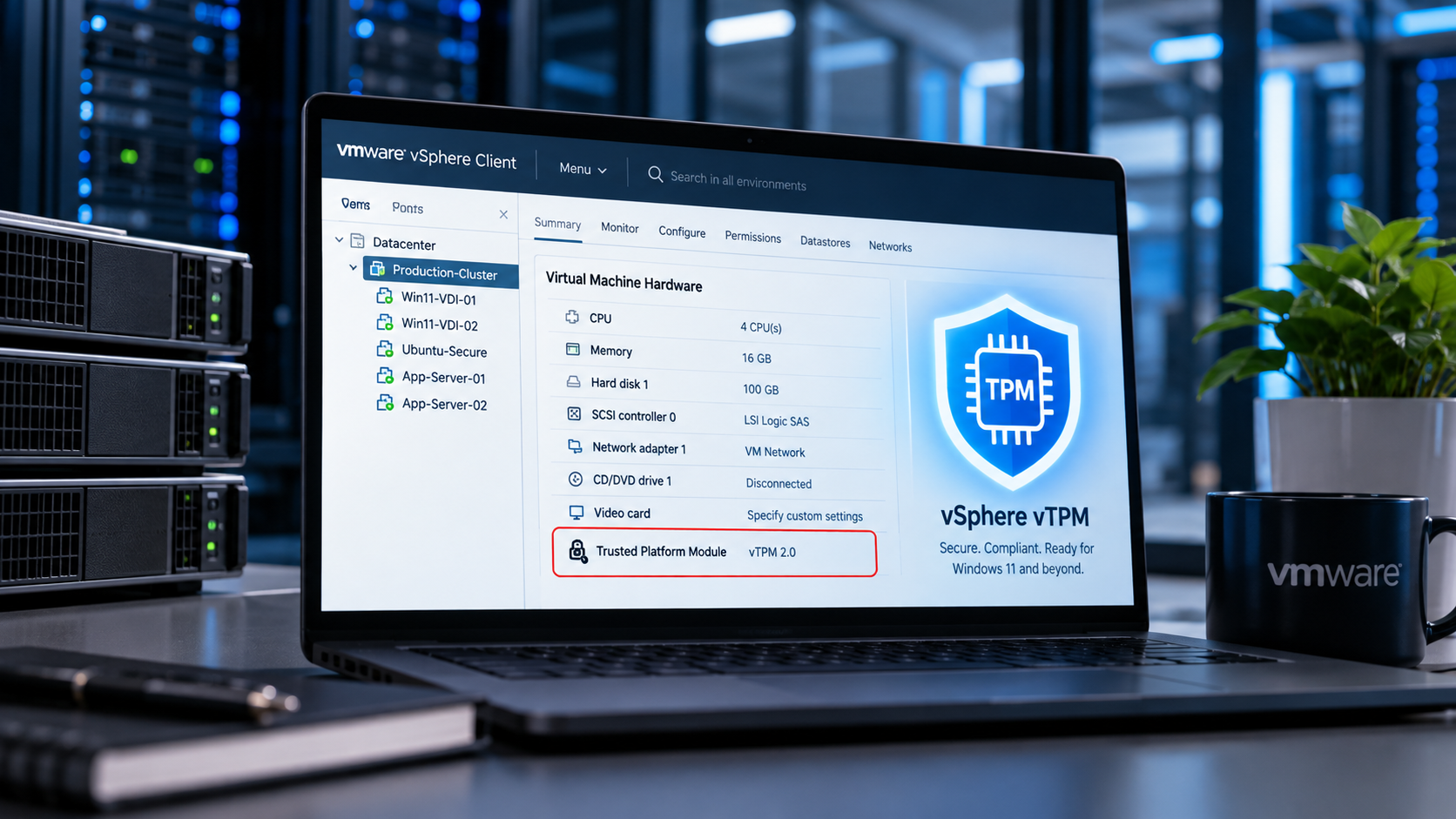
The Small Virtual Device That Changed How I Think About VM Security
The first time I seriously looked at VMware vSphere vTPM, I assumed I understood it. TPM on a physical server makes sense. There is a security device attached to the machine. Give a VM a virtual version of that device and carry on. Simple.
Except that mental model starts causing trouble surprisingly quickly. The questions begin almost immediately. Does every ESXi host need a physical TPM? Where does the virtual TPM actually live? What happens when I vMotion the VM? If the vTPM is protected by encryption, does that mean the entire virtual machine is encrypted? What happens when I clone a Windows 11 template?
And the uncomfortable one: what happens if I lose the key provider?
That last question is where VMware vSphere vTPM stops being another checkbox in the VM hardware configuration and becomes an architectural subject. VMware describes its vTPM implementation as a virtual implementation of TPM 2.0 functionality for virtual machines. Importantly, VMware's implementation is not simply passing the ESXi host's physical TPM through to the guest. The vTPM is associated with the VM, while VM Encryption protects the sensitive vTPM state.
Once I understood that distinction, almost everything else started making more sense. So rather than repeating a VMware vTPM FAQ, I want to walk through the architecture the way I would explain it to another engineer designing this for production.
What Is VMware vSphere vTPM?
A Virtual Trusted Platform Module, or vTPM, gives a virtual machine TPM 2.0 capabilities. From inside the guest operating system, applications can interact with TPM functionality much as they would on a physical computer equipped with a TPM 2.0 device. VMware states that its vTPM implements the TPM 2.0 specification and provides the cryptographic, attestation and secure-storage capabilities expected from TPM 2.0.
This matters because modern operating systems increasingly expect a trusted location for security-related material. Windows 11 brought vTPM into everyday VMware conversations because Microsoft made TPM support part of its Windows 11 hardware requirements. VMware's implementation allows supported Windows 11 VMs to satisfy the TPM side of that requirement without mapping a physical host TPM into every guest.
But reducing VMware vTPM to "the thing needed for Windows 11" misses most of the interesting architecture.
Physical TPM vs VMware vTPM: The Distinction That Matters
This was the misconception I had to get rid of first. Imagine an ESXi server containing a physical TPM 2.0 device. It is tempting to picture the relationship like this:
Physical TPM → ESXi → Virtual TPM → VM
That is not how VMware's vTPM architecture should be understood. VMware explicitly states that its vTPM does not require, map to, or store its data inside the host's physical TPM. A hardware TPM can improve ESXi host security, but its presence is not inherently required for a VM to use a VMware vTPM.
The cleaner mental model is:
VM → vTPM → encrypted VM configuration state
while separately:
ESXi host → physical TPM
The two technologies solve related security problems at different layers. That separation has a major operational advantage. If the VM's TPM identity were permanently tied to a TPM soldered onto one physical server, features such as vMotion would immediately become much harder to deliver. Virtualising the TPM state allows VMware to preserve the abstraction that makes vSphere useful in the first place. The VM remains mobile.
So Where Does VMware vTPM Data Actually Live?
This is where the architecture becomes particularly interesting. VMware documents that vTPM data is stored with the VM configuration, specifically involving the VM's NVRAM file. That vTPM data is protected using VM Encryption.
This gives us an important conceptual chain:
Guest OS → Virtual TPM → vTPM state → VM home/configuration files → VM Encryption → Key Provider
And this is why VMware vTPM and key management cannot really be discussed separately. The vTPM needs somewhere safe to preserve its secrets. VMware uses its existing VM Encryption architecture to provide that protection.
Does Adding VMware vTPM Encrypt the Whole Virtual Machine?
This catches people out. You add a Trusted Platform Module to a VM, then vCenter starts describing the machine as encrypted. The natural reaction is: I didn't ask VMware to encrypt my disks.
And you probably didn't. Adding a VMware vTPM does not automatically mean that the VMDK files have been encrypted. VMware explains that adding a vTPM protects the relevant VM home files using VM Encryption, while VMDK encryption remains a separate decision.
So think of the VM as having different protection domains. You might have:
- VM configuration and vTPM state: encrypted
- VM swap: subject to encryption associated with the encrypted VM state
- VMDKs: not necessarily encrypted
This distinction is incredibly important during troubleshooting and security reviews. Seeing Encrypted in vCenter does not by itself tell you that every byte of guest storage is protected using VMware VM Encryption.
Why Does VMware vTPM Need a Key Provider?
Because the vTPM contains secrets, and those secrets cannot simply sit unprotected inside the VM directory. For on-premises VMware vSphere and VMware Cloud Foundation environments, VMware requires a configured key provider before a vTPM can be added. Depending on the environment, that might involve an external key-management architecture or VMware's Native Key Provider (NKP).
This is the part of a VMware vTPM deployment I would spend real design time on. Adding the virtual hardware is easy. Protecting and recovering the keys that make that hardware usable is the important bit.
VMware Native Key Provider Changed the vTPM Conversation
Earlier VMware encryption designs commonly led architects toward an external Key Management Server. That made sense for organisations already operating mature enterprise key-management infrastructure. It could feel excessive, however, when the immediate requirement was something like: "We need TPM 2.0 functionality so our VMware Windows 11 VMs remain supported."
The vSphere Native Key Provider makes that scenario considerably more approachable. VMware documents Native Key Provider support from vSphere 7 Update 2 onwards, while vTPM itself dates back to vSphere 6.7. For many environments, NKP therefore provides a practical way to satisfy the cryptographic dependency behind VMware vTPM without deploying a separate KMS solely for this purpose.
But there is an operational lesson I would put in bold on every design document:
Back Up the Native Key Provider
The encryption key infrastructure is part of your recoverability story. Treating the NKP backup as a one-time wizard step misses the point. I would want a VMware vTPM implementation plan to answer:
- Where is the Native Key Provider backup stored?
- Is that location independent of the vCenter environment it protects?
- Who can retrieve it?
- Is the password available through an appropriate secure recovery process?
- Has restoration actually been tested?
- Does the disaster recovery team understand the dependency?
- What happens during a vCenter loss scenario?
If those answers are vague, I would not consider the vTPM deployment operationally mature.
Do ESXi Hosts Need Physical TPM 2.0 Chips for VMware vTPM?
No. This is probably the single most useful answer in the entire VMware vTPM discussion. VMware explicitly documents that vTPMs do not require or use the host hardware TPM as the guest's TPM device. That means an environment can potentially use VMware vTPM even when its ESXi servers do not contain physical TPM 2.0 devices.
There is, however, a configuration trap worth knowing about. Native Key Provider includes an option restricting its use to TPM-protected ESXi hosts. If that restriction is enabled while your hosts do not have the necessary hardware TPM capability, you can end up wondering why vTPM is unavailable. VMware's troubleshooting guidance specifically calls this scenario out. That is a classic VMware problem: the technology works, the checkbox works, but the combination of the two does not match your infrastructure.
Why Can't I Add a Trusted Platform Module to My VMware VM?
When the Trusted Platform Module option is missing from VM hardware settings, I would work through the dependency chain rather than repeatedly refreshing the vSphere Client.
Check the key provider first. Is one configured? Is it trusted and operational? Is there a default key provider? If Native Key Provider is being used, has its required backup been completed? Next, check whether NKP has been restricted to TPM-protected ESXi hosts. Then check VM compatibility and firmware configuration.
Broadcom's current troubleshooting guidance also identifies EFI firmware, key-provider availability, encryption configuration and VM power state among the areas to verify when the vTPM option is unavailable.
There is another basic operational constraint worth remembering: you cannot hot-add a vTPM to a running VM. The VM needs to be powered off before the Trusted Platform Module device is added. That sounds trivial until you are looking at a production server with a four-month uptime and somebody says, "Can we quickly enable TPM?"
VMware vTPM and Windows 11
Windows 11 is where many VMware administrators first meet vTPM. A typical VMware Windows 11 virtual machine design includes:
UEFI firmware + Secure Boot where appropriate + VMware vTPM 2.0 + supported virtual hardware and Windows configuration
VMware's vTPM allows the guest to receive TPM 2.0 functionality without needing a dedicated physical TPM device for each virtual machine. VMware specifically positions vTPM as a way to meet the TPM requirement associated with supported Windows 11 deployments.
This becomes particularly useful at scale. A cluster might host hundreds of Windows 11 VMs. You obviously are not assigning hundreds of physical TPM chips to those guests. Each VM gets its own virtual TPM context.
VMware vTPM and BitLocker: Think About Recovery Before Deployment
BitLocker is where the consequences of TPM lifecycle operations become much more tangible. VMware vTPM supports Microsoft BitLocker. But consider what the TPM is doing: BitLocker can protect key material in relation to TPM state.
Now imagine casually deleting or replacing the VM's vTPM. From the administrator's perspective, you changed a virtual device. From Windows' perspective, part of the trusted security environment may have changed.
VMware specifically warns that removing or replacing a vTPM on a Windows VM using technologies such as BitLocker or Windows Hello can cause those capabilities to stop working and can result in loss of access when the appropriate recovery mechanisms are unavailable.
So before replacing a VMware vTPM, I would verify recovery material first. Not afterwards. Before. That small operational habit can turn a mildly inconvenient maintenance job into something completely uneventful.
The Most Interesting VMware vTPM Problem: Cloning
This is where things get genuinely subtle. Suppose I build a perfect Windows 11 golden image. It contains Windows 11, corporate applications, security tooling, patches, configuration and a VMware vTPM. Then I clone it 100 times.
What should happen to the TPM? There are actually two legitimate answers. Sometimes I want an exact replica. Other times I want 100 independently identifiable machines. Those goals conflict.
VMware vSphere 8 addresses this through its TPM Provisioning Policy, allowing the TPM to be copied or replaced during cloning and deployment. Broadcom's current guidance describes Copy as preserving the source TPM and its secrets, while Replace gives the deployed VM a new TPM identity. That difference deserves far more attention than it usually gets.
Copy TPM vs Replace TPM in VMware vSphere 8
Think about Copy as: "I want the clone to inherit this TPM state." And Replace as: "I want this VM to become a cryptographically distinct machine."
For backup, recovery and certain testing workflows, preserving TPM state may be exactly what you need. For a golden-image deployment creating independent endpoints, I would examine Replace very carefully.
Why? Because copying a TPM can copy its cryptographic identity too. Broadcom has documented scenarios where cloned VMs created using the Copy provisioning policy inherited the same vTPM Endorsement Key, causing identity collisions in third-party software that expected TPM identities to be unique. Broadcom's guidance for future clones in that scenario is to use Replace.
This is not merely cosmetic. It can affect systems that use TPM identity as part of endpoint identification, attestation or security logic.
The Endorsement Key Explains Why Cloning Matters
To understand the cloning issue properly, we need to go one layer deeper. A TPM contains an Endorsement Key, commonly shortened to EK. VMware describes the TPM 2.0 Endorsement Key as an asymmetric key pair generated when the vTPM is instantiated. It contributes to the TPM's unique identity and acts as part of the trust foundation for other cryptographic operations.
This is why blindly cloning TPM state deserves careful thought. If two supposedly independent computers inherit the same underlying TPM identity, software expecting TPM uniqueness can become confused.
For production provisioning, my design question therefore becomes: is this operation creating a copy of a machine, or creating a new machine from a template? Those sound similar. Cryptographically, they can be very different requirements.
Changing the Default VMware vTPM Clone Behaviour
VMware vSphere exposes the vCenter Server setting:
vpxd.clone.tpmProvisionPolicyVMware documents copy and replace as the relevant policy choices for controlling default vTPM behaviour during cloning. I would not change this globally just because one setting sounds more secure. First understand your workflows. VDI deployment, backup recovery, application testing, machine cloning and golden-image provisioning may not all want identical behaviour. This is one of those configuration parameters where understanding why a clone exists matters as much as understanding how vSphere performs it.
Can You Rekey a VMware vTPM?
This terminology can become confusing because VM encryption keys and the TPM's own cryptographic identity are related but not identical concepts. VMware states that the vTPM's Endorsement Key itself is permanent. To obtain a different TPM identity, the TPM needs to be replaced rather than simply "rekeyed" in place.
Meanwhile, VMware VM Encryption has its own rekey and recrypt mechanisms. Broadcom documents shallow and deep rekey operations when moving encrypted workloads between key-provider arrangements. Keeping these two layers conceptually separate avoids a lot of confusion:
VM encryption key lifecycle ≠ TPM identity lifecycle.
VMware vTPM and vMotion
One of the first questions I had was whether giving a VM a TPM would pin that VM to a host. Thankfully, no. VMware supports both vMotion and Storage vMotion for VMs using vTPM.
That makes sense once we return to the earlier architecture. The guest's vTPM is not simply a passthrough connection to a TPM chip installed on one ESXi server. Its protected state belongs to the virtual machine.
There is, however, an important wrinkle with cross-vCenter vMotion. Because VM Encryption is involved, the destination environment needs appropriate access to the key-provider infrastructure required for the workload. VMware specifically notes the key-provider dependency for cross-vCenter migration. So within one properly configured vSphere environment, mobility is straightforward. Across security or management boundaries, key architecture matters.
VMware vTPM and Disaster Recovery
This is the section I would spend the most time discussing during an architecture workshop. vTPM changes disaster recovery because your VM now has a cryptographic dependency outside its ordinary virtual disks. A successful recovery is no longer simply:
Restore VMDK → register VM → boot
You need to think about:
VM → encrypted vTPM state → encryption keys → key provider → recovery environment
Current Broadcom guidance for encrypted VM replication using Native Key Provider illustrates this dependency clearly. In relevant replication configurations, the source and target environments need compatible Native Key Provider identity and key material. Broadcom recommends exporting the source NKP configuration and restoring it appropriately at the target when that architecture is required.
That means your DR runbook should explicitly include key-provider recovery. Not as an appendix. As part of the main recovery sequence.
VMware vTPM and Backup
VMware states that vTPM-enabled VMs can be backed up, but it also advises checking the backup vendor's support for vTPM and encrypted VMs. That vendor-specific verification matters. I would test at least:
Backup → restore → boot → TPM visibility → BitLocker/recovery behaviour → application validation
A backup job turning green tells me that data was captured. It does not prove the complete cryptographic workload can be recovered successfully. Those are different tests.
Can VMware vTPM VMs Be Exported as OVF or OVA?
There is another operational surprise here. VMware documents that a VM containing a vTPM cannot simply be exported through the vSphere Client as a normal OVF/OVA while retaining that vTPM device. The vTPM needs to be removed for that conventional workflow, although VMware OVF Tool supports mechanisms involving a TPM placeholder for more specialised workflows. Likewise, importing an OVF/OVA through the vSphere Client normally means adding the vTPM after import.
This makes sense when you consider what a TPM represents. You are dealing with cryptographic identity and protected state, not merely another virtual NIC.
VMware vTPM Templates
VM templates are supported, but format matters. VMware documents support for vTPM-enabled virtual machines in VM Template (VMTX) format, including appropriate Content Library usage.
For me, this reinforces the bigger design principle: do not treat vTPM-enabled golden images exactly like traditional stateless templates. Before building the template pipeline, decide what should happen to TPM identity when a machine is instantiated. That decision should be deliberate.
VMware vTPM and Linux
vTPM is not a Windows-only feature. VMware supports vTPM use with Linux guests, and VMware specifically points administrators toward Linux TPM tooling such as tpm2-tools for interacting with TPM functionality.
On a Linux VM, for example, I might begin by checking whether the guest sees TPM devices:
ls -l /dev/tpm*Depending on the distribution and installed TPM2 tooling, commands such as:
tpm2_getcap properties-fixedcan then help inspect TPM capabilities. The important architectural point is that applications inside Linux interact with TPM functionality without needing direct access to the ESXi host's physical TPM. That opens interesting possibilities for virtual appliances, application-level key protection, measured boot workflows and TPM-aware Linux security designs.
VMware vTPM Performance Impact
Security features always raise the same reasonable question: what will this cost me? For vTPM itself, generally not much. VMware describes vTPM as a low-I/O device and says the performance impact is normally minimal, with potentially small changes around boot activity.
There is a more interesting secondary consideration. Because VMware VM Encryption is involved in protecting vTPM-related VM state, swap-file encryption can introduce additional CPU work if ESXi is actively paging VM memory to disk. That is another good reason not to look at security features in isolation. A poorly sized cluster under memory pressure can expose overheads that barely register in a healthy environment.
VMware vTPM with vSAN Encryption
Yes, VMware vTPM can coexist with vSAN encryption. But there are layers of encryption to understand. vSAN data-at-rest encryption protects information at the storage layer. VM Encryption protecting vTPM state operates at the VM layer. Guest technologies such as BitLocker can introduce another encryption layer inside the operating system.
So a single Windows workload might conceptually look like:
BitLocker → Windows filesystem → VMDK → VMware / vSAN storage protection
while its TPM state is separately protected through VMware's VM Encryption mechanisms. VMware specifically advises considering the operational and performance implications when combining technologies such as vSAN data-at-rest encryption and guest BitLocker. More encryption is not automatically the same thing as a better architecture. Each layer should solve a defined threat or compliance requirement.
One Limitation That Can Surprise Automation Teams
There is a less obvious consequence of vTPM's relationship with VM Encryption. Broadcom documents that adding vTPM automatically invokes encryption protection for the VM's sensitive configuration, and this means a vTPM-equipped VM cannot be used as the source for certain Instant Clone API operations because encrypted source VMs are not supported by that workflow.
This is precisely the kind of dependency I want to discover in a lab rather than after a platform engineering team has built an entire provisioning pipeline. When introducing VMware vTPM into an existing environment, test your automation as well as your operating systems.
My VMware vTPM Production Checklist
If I were reviewing a production VMware vSphere vTPM configuration, I would work through these questions.
vSphere Platform
- Is the vSphere release supported for the intended vTPM design?
- Is the VM hardware compatibility level appropriate?
- Is EFI configured where required?
Key Management
- Is Native Key Provider or the selected external key provider configured correctly?
- Is it trusted?
- Is it available to every relevant ESXi host?
- Has the NKP backup been created and stored somewhere independent?
- Has recovery actually been tested?
VM Configuration
- Is the VM powered off before adding the vTPM?
- Does the guest OS support the intended TPM use case?
- Are the VMDKs intentionally encrypted or intentionally unencrypted?
Windows Security
- Is BitLocker being used?
- Where are recovery keys stored?
- Are Windows Hello, Device Guard, Credential Guard or other TPM-aware technologies involved?
Cloning
- Should clones inherit the TPM or receive a new one?
- Has the vSphere 8 TPM Provisioning Policy been reviewed?
- Could duplicated Endorsement Keys affect endpoint-management or security tooling?
Mobility
- Will these VMs use cross-vCenter vMotion?
- Can the destination environment access the required key infrastructure?
Backup and Disaster Recovery
- Does the backup product explicitly support the workload configuration?
- Can the restored VM actually boot?
- Can the guest still access its TPM-protected resources?
- Can the key provider itself be recovered during a site-level failure?
Automation
- Do cloning, provisioning, Terraform, PowerCLI, API or Instant Clone workflows behave correctly once vTPM and VM Encryption are introduced?
Those questions tell me far more about the maturity of a VMware vTPM implementation than whether somebody knows where the Add New Device → Trusted Platform Module menu lives.
Frequently Asked Questions
Does VMware vTPM require a physical TPM?
No. VMware's vTPM is not a passthrough connection to the ESXi host's physical TPM.
Do I need a key provider for VMware vTPM?
For on-premises VMware vSphere, yes. VMware uses VM Encryption to protect vTPM secrets, which creates the key-provider dependency.
Does adding vTPM encrypt the VMDK?
No. VMware documents VMDK encryption as a separate operation.
Can VMware vTPM VMs use vMotion?
Yes. vMotion and Storage vMotion are supported, subject to the relevant encryption and key-provider requirements.
Can I hot-add VMware vTPM?
No. The VM must be powered off to add the device.
Can VMware vTPM be used with Windows 11?
Yes. Providing supported TPM functionality for Windows 11 VMs is one of the major VMware vTPM use cases.
Does VMware vTPM support BitLocker?
Yes. Recovery-key management should be planned carefully before TPM replacement or other lifecycle operations.
Can Linux use VMware vTPM?
Yes. Supported Linux guests can use TPM functionality, including through common TPM2 userspace tooling.
Should I copy or replace a vTPM when cloning?
It depends on the purpose of the clone. Copying preserves TPM state. Replacing creates a new TPM identity. For deployments intended to become independent machines, duplicated TPM identities can cause problems with software expecting TPM uniqueness, so the provisioning policy should be chosen deliberately.
The Part of VMware vTPM That Matters Most
After spending time with vTPM, I stopped thinking of it as virtual hardware. That description is technically useful, but operationally incomplete. I now think of VMware vTPM as a relationship between four things: identity, secrets, encryption and mobility.
The TPM gives the workload a cryptographic identity and somewhere trusted to work with sensitive material. VM Encryption protects the virtual representation of that TPM. The key provider makes that encryption possible. vSphere preserves the mobility and lifecycle capabilities we expect from virtual machines.
That combination is elegant. It also means the person designing VMware vTPM needs to think beyond the guest operating system. The easy part is clicking Add New Device → Trusted Platform Module. The engineering starts when you ask:
How will I recover this VM five years from now when the original vCenter, hosts and storage no longer exist?
If you can answer that confidently, including where the encryption keys come from, how TPM identity is handled during cloning, where recovery material lives and how DR has been tested, then you are no longer simply enabling VMware vTPM. You are designing it properly.
Planning a Secure VMware Platform? Talk to Consult Circle
vTPM, VM Encryption and key-provider design sit at the intersection of platform engineering, security and disaster recovery — exactly where our certified VMware consultants work every day. Whether you are rolling out Windows 11 at scale, hardening an existing vSphere estate or planning a move to VMware Cloud Foundation, we can help you design it properly the first time.
Explore our VCF migration services, try our free VCF migration estimator, or book a free 30-minute call to talk through your vTPM and encryption design with an engineer.
Sources and Further Reading
- VMware / Broadcom: vSphere Virtual TPM (vTPM) Questions & Answers — the primary technical source for VMware vTPM architecture, requirements, VM Encryption behaviour, cloning, vMotion, templates, BitLocker and vTPM lifecycle guidance.
- Broadcom Knowledge Base: Regenerating Unique vTPM Endorsement Keys for Cloned Virtual Machines (VMware vSphere) — operational guidance on duplicated TPM identities and selecting Replace during future clone operations.
- Broadcom Knowledge Base: Changing the default vTPM provisioning policy for cloning or deploying virtual machines — covers Copy versus Replace behaviour for TPM provisioning.
- Broadcom Knowledge Base: How to Create a vTPM-Enabled Virtual Machine on a Host Without a Physical TPM — confirms that physical host TPM hardware is not inherently required for guest vTPM and describes key-provider options.
- Broadcom Knowledge Base: Instant clone operation via vSphere API fails for a virtual machine with a vTPM device — documents the interaction between vTPM, VM Encryption and Instant Clone restrictions.
- Broadcom Knowledge Base: VMware vTPM troubleshooting guidance covering EFI, key-provider and virtual hardware prerequisites.
- Broadcom Knowledge Base: Native Key Provider requirements for encrypted VM replication and disaster-recovery scenarios.
- Broadcom Knowledge Base: Guidance for transitioning encrypted and vTPM-enabled workloads between key providers using rekey/recrypt operations.
Related Reading
- VMware vTPM initialization failed: fixing "The virtual machine must be encrypted" - the recovery playbook when a vTPM virtual machine will not power on after migration or restore.
- Understanding HCX Bulk Migration - the key provider and vTPM requirements that apply when you move encrypted virtual machines between sites.