VCF 9.1 licensing guide
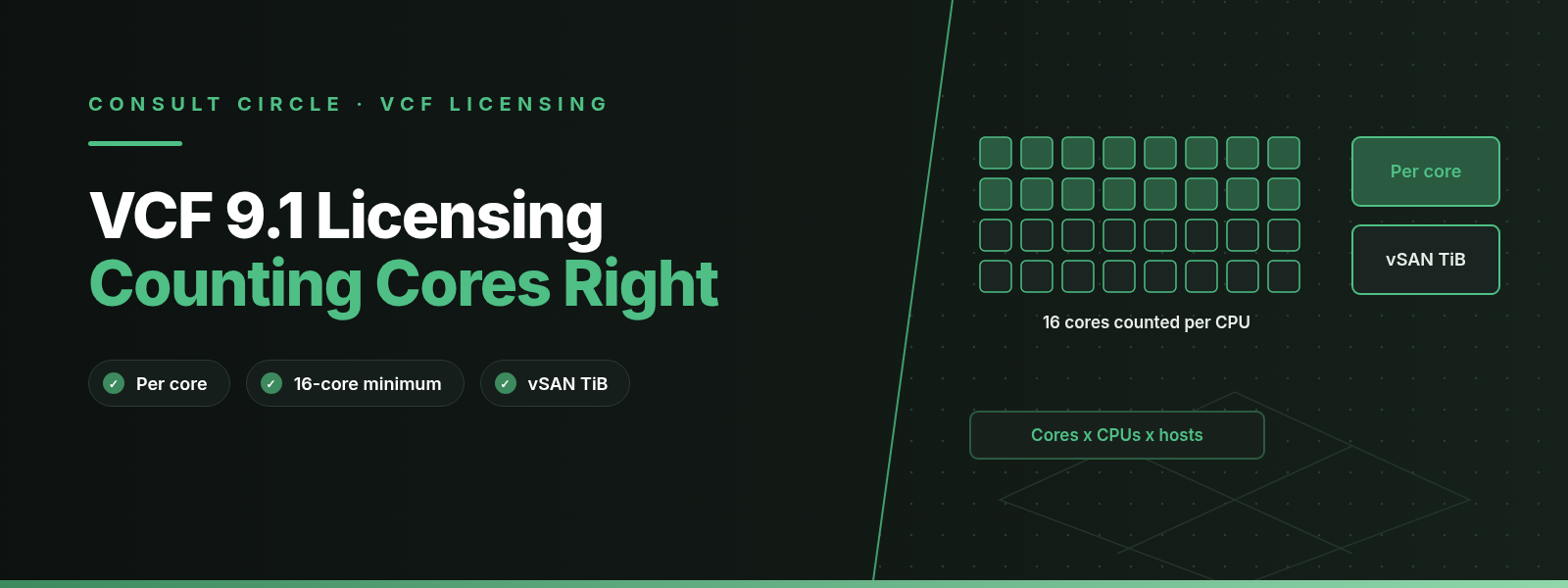
VMware Cloud Foundation (VCF) 9.1 and VMware vSphere Foundation (VVF) are sold as subscriptions licensed per physical CPU core, with a minimum of 16 cores counted for every physical processor. To work out what you need, count the physical cores in every CPU on every ESX host you will run, raise any CPU with fewer than 16 cores to 16, and add the totals together; VCF then gives you 1 TiB of vSAN capacity for each licensed core.
The arithmetic is simple. Most over-buying comes from counting the wrong things: hosts that have already been retired, low-core CPUs that cost more than they look, vSAN capacity bought per cluster when it can be pooled, and DR hosts nobody checked. This guide sets out the counting rules from Broadcom's own documents, works through a hypothetical estate, and lists the checks we run with clients before a renewal.
Key points
- VCF is licensed per core, with a minimum of 16 cores per processor. Every core on a server where the software is installed counts, including cores switched off in the BIOS.
- Hyperthreads are not counted. Broadcom defines a core as a single physical computational unit of the processor.
- Each VCF core includes 1 TiB of vSAN capacity, pooled across your VCF cores. VVF includes 0.25 TiB per core, rounded up. Extra raw capacity is a vSAN add-on.
- Broadcom publishes a PowerCLI script in KB 313548 (formerly KB 95927) that counts cores and vSAN TiB from vCenter.
- VCF 9.x uses a single licence file managed in VCF Operations. In 9.1 licences live in a local license server and connected sites refresh automatically every 24 hours.
How does VCF per-core licensing work?
Broadcom's VCF Specific Program Documentation (May 2025 edition) says VCF is "subscription software licensed on a per Core license metric" with a minimum of 16 cores per processor. The same document says each core on the server where the software is installed must be licensed, including cores deactivated by the BIOS, and that the number of core licences equals the number of cores on the server, subject to that 16-core floor.
Three definitions in the SPD decide most counting questions. A core is "a single physical computational unit of the Processor". A processor is a single physical chip with at least one core. A server is a hardware system able to run the software, and a hardware partition or blade counts as a separate server. Logical threads from Hyper-Threading or SMT are not physical cores, so they do not add to the count.
VCF is sold as one product. The SPD says its components "can only be utilized on, or for the same physical Cores where the vSphere in VCF Core license is deployed." You cannot license a small VCF footprint and then use VCF Operations or NSX to run a larger estate licensed some other way. The VCF Operations and VCF Automation entitlement is also per core and covers managing VCF cores only.
16
Minimum cores counted per physical CPU
1 TiB
vSAN capacity included per VCF core
0.25 TiB
vSAN capacity included per VVF core
180
Days between compliance reports (disconnected mode)
The 16-core minimum per CPU
The 16-core minimum applies to each physical processor, not to each host or order. Broadcom KB 313548 puts it plainly: you must license a minimum of 16 physical cores for each CPU, and a CPU with fewer than 16 cores is counted as 16. Its own example has two hosts. Host A has 2 CPUs with 8 cores each and Host B has 2 CPUs with 24 cores each. Host A counts as 32 cores and Host B as 48, so the subscription needed is 80 cores.
| CPU configuration per host | Physical cores | Licensed cores | Cores paid but unused |
|---|---|---|---|
| 1 CPU × 8 cores | 8 | 16 | 8 |
| 2 CPUs × 12 cores | 24 | 32 | 8 |
| 2 CPUs × 16 cores | 32 | 32 | 0 |
| 2 CPUs × 24 cores | 48 | 48 | 0 |
| 2 CPUs × 32 cores | 64 | 64 | 0 |
Table 1. How the 16-core minimum per CPU changes the licensed count. Configurations are examples, not recommendations.
What happened to the 72-core minimum?
In March and April 2025, several trade outlets, including heise, reported that Broadcom would introduce a minimum purchase of 72 cores per order for new and renewal transactions from 10 April 2025. A few days later, iX (as reported by it-daily) said the change had been withdrawn, and quoted a Broadcom spokesperson saying Broadcom had never announced a price change and that the 16-core minimum from December 2023 still applied.
The Broadcom documents we read for this guide, KB 313548 and the May 2025 VCF SPD, state the 16-core per processor minimum and say nothing about a 72-core order minimum. Broadcom has not published a KB on a per-order minimum that we could find. Commercial rules such as minimum order quantities can sit in price lists and quotes rather than in KBs, so if your quote shows a minimum quantity, ask your reseller to show you where it comes from.
How much vSAN capacity is included per core?
The VCF SPD says the customer "is entitled to 1 TiB of vSAN capacity for each Core licensed for VCF," and that vSAN capacity can only be aggregated and used across cores where vSphere in VCF is deployed. The SPD defines a TiB as 240 bytes of physical storage. KB 313548 gives VVF 0.25 TiB per core, rounded up to the next whole TiB.
The figure you compare against the entitlement is raw physical capacity contributed to vSAN, not usable datastore capacity after RAID or erasure coding. KB 313548 warns that the vSphere Client capacity overview shows available datastore capacity, which is not the licensing figure, and recommends the PowerCLI script for any environment with vCenter.
If a cluster needs more raw TiB than your entitlement covers, you buy the difference as vSAN add-on capacity. If the result is zero or negative, you need nothing extra. KB 313548 also says entitled TiB can be distributed across clusters in different ratios from the core licences, and excess can be aggregated. In practice that means a compute-heavy cluster with little vSAN can donate its unused entitlement to a storage-heavy cluster, as long as both run VCF cores.
| Item | VCF | VVF |
|---|---|---|
| Licence metric | Per physical core | Per physical core |
| Minimum per CPU | 16 cores | 16 cores |
| vSAN included | 1 TiB per core | 0.25 TiB per core, rounded up |
| Capacity measured as | Raw TiB claimed by vSAN | Raw TiB claimed by vSAN |
| Extra capacity | vSAN add-on per TiB | vSAN add-on per TiB |
Table 2. Core and vSAN rules for VCF and VVF, from Broadcom KB 313548 and the VCF SPD.
Renewal coming up?
Get an independent core and vSAN count before you sign
Consult Circle designs, upgrades and runs VMware Cloud Foundation estates. We can run the counting script with you, clean up inventory and give you a quantity you can defend to finance and to Broadcom.
See our VCF servicesWhat is included in a VCF core licence, and what is an add-on?
A VCF core licence covers the private cloud platform: vSphere, vCenter, vSAN (up to the included capacity), NSX networking, VCF Operations, VCF Operations for Networks and VCF Automation. The SPD lists vSAN, VCF Operations, VCF Automation, VCF Operations for Networks and vCenter in its component table, and its export section covers the NSX software inside VCF. HCX ships with VCF 9.1 as VCF Operations HCX and appears in the VCF 9.1 release notes; see our HCX 9.1 guide for what it does.
Broadcom's VCF 9.0 licensing blog (June 2025) listed the add-ons and how each one is licensed. Private AI Foundation and extra vSAN capacity sat in the licence file. vDefend Firewall, Avi Load Balancer, Tanzu Platform and Data Services Manager still used licence keys. Live Recovery was delivered as SaaS. In August 2025 Broadcom announced that VMware Private AI Services would become a standard part of the VCF 9.0 subscription, with no extra purchase, and SiliconANGLE reported the services would launch in early 2026. Check your own entitlement in the VCF Business Services console, because what you hold depends on when and what you bought.
If you are planning to bring firewall or load balancer services into VCF, budget for them on top of the core count. Our guides to Cisco ASA to NSX Distributed Firewall migration and F5 BIG-IP to Avi migration cover the technical side, and our Live Site Recovery comparison covers DR options.
How do licence files work in VCF 9.x?
VCF 9.0 replaced the old per-product, per-version licence keys with a single licence file. Broadcom's VCF 9.0 licensing blog says one file covers VCF cores, vSAN TiB, Private AI Foundation, VVF cores and VCF Edge cores, and that you do not need a new key to upgrade from 8.x to 9.0. Subscriptions for the same product are pooled into one capacity automatically, so there is no more merging or splitting keys.
You assign licence capacity to one or more vCenter instances in VCF Operations, and the ESX hosts those vCenters manage are licensed from it. After a fresh install, VCF runs in evaluation mode, which the same blog says is now 90 days. You register the VCF Operations instance with the VCF Business Services console at vcf.broadcom.com and either let it report usage over the internet (connected mode) or exchange files by hand (disconnected mode, for air-gapped sites).
What changed in VCF 9.1
The VCF 9.1 release notes say licences are now stored in a license server instead of in VCF Operations, and that the license server installs automatically with VCF Operations 9.1. VCF Operations is still where you manage licences. In connected mode, a new licence file is downloaded to VCF Operations every 24 hours; you can turn this off and update by hand. Broadcom's VCF 9.1 licensing blog adds that one vCenter can now hold several primary licence types, such as VCF and VCF Edge, that licensing APIs are open to all customers, and that the Business Services console has new roles for licence refresh, tenant licence management and read-only access.
The release notes also describe override licences: you can assign a licence directly to an ESX host or vSAN cluster that is connected to a licensed vCenter, for example a VCF licence on the vCenter and VCF Edge licences on some hosts. Licence usage for ESX 8.x and 9.x hosts is now reported in one view.
How to count cores with Broadcom's PowerCLI script
Broadcom KB 313548, "Counting Cores for VMware Cloud Foundation and vSphere Foundation and TiBs for vSAN", attaches a PowerCLI module that reads your inventory from vCenter and reports the core and vSAN TiB licences you need. William Lam's January 2024 post on the script refers to the same KB by its older number, 95927. The KB says it needs PowerCLI 13.3 or later and Windows PowerShell 7.4.6 or later. KB 400416 has an updated script for vSphere 8.0 Update 3.
Download the module
Get
FoundationCoreAndTiBUsage.psm1from KB 313548. For several vCenters, the KB also attachesMultiVcCoreAbdTiBUsage.psm1.Check every core is enabled
The KB says results may be wrong if cores are disabled in the BIOS, and the SPD says disabled cores still need licences. Enable all physical cores before you run it.
Connect and import
Connect to vCenter with
Connect-VIServer, then import the module.Run it for VCF or VVF
Use
-DeploymentType VCForVVF. Add-ClusterNamefor one cluster and-CSVto export.Read both CSV files
The export writes two files. The one with
-vsanin its name holds the TiB figures.
These are the commands as given in KB 313548:
Connect-VIServer -Server vCenter_Server
Import-Module .\FoundationCoreAndTiBUsage.psm1
Get-FoundationCoreAndTiBUsage -DeploymentType VCF
Get-FoundationCoreAndTiBUsage -DeploymentType VVF
If PowerShell's execution policy blocks the module, the KB gives Set-ExecutionPolicy -Scope Process -ExecutionPolicy Bypass, which only applies to the current session.
| Output field | What it tells you |
|---|---|
| NUM_CPU_SOCKETS | Physical processors in the host |
| NUM_CPU_CORES_PER_SOCKET | Physical cores in each processor |
| FOUNDATION_LICENSE_CORE_COUNT | Licensed cores after the 16-core minimum |
| vSAN_LICENSE_TIB_COUNT | vSAN TiB entitlement from those cores |
| REQUIRED_VSAN_TIB_CAPACITY | Raw vSAN TiB the host contributes |
Table 3. Main per-host fields in the KB 313548 script output. The script also prints "Total Required Licenses" and "Total Required vSAN Add-on Licenses".
For a host with no vCenter, KB 313548 says you can read "Cores per socket" under the host's Hardware, CPU Processors view, but you cannot get raw vSAN capacity from the UI. Nested ESX labs are a special case: KB 431120 explains that a nested host built with many single-core virtual sockets is counted at 16 cores per socket, and fixes it by changing the VM's topology to fewer sockets with more cores each.
A worked example: counting a hypothetical estate
The numbers below are invented to show the method. They are not a sizing recommendation and do not describe any real client.
The estate has three clusters. A workload cluster of 6 hosts, each with 2 CPUs of 32 cores. A management cluster of 4 older hosts, each with 2 CPUs of 12 cores. A small branch cluster of 3 hosts, each with 1 CPU of 8 cores. All three run vSAN and all will be licensed for VCF.
Step by step
The workload cluster is simple: 6 × 2 × 32 = 384 cores, all physical. The management cluster has 96 physical cores, but each 12-core CPU is counted as 16, so it needs 4 × 2 × 16 = 128 core licences. The branch cluster has 24 physical cores and is counted as 3 × 1 × 16 = 48. The estate needs 560 core licences for 504 physical cores, so 56 licences pay for cores that do not exist.
For vSAN, 560 VCF cores bring 560 TiB of entitlement. The three clusters contribute 480, 64 and 30 TiB of raw capacity, 574 TiB in total. Because entitlement can be spread across clusters and excess aggregated, the shortfall is 574 minus 560, so 14 TiB of vSAN add-on. If you worked cluster by cluster without pooling, the workload cluster alone would look 96 TiB short (480 raw against 384 entitled), and you could be quoted far more add-on capacity than you need.
Now suppose the management cluster is due for a hardware refresh. Replacing those four hosts with three hosts of 2 × 16-core CPUs would drop the cluster from 128 to 96 licensed cores, provided three hosts still meet your availability design. Our recommendation is to run this sum before you choose CPUs for any refresh. Whether it saves money overall depends on hardware cost and your renewal terms, so take the numbers to your reseller.
Common over-buying mistakes
Mistake 1
Counting hosts, not cores
Quoting "per host" or per socket with an assumed core count. Count actual cores per CPU with the script, then apply the 16-core floor.
Mistake 2
Forgetting the minimum
CPUs with fewer than 16 cores cost more than they look. Factor the floor into hardware choices at refresh time.
Mistake 3
Retired hosts still in vCenter
Capacity is assigned to vCenter and its managed hosts are licensed from it. Remove decommissioned hosts before you count or report.
Mistake 4
vSAN shortfall per cluster
Entitlement can be pooled across VCF clusters. Work out the add-on against the total, using raw TiB.
Mistake 5
DR hosts nobody counted
Standby hosts with the software installed have cores. Size them for what you will recover and agree their licensing.
Mistake 6
Nested labs at full rate
Single-core virtual sockets in nested ESX count as 16 each. Fix the VM topology as KB 431120 describes.
Retired and idle hosts
In VCF 9.x you assign capacity to a vCenter, and the hosts that vCenter manages are licensed from that pool. A host that has been powered off for a year but is still in the inventory is still a host under that vCenter. Our recommendation is to reconcile the vCenter inventory against your CMDB and remove anything retired before you run the counting script or send a usage report. The same goes for test clusters someone built and forgot.
DR site cores
The SPD says each core on a server where the software is installed must be licensed, and we found no carve-out for standby hosts in the documents we read. The SPD does allow recovery and testing activities for up to 15 days per year per environment in aggregate, using the embedded evaluation mode, and it allows use as a Migration License through evaluation mode. Those allowances cover short recovery, test and migration windows. A DR site that runs all year is outside them. If you keep warm hosts at a second site, size them for the workloads you will actually recover, and agree their licensing with Broadcom or your reseller in writing. Our disaster recovery services team can help you work out what the recovery site really needs to run.
Do
- Run the KB 313548 script against every vCenter and keep the CSVs
- Enable all physical cores before counting
- Compare raw vSAN TiB against pooled entitlement
- Clean retired hosts out of vCenter first
- Ask for written confirmation of any minimum order quantity
Avoid
- Counting logical processors or hyperthreads
- Using usable datastore capacity as the vSAN figure
- Turning cores off in the BIOS to cut the count
- Assuming DR hosts are free
- Renewing last year's quantity without a fresh count
How to right-size before a VCF renewal
We start this work at least three months before the renewal date, which leaves time for hardware changes and for the reseller to requote. On a single vCenter estate the count itself takes an afternoon. The clean-up and the decisions around it take longer.
- Counting script run against every vCenter, CSVs saved with the date
- All physical cores enabled in the BIOS before counting
- Retired, powered-off and test hosts removed from vCenter inventory
- CPUs with fewer than 16 cores listed with their extra licence cost
- Raw vSAN TiB compared with pooled entitlement, add-on worked out once
- DR and standby hosts sized and their licensing agreed in writing
- Add-ons (vDefend, Avi, Live Recovery, extra vSAN) listed separately
- Owner and reminder set for the 180-day compliance report
If the renewal is tied to an upgrade, read our guides to upgrading VCF 5.2 to VCF 9.1 and vSphere to VCF migration and upgrade paths. The VCF 5.x vs 9.x comparison explains the wider platform changes, including why VCF Operations now sits at the centre of licensing.
VMware Cloud Foundation consultancy
Want a second opinion on your VCF quote?
We count cores and vSAN capacity across your vCenters, clean up inventory, and give you a written summary to take to Broadcom or your reseller. We do not sell licences, so the count is independent.
Book a licensing reviewFrequently Asked Questions about VCF core licensing
Is VMware Cloud Foundation 9.1 licensed per core or per CPU?
Per core. Broadcom's VCF SPD says VCF is subscription software licensed per core, with a minimum of 16 cores counted for each physical processor.
Do hyperthreads count towards VCF core licences?
No. The SPD defines a core as a single physical computational unit of the processor, so logical threads from Hyper-Threading or SMT are not counted. The KB 313548 script reports physical cores per socket.
Can I disable cores in the BIOS to need fewer licences?
No. The SPD says every core on the server must be licensed, including cores deactivated by the BIOS. KB 313548 also asks you to enable all physical cores before running the counting script.
Is there a 72-core minimum for VMware orders?
Not in the Broadcom documents we checked. A 72-core per-order minimum was reported in March 2025, then reported as withdrawn in April 2025, and KB 313548 and the May 2025 SPD state only the 16-core per processor minimum. Ask your reseller to confirm any minimum quantity on your quote.
How much vSAN capacity comes with VCF?
VCF includes 1 TiB of raw vSAN capacity per licensed core, pooled across the cores where vSphere in VCF runs. VVF includes 0.25 TiB per core, rounded up, and extra capacity is bought as a vSAN add-on per TiB.
Where do I get the official core counting script?
Broadcom KB 313548, which was KB 95927 before the move to the Broadcom knowledge base, attaches the FoundationCoreAndTiBUsage PowerCLI module. It needs PowerCLI 13.3 or later.
Does VCF 9.1 still use licence keys?
Mostly no. VCF 9.x uses a single licence file managed in VCF Operations and, in 9.1, stored in a local license server. Broadcom's VCF 9.0 licensing blog said some add-ons, such as vDefend Firewall and Avi Load Balancer, still used keys.
What happens if I miss the 180-day usage report?
Management features can be degraded or blocked. The VCF SPD says failure to send a timely, unaltered compliance report leads to degraded or blocked management plane functions and suspended support, including access to updates and upgrades.
Sources
- Broadcom KB 313548: Counting Cores for VMware Cloud Foundation and vSphere Foundation and TiBs for vSAN
- Broadcom KB 431120: Resolving unexpected License capacity requirements in VCF Operations
- Broadcom KB 438771: "Usage Report overdue today" in disconnected mode
- Broadcom: VMware Cloud Foundation Specific Program Documentation, May 2025 (PDF)
- Broadcom: VCF 9.1.0.0 release notes, What's new in VCF Operations
- VMware Cloud Foundation blog: Licensing in VMware Cloud Foundation 9.0
- VMware Cloud Foundation blog: VCF 9.1 licensing, programmatic, centralized and built to scale
- William Lam: Automating counting cores and TiBs for VVF and VCF SKUs
- SiliconANGLE: Broadcom VMware Explore 2025 announcements (Private AI Services in VCF)
- heise: VMware customers to license 72 instead of 16 cores (April 2025)
- it-daily: VMware customers do not need a 72-core minimum licence after all
Written by the Consult Circle VMware HCX migration team. Last reviewed 3 November 2026.