VMware HCX migration planning
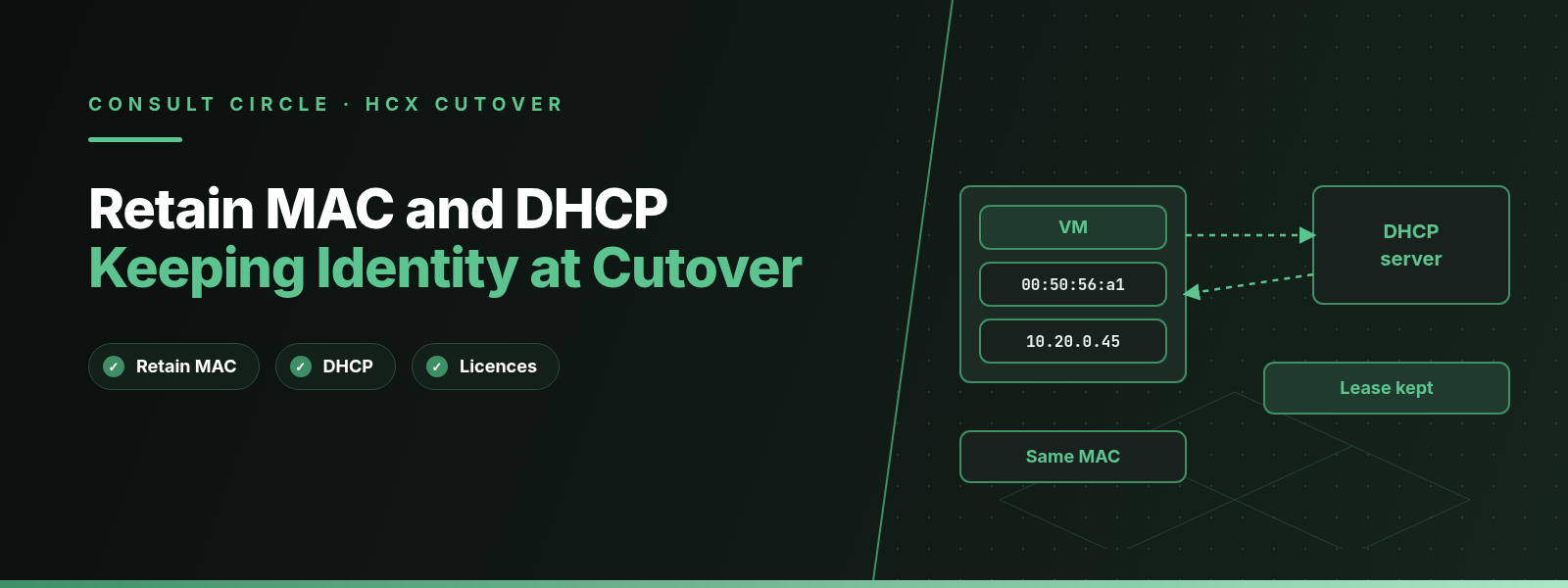
VMware HCX keeps a migrated VM's identity intact with two separate features: Retain MAC keeps the network adapter's MAC address, and HCX Network Extension keeps the VM's IP subnet and default gateway reachable across sites. DHCP reservations and MAC-bound licences survive cutover only when both are planned together, per VM, and when the DHCP path and the gateway move are handled before you unextend the network.
This guide applies to HCX in VCF 9.x and HCX 4.x estates. If you have hit the "reserved mac range" validation error, that has its own post: HCX Bulk Migration reserved MAC range error and how to fix it. We do not repeat it here.
Key points
- Retain MAC is a choice only for Bulk Migration. vMotion, Replication Assisted vMotion (RAV), HCX Assisted vMotion (Direct) and OS Assisted Migration keep the MAC by design, and Broadcom documents Cold migration as preserving it too.
- Inside a single vCenter, Bulk and RAV migrations can still hand the VM a new MAC, because vCenter will not register two VMs with one MAC.
- Network Extension keeps the IP address and gateway. Without Mobility Optimized Networking (MON), all routed traffic still leaves through the source-site gateway.
- DHCP across an NSX-backed extension fails until the segment security profile stops blocking DHCP (Broadcom KB 321662).
- Unextending does not switch off your on-premises gateway, and VMs that rely on a source-side DHCP server can lose it. The gateway cutover is your job.
What makes up a VM's network identity?
When application owners say "don't change anything", they mean five things at once. Each is held in a different place, and HCX protects each with a different feature, so plan them separately.
Layer 2
MAC address
Stored in the VM's configuration (.vmx) and registered in vCenter. DHCP reservations, licence keys and some firewall or NAC rules key on it.
Layer 3
IP address
Static in the guest or leased from DHCP. It stays valid only while the VM sits on the same subnet, which is what Network Extension gives you at the destination.
Routing
Default gateway
The router interface that owns the gateway IP. Until you move it, it lives at the source site, and that decides the path for every routed packet.
Service
DHCP reservation
A server-side record tying an IP to a MAC (or a client identifier). It needs both the same MAC and a working DHCP path after migration.
Application
Licence binding
Some licence managers bind to the MAC, others to a VM UUID or hostname. Only the MAC is covered by Retain MAC.
What does Retain MAC do for each HCX migration type?
Broadcom's HCX user guide describes Retain MAC as an extended migration option that makes a VM keep its current MAC address during an HCX Bulk Migration, "allowing communications to resume gracefully", and says it honours MAC-based security policies. The same page states that the option is selected by default for vMotion and Replication Assisted vMotion and cannot be changed. You can set it for a whole mobility group or per VM, and the PowerCLI New-HCXMigration cmdlet exposes it as a Boolean -RetainMac parameter.
The settings matrix in the HCX user guide for VCF 9.0 and the vMotion and Cold migration page together give the picture below.
| Migration type | MAC after migration | Can you change it? | Watch for |
|---|---|---|---|
| Bulk Migration | Kept only if Retain MAC is selected | Yes, per group or per VM | Not kept in single vCenter operation |
| HCX vMotion | Kept (memory, IP and MAC move live) | No, fixed on | Needs 150 Mbps or more |
| Replication Assisted vMotion | Kept | No, fixed on | Single vCenter MAC conflict (KB 415574) |
| Cold migration | Kept: docs say IP and MAC are preserved | No option shown | VM is off for the whole move |
| HCX Assisted vMotion (Direct) | Kept | No, fixed on | Check per release |
| OS Assisted Migration | Kept | No, fixed on | Check per release |
Table 1. MAC address behaviour by HCX migration type, from the HCX user guide settings matrix and the vMotion and Cold migration page.
For Bulk Migration the documentation is blunt: "If the Retain MAC option was not selected, the migrated VM obtains a new MAC address." Bulk is where your planning effort goes.
One quieter trap: Broadcom KB 425269 describes VMs that came out with a different MAC despite Retain MAC, because the address had been changed only inside the guest OS. HCX reads the MAC from the .vmx file, so change it there too. Repeat migrations have their own conflict, covered under failure scenarios below.
How does Network Extension keep IP addresses and the default gateway?
HCX Network Extension stretches a Layer 2 network from the source site to an NSX segment at the destination. A VM that lands on the extended segment is on the same broadcast domain and subnet as it was before, so its IP address, subnet mask and gateway address stay valid without touching the guest. Broadcom's VCF 9.1 HCX blog series describes this as letting workloads keep their original IP and MAC addresses and removing the need to re-IP applications during migration. In practice the MAC part still depends on the migration type, as Table 1 shows.
The gateway is the part people misread. Extending a network does not move the gateway. Broadcom's MON troubleshooting guide (KB 321599) puts it plainly: without MON, all routing access over an extended cloud segment is only available through the on-premises gateway. A migrated VM talking to anything outside its own subnet sends that traffic back across the extension to the source router, and the replies come back the same way.
What MON changes
Mobility Optimized Networking lets a migrated VM use the destination Tier-1 gateway instead. KB 321599 documents how the defaults differ by migration type once MON is enabled on the extension:
- VMs moved by HCX Bulk Migration are MON optimised to use the cloud gateway by default.
- VMs moved by HCX vMotion or RAV use the on-premises gateway by default, until you change their target router location.
- HCX installs /32 host routes on the Tier-1 and, after the first MON-enabled extension, adds policy routes for RFC 1918 subnets that send matching traffic back to the on-premises gateway through the Network Extension appliance.
- Changing a VM's router location can briefly interrupt traffic to and from that VM.
The gateway IP address does not change with MON. What changes is which router answers for it, and that matters for ARP and for DHCP relay, both covered below. Our HCX Network Extension guide goes deeper into MON, trunk interfaces and MTU.
Planning a migration wave?
Get a per-VM identity plan before the first cutover
Consult Circle plans and runs VMware HCX migrations into VCF. We audit MAC addresses, DHCP reservations and licence bindings, then set Retain MAC, extension and gateway moves per VM so nothing changes that the application owner did not expect.
Talk to our HCX teamHow does DHCP work across an HCX extended network?
Broadcom does not publish a single page on DHCP over Network Extension, so this section combines the Broadcom KBs that exist with standard DHCP behaviour from RFC 2131, labelled as general principle.
General principle: a DHCP client with no lease sends DHCPDISCOVER as a broadcast. On an extended network that broadcast is carried at Layer 2 to the source site, where it reaches either a DHCP server on the same VLAN or the source router's DHCP relay (often called an IP helper), which forwards it to a server elsewhere. So while the network is extended, a migrated VM keeps using the same DHCP server it always did, and the server sees the same MAC address if Retain MAC applied.
Why DHCP offers get dropped on NSX segments
Broadcom KB 321662 covers a VM that is Bulk migrated or rebooted on an HCX extended network and cannot get an address. The documented causes are on the destination NSX side. When HCX extends a network to an NSX-backed environment, the default segment security policy applies, and its DHCP Server Block setting drops DHCP offers. Separately, the distributed firewall can drop the client's broadcast request if no rule allows it.
The KB's fixes are a new Segment Security Profile with both DHCP Server Block and DHCP Client Block turned off, applied to every extended network that relies on DHCP, and, if the firewall is the cause, a distributed firewall rule with destination 255.255.255.255/32 and action Allow. For VMware Cloud on AWS, the KB notes that HCX adjusts the segment profile automatically and that an internal rule allows DHCP from SDDC version M16. Microsoft's Azure VMware Solution guidance describes the same NSX default from the other direction and walks through creating the segment security profile.
50%
Default T1 renewal point of a DHCP lease (RFC 2131)
87.5%
Default T2 rebinding point, sent as broadcast (RFC 2131)
2 h
Bulk Migration delta sync RPO before switchover (HCX 4.11 docs)
<1 s
Typical time for the destination host to send a RARP after vMotion
Lease renewal through the tunnel
General principle from RFC 2131: by default the client tries to renew at T1, half way through the lease, with a unicast request straight to the server that issued it, so no relay agent is involved. If that fails, at T2 (87.5% of the lease) it rebinds with a broadcast to any server. While the network is extended, both messages work as long as the server is reachable: the unicast renewal is routed via the source gateway (or via MON policy routes if they cover the server's subnet), and the broadcast rebind crosses the extension at Layer 2.
The trouble starts after the gateway moves. A unicast renewal still works if the DHCP server is routable, but a fresh DHCPDISCOVER or a rebind goes nowhere unless the destination router relays it. In our experience that is why a VM can run for days after unextend and then lose its address on a reboot.
DHCP reservations and Retain MAC
General principle: RFC 2131 says a server identifies a client by its client identifier option if the client sends one, and otherwise by the hardware address in the chaddr field. Most reservations in practice are keyed on the MAC. A Bulk-migrated VM without Retain MAC presents a new MAC, the server does not recognise it, and the VM gets a pool address instead of its reserved one. The IP changes even though you extended the network precisely to avoid that.
When to configure DHCP relay on NSX
Microsoft's Azure VMware Solution guidance says DHCP relay in NSX is unnecessary while the network is stretched and can cause clients to get the wrong responses, and that relay or an NSX DHCP server is needed after the move. Our recommendation, on any platform, is to stage the NSX relay and attach it as part of the gateway move. Broadcom does not document relay behaviour for a MON-enabled VM whose gateway is already at the destination, so if you use MON on DHCP networks, reboot one such VM before the wave and watch which router relays its request.
Which licences and other systems care about the MAC address?
This depends on your software, so treat it as general practice. Anything that stores a MAC address as an identity will treat a new MAC as a new machine. In our experience that means node-locked licences and licence servers, DHCP reservations, network access control and port security records, firewall objects defined by MAC, and CMDB tools that de-duplicate assets by MAC.
Retain MAC handles the MAC. It does nothing for licences bound to a VM UUID, a hostname or a disk serial, and KB 415574 points to a related Broadcom article on RAV within a single vCenter reporting a UUID conflict and assigning a new vc.uuid to the migrated VM. Ask each vendor what their host ID is built from before you choose a migration type. If the answer is the MAC, set Retain MAC and test a licence check in the first wave; if it is something else, plan a licence re-host with the vendor in the same window.
What happens to ARP caches at switchover?
Two different tables matter here, and they are often confused. Physical and virtual switches keep a MAC address table that maps a MAC to a port. Hosts and routers keep an ARP cache that maps an IP to a MAC.
Broadcom KB 343401 explains what ESXi does for the first table. vSphere virtual switches do not send gratuitous ARP for VMs; they send RARP frames when the port group's Notify Switches policy is set to Yes. After a vMotion the destination host sends a RARP for the VM, usually in under one second, so upstream switches learn the MAC's new location. The KB recommends keeping Notify Switches at Yes; with No, a VM can lose contact with physical switches after vMotion until it sends a packet itself. The KB does not discuss guest ARP caches.
For the second table, general principle applies. If the VM keeps its IP and its MAC, every neighbour's ARP entry for it is still correct after switchover, and only the switch location has changed. If a Bulk-migrated VM keeps its IP but gets a new MAC, every neighbour that talked to it recently holds a stale IP-to-MAC entry until the entry ages out or the guest announces itself with a gratuitous ARP when its interface comes up. That is guest behaviour, which HCX does not document or control. Retain MAC avoids the problem for the VM's neighbours.
The gateway's ARP entry when the router changes
The reverse case happens at the gateway move. The VM keeps the same gateway IP, but after the cutover a different router owns it, and that router may answer with a different MAC. KB 321599 notes that a cloud VM's ARP table should hold the default gateway's MAC address, and that the on-premises Network Extension appliance learns the gateway MAC by probing or uses the well-known distributed router MAC. Broadcom does not document whether NSX announces itself with a gratuitous ARP when you connect the segment to the Tier-1 after unextending. Our recommendation: test one VM, check its ARP entry for the gateway immediately after the move, and keep a step in the runbook to clear the guest's ARP cache if it still points at the old router.
One related known issue: Broadcom KB 447421 describes Bulk-migrated VMs losing all connectivity 30 to 40 seconds after boot when MON is enabled and the target segment uses a custom distributed router (VDR) MAC, because the guest's ARP state becomes invalid. The workaround is to disable MON for the affected VM, and the KB says custom VDR MACs on the target are supported from HCX 9.1.
What happens when you unextend and move the gateway?
Unextending is where identity planning either pays off or falls over. The HCX 4.11 user guide's procedure is: in the HCX Manager UI, go to Services, Network Extension, select the site pair, select the networks and choose Unextend Networks. Force Unextend Networks is only for when the normal operation fails because of the appliance's state, or the source components are gone. There is an optional setting per network, "Connect cloud network to cloud edge gateway after unextending".
The documented consequences are worth reading slowly:
- Unextending removes the HCX Layer 2 bridged path only. The NSX segment, the vSphere port group and the NSX interface remain.
- By default the cloud segment stays disconnected from the edge gateway, to avoid advertising a route that conflicts with the on-premises network. If you select the connect option and dynamic routing (OSPF or BGP) is running, the network is advertised from the edge gateway.
- Migrated VMs that use a source-site DHCP server, or statically assigned DNS or NTP services, can lose those services after unextending.
- HCX does not disconnect the on-premises gateway. KB 420204 says it is the user's responsibility to perform the gateway cutover and make sure the gateway is disabled on premises, whether that is a physical router or an NSX Edge.
- KB 414467 adds that if the remote HCX Manager is unreachable during unextend, destination segments can be left with Gateway Connectivity disabled, and VMs lose their route to the default gateway until you enable it in NSX Manager under Networking, Segments.
Do
- Move every VM off the subnet, or accept that stragglers at the source lose Layer 2 contact with the rest.
- Disable or shut the source gateway interface in the same change as connecting the NSX segment.
- Have NSX DHCP relay or an NSX DHCP server ready for the segment before you unextend.
- Confirm the remote HCX Manager is reachable before you start.
Avoid
- Ticking "connect cloud network" while the on-premises gateway is still live and advertised.
- Configuring NSX DHCP relay on a segment that is still extended.
- Assuming a VM that works after unextend will also get an address after its next reboot.
- Unextending during the same window as the last Bulk switchover.
How to decide Retain MAC, extension and re-IP for each VM
We make three decisions per VM during wave planning, in this order, which stops teams switching on Retain MAC everywhere "to be safe" and then hitting conflicts they did not need.
| VM profile | Extend network? | Retain MAC? | Re-IP? |
|---|---|---|---|
| DHCP with a reservation | Yes, until the gateway move | Yes | No |
| Static IP, MAC-bound licence | Yes, or move whole subnet | Yes | No |
| Static IP, nothing tied to MAC | Yes, or move whole subnet | Optional | No |
| DHCP pool, no reservation | Optional | Optional | Accept a new lease |
| App already being rebuilt or re-addressed | No | Only for licences | Yes |
Table 2. Per-VM decision matrix. This is our working practice, not a Broadcom rule; adjust for single-vCenter moves, where Retain MAC may not hold.
Common failure scenarios and what causes them
The DHCP reservation stops matching
A Bulk-migrated VM comes up with a different IP from the pool. Cause: Retain MAC was off, or the move was inside one vCenter where the documentation says the MAC is not retained. Fix: update the reservation to the new MAC, or for the next wave set Retain MAC and, in single-vCenter moves, consider the Manual MAC workaround from KB 415574.
No DHCP offer at all after migration or reboot
The VM gets an APIPA or link-local address. Cause, per KB 321662: the NSX default segment security policy blocks DHCP, or the distributed firewall drops the broadcast. Fix: apply a segment security profile with DHCP Server Block and DHCP Client Block off, and add the allow rule if the firewall is involved.
Duplicate MAC from a leftover test copy
The second, real migration of a VM loses its MAC even with Retain MAC on, and vCenter logs a vim.event.VmMacConflictEvent. Cause, per KB 414407: the test copy is still in the destination vCenter inventory. Fix: remove it from inventory, or replace its network adapter so it gets a new MAC, before the real migration. Bulk Migration also leaves the original source VM, renamed with a timestamp suffix, in a Migrated VMs folder after switchover; keep that in mind if you ever plan to migrate the same VM back.
The licence server refuses the migrated VM
The application starts but reports an invalid or moved licence. Cause: the host ID changed. That is either the MAC (Retain MAC was off or did not hold) or a non-MAC identifier such as a UUID, which Retain MAC does not cover. Fix: check what the vendor binds to, and re-host the licence if needed.
Cutover runbook for keeping IPs, MACs and licences intact
This is the order we run for a wave of Bulk-migrated DHCP and licence-bound VMs on an extended network. Swap the switchover step for vMotion or RAV where those types apply.
Audit identity per VM
Export MAC addresses and assignment type for the wave (the PowerCLI query in our reserved MAC range post does this), list DHCP reservations on the extended subnets, and record each application's licence host ID type.
Clean the destination vCenter
Remove copies left by test migrations, or give them new network adapters, so Retain MAC does not hit a conflict (KB 414407). Check for guest-only MAC changes that never reached the .vmx (KB 425269).
Prepare the destination segment
Apply a segment security profile that does not block DHCP on every extended network that uses it, and add the distributed firewall allow rule if needed (KB 321662). Stage, but do not attach, the NSX DHCP relay.
Set migration options
Turn on Retain MAC for Bulk VMs that need it, per the decision matrix. For moves inside a single vCenter, decide whether to use the Manual MAC workaround from KB 415574 and validate one VM first.
Switch over and verify
Schedule the switchover in the window. Straight after, check from the guest that the IP, MAC and gateway are as expected, run the application's licence check, and confirm a DHCP renewal on one reservation-based VM.
Move the gateway
When the subnet is empty at the source, confirm the remote HCX Manager is reachable, disable the source gateway, unextend with the connect option, attach the NSX DHCP relay, and confirm Gateway Connectivity is enabled on the segment.
Prove the network after unextend
Reboot one DHCP VM to force a full DHCPDISCOVER, check its ARP entry for the gateway, and test DNS and NTP from a sample of guests.
- Every VM in the wave has a recorded decision: extend, Retain MAC, re-IP
- No leftover test copies of wave VMs in the destination vCenter
- Segment security profile allows DHCP on extended networks that need it
- NSX DHCP relay or DHCP server staged for each subnet that will be unextended
- Post-unextend reboot test of one DHCP VM signed off
For the wider picture, see our 70-point HCX migration checklist, the guides to HCX Bulk Migration and Replication Assisted vMotion, and which HCX log to read when a migration fails. If you are still sizing the appliances that will carry this traffic, start with sizing an HCX migration.
Moving workloads into VCF with HCX?
Cut over without losing an IP address or a licence
We plan the extension, Retain MAC settings, DHCP relay and gateway move for each network, and we run the cutover with your application owners on the call.
Book a migration planning callFrequently Asked Questions about HCX Retain MAC, Network Extension and DHCP
Does HCX vMotion keep the VM's MAC address?
Yes. HCX vMotion moves the VM's memory, execution state, IP address and MAC address, and the Retain MAC option is fixed on for vMotion and Replication Assisted vMotion, so you cannot turn it off.
Which HCX migration type lets me choose whether to keep the MAC address?
Only Bulk Migration. Retain MAC is selectable per mobility group or per VM for Bulk, and if it is not selected the migrated VM gets a new MAC address from the destination vCenter.
Why did my VM get a new MAC address when Retain MAC was selected?
The three documented causes are a migration between clusters in the same vCenter (KB 415574 and the Bulk Migration documentation), a leftover copy from an earlier migration still holding the MAC in the destination vCenter (KB 414407), and a MAC changed only inside the guest OS rather than in the .vmx file (KB 425269).
Does HCX Network Extension move the default gateway?
No. Without Mobility Optimized Networking, all routed traffic from VMs on an extended segment goes through the source-site gateway. MON can route migrated VMs through the destination Tier-1, and the gateway only moves for good when you unextend and connect the destination segment.
Why do migrated VMs not get a DHCP address on an extended network?
On NSX-backed destinations, the default segment security policy has DHCP Server Block enabled, which drops DHCP offers. Broadcom KB 321662 fixes it with a segment security profile that turns off DHCP Server Block and DHCP Client Block, plus a firewall rule allowing the broadcast if the distributed firewall is dropping it.
Will my DHCP reservations still work after HCX migration?
Yes, if the VM keeps its MAC address and the DHCP request can still reach the server. Most reservations are keyed on the MAC, so a Bulk Migration without Retain MAC, or a single-vCenter move, breaks the match and the VM takes a pool address.
Does unextending a network turn off the on-premises gateway?
No. Broadcom KB 420204 states that HCX does not disconnect the on-premises gateway when you remove a network extension, and that the gateway cutover and disabling the gateway on premises are the user's responsibility.
Sources
- Broadcom TechDocs: HCX user guide (VCF 9.0), Additional Migration Settings
- Broadcom TechDocs: Understanding vMotion and Cold Migration (VCF 9.1)
- Broadcom TechDocs: Understanding VMware HCX Bulk Migration (HCX 4.11)
- Broadcom TechDocs: Understanding VMware HCX Bulk Migration (HCX 4.8)
- Broadcom TechDocs: Removing a Network Extension (HCX 4.11)
- Broadcom PowerCLI reference: New-HCXMigration
- Broadcom KB 316680: HCX Bulk Migration fails with the reserved mac range error
- Broadcom KB 414407: HCX migration extended option to retain MAC address
- Broadcom KB 415574: MAC address is not retained using the Retain MAC option (single vCenter)
- Broadcom KB 425269: MAC address is not retained using the Retain MAC option after running a HCX migration
- Broadcom KB 321662: VM does not receive DHCP server offers on NSX-T backed HCX extended networks
- Broadcom KB 321599: Mobility Optimized Networking (MON) troubleshooting guide
- Broadcom KB 447421: VMs lose network connectivity with VMware Tools and HCX MON enabled
- Broadcom KB 420204: T1 gateway connection on the source NSX segment remains active after HCX unextend
- Broadcom KB 414467: Network connectivity lost after unextending HCX network extensions
- Broadcom KB 343401: IP to MAC mapping, GARP, RARP and Notify Switch setting
- VMware Cloud Foundation blog: Workload mobility with VCF Operations HCX 9.1, Part 3
- Microsoft Learn: Configure DHCP on L2 stretched VMware HCX networks
- IETF RFC 2131: Dynamic Host Configuration Protocol
Written by the Consult Circle VMware HCX migration team. Last reviewed 3 November 2026.