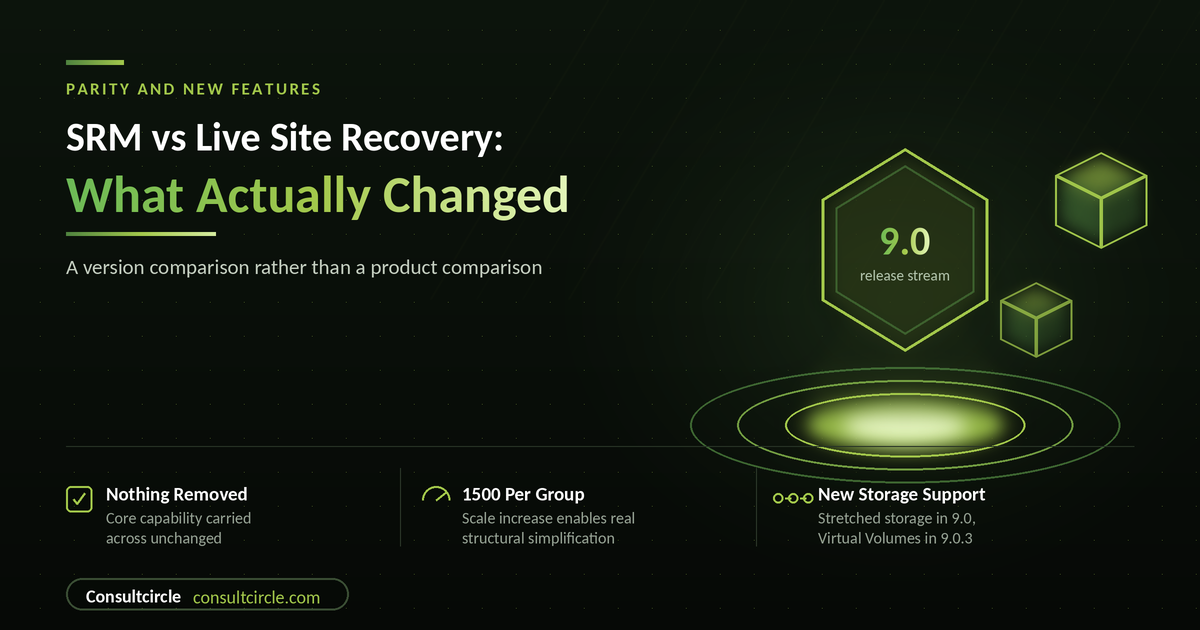
SRM VS LIVE SITE RECOVERY
A Consult Circle side-by-side assessment of Site Recovery Manager against VMware Live Site Recovery 9.0.x: what carried over unchanged, what improved, and what is genuinely different.
The parity question for this transition is unusual, because it is not really a migration between two products. Site Recovery Manager became VMware Live Site Recovery through a rebrand that brought it under the VMware Live Recovery family. The lineage is continuous, the version numbering carried on, and the architecture did not fork.
So the honest answer to "is there feature parity" is yes, and that is the least interesting part. The useful comparison is between the Site Recovery Manager most organisations are actually running, which is frequently an 8.x deployment designed years ago, and the current 9.0 release stream. That gap contains real changes in scale, storage support and licensing, and it is where the planning work is.
This guide sets that out domain by domain, with a verdict on each: unchanged, improved, or different. It also covers what did not change and should have been reviewed anyway.
What this guide covers
- The naming, and what to search for
- Core capability, side by side
- Replication and storage support
- Scale and structure
- Automation and integration
- Licensing and commercials
- What did not change, and what that means
- Planning your upgrade, with a checklist
Naming, and What to Search For
Broadcom rebranded Site Recovery Manager as VMware Live Site Recovery, and Cloud Disaster Recovery as VMware Live Cyber Recovery, bringing both under the VMware Live Recovery umbrella to align with the Cloud Foundation direction. The background to that is covered in our complete guide to the SRM to Live Site Recovery transition.
Two practical consequences. The rebranding is described as an ongoing effort, so parts of the interface may still carry the older Site Recovery branding, which is expected rather than a defect. And when researching a problem, search both names, because a large body of accurate Site Recovery Manager material remains indexed under the old one and will not surface if you only search the new.
Build numbers and version history span both names, which is worth knowing when establishing exactly what you are running before an upgrade.
Core Capability, Side by Side
| Capability | Site Recovery Manager 8.x | Live Site Recovery 9.0.x | Verdict |
|---|---|---|---|
| Deployment model | vCenter Server extension | vCenter Server extension | Unchanged |
| Protection groups | Present | Present, higher scale limit | Improved |
| Recovery plans | Present | Present | Unchanged |
| Inventory mappings | Resource, folder and network mappings | Same model | Unchanged |
| Test failover | Isolated network, non-disruptive | Same capability | Unchanged |
| Planned migration | Present | Present | Unchanged |
| Reprotect and failback | Present | Present | Unchanged |
| Callout scripts and pauses | Present | Present | Unchanged |
| Recovery plan reporting | Present | Present | Unchanged |
Table 1 - Core capability carried across unchanged.
This table is deliberately unexciting and that is the point. The operational model your team knows is intact. Nothing about how you build protection groups, structure recovery plans or run tests has been replaced.
Replication and Storage Support
This is where the meaningful additions are, and where a deployment several versions behind will find capability it does not currently have.
| Capability | Older SRM deployments | Live Site Recovery 9.0.x | Verdict |
|---|---|---|---|
| Array-based replication | Supported via SRAs | Supported via SRAs | Unchanged |
| Host-based replication | vSphere Replication | vSphere Replication | Unchanged |
| Virtual Volumes replication | Not available | Supported from 9.0.3 | New |
| Mixed replication types | Supported | Array-based, host-based and vVols in combination | Unchanged |
| Stretched storage | Limited | Supported from 9.0 with major storage partner solutions | New |
| Adding new array support | Adapter-dependent | New adapters can be added without a new product release | Unchanged, worth knowing |
Table 2 - Replication and storage support across the 9.0 stream.
The stretched storage addition is the one most likely to change a design. Organisations running stretched storage have historically had to work around the DR orchestration layer rather than with it, and support arriving in the 9.0 stream removes that constraint. As always with array integration, confirm the position with your storage partner and their adapter rather than relying on the product documentation alone.
The adapter point is worth internalising for planning: because new storage replication adapters can be added at any time without requiring a new release, array support is not gated on the product release cycle. If your array vendor tells you support is coming, that does not imply waiting for a VMware release.
Scale and Structure
Version 9.0 increased the maximum number of virtual machines per protection group to 1500. That sounds like a specification detail and it is actually a design opportunity.
Protection group structures in long-lived estates are frequently shaped by constraints that no longer apply. Groups were split to stay within older limits, or were laid out to mirror how storage happened to be carved at the time, and the resulting structure has been carried forward through several upgrades because nobody wanted to touch working DR configuration.
- Fewer groups mean simpler plans. Each protection group referenced by a recovery plan is another set of mappings that can go stale. Consolidation reduces the surface area for exactly the errors that cause failovers to complete incorrectly.
- Group by application, not by storage. The old constraint pushed people towards storage-shaped groups. With the current limits, grouping by what fails over together as a business service is more achievable.
- Consolidation is a change to DR configuration. It needs planning, a test failover afterwards, and evidence. It is worthwhile, and it is not a quiet afternoon task.
- Review before you upgrade, not after. The upgrade is a natural moment to revisit structure, and doing it as part of a planned piece of work is considerably safer than doing it later under pressure.
Our design and deployment guide covers how to structure protection groups around business services rather than storage layout.
Automation and Integration
| Capability | Position in 9.0.x | Planning note |
|---|---|---|
| Orchestrator plug-in | Aria Automation Orchestrator plug-in available for 9.0 | Relevant if DR invocation is wrapped in wider automation |
| API access | Available | Confirm compatibility of any existing scripting against your target version |
| Callout scripts in recovery plans | Unchanged | Audit these for stale paths and departed script owners |
| vCenter integration | Extension model unchanged | Confirm vCenter version compatibility before upgrading |
| Cloud Foundation alignment | Family aligned to VCF direction | Relevant if a VCF migration is also on your roadmap |
Table 3 - Automation and integration positions.
The callout script row deserves more attention than it usually gets. Recovery plans in long-lived estates accumulate scripts written by people who have since left, pointing at paths on servers that have since been rebuilt. These do not fail until the plan runs, and by then it is an invocation rather than a test.
Licensing and Commercials
The licensing change is the most consequential difference between what many organisations bought and what they now hold, and it has nothing to do with product capability.
- The move to subscription licensing under the VMware Live Recovery family is the change organisations feel, and it is felt at renewal rather than at rebrand.
- Both protected and recovery sites require licensing, and vSphere and vCenter Server licensing is required at both sites.
- Entitlements can span the site recovery and cyber recovery halves of the family, which is worth establishing before purchasing them separately.
- Confirm your specific position with Broadcom in writing rather than inferring it from published summaries, particularly where an existing agreement is being transitioned.
This is also a good moment for a protection review. Licensing modelled against protected workloads rather than total estate frequently reveals virtual machines being protected that nobody would actually recover, and removing them improves both the cost position and the clarity of the recovery plans.
What Did Not Change, and Why That Matters
- Orchestration is still the core value. The product plans, tests and runs recovery. The replication happens underneath it. Organisations comparing alternatives on replication features alone are comparing the wrong layer.
- Test failover is still the differentiator. Non-disruptive recovery into an isolated network, without breaking replication, remains the capability that turns a documented DR plan into a demonstrated one. It is also still under-used.
- Mappings are still the failure point. Networks, folders and resource pools drift. Stale mappings produce failovers that complete and deliver unreachable virtual machines.
- Dependencies outside the plan are still yours to solve. Identity, DNS, certificate services and management infrastructure. The product orchestrates what you tell it about.
- Ransomware is still a separate problem. Replication reproduces malicious change faithfully. That is what the cyber recovery half of the family exists for, and it is a gap in many estates that predates the rebrand.
Planning the Upgrade: A Checklist
- Current version and build recorded precisely, using the version history that spans both product names
- Target version in the 9.0 stream chosen, including patch level rather than the base release
- vCenter Server and vSphere version compatibility confirmed for the target
- Storage replication adapter compatibility confirmed with your array vendor for the target version
- Virtual Volumes requirement checked against the 9.0.3 minimum if vVols is in scope
- Stretched storage position confirmed with your storage partner if applicable
- Licensing position confirmed in writing for both sites
- Protection group structure reviewed against the current 1500 virtual machine limit
- Inventory mappings audited for currency before the upgrade rather than after
- Callout scripts audited for stale paths, retired servers and departed owners
- Test failover run and passed on the current version, so you have a known good baseline
- Test failover run again after the upgrade, per plan rather than on one representative plan
- Application owner sign-off captured for post-upgrade test results
The pre-upgrade test failover is the item most often skipped and the most valuable. Without a known good baseline, any post-upgrade problem is ambiguous between the upgrade and a pre-existing condition, and resolving that ambiguity costs considerably more than the test would have.
Consult Circle
Planning an upgrade to the 9.0 stream?
We run upgrades alongside a design review, consolidate protection group structures where the current limits allow it, and run the test failovers that turn documentation into evidence.
Explore our Disaster Recovery servicesFrequently Asked Questions
Is there any feature loss moving from SRM to Live Site Recovery?
No. It is the same product lineage rebranded, not a replacement. Protection groups, recovery plans, mappings, test failover, planned migration and reprotect all continue. The changes across the 9.0 stream are additive: higher scale limits, stretched storage support and Virtual Volumes support.
What is genuinely new in 9.0?
The main items are the increase to 1500 virtual machines per protection group, support for stretched storage solutions from major storage partners, Virtual Volumes support from 9.0.3, and an Aria Automation Orchestrator plug-in. The release stream has continued to 9.0.5, so plan against the current patch level.
Do we need to upgrade if our current version works?
Eventually, for support and compatibility reasons. The more immediate argument is that the scale increase enables protection group simplification, and stretched storage or Virtual Volumes support may unlock a design you have been working around. Neither is urgent on its own; both are good reasons to plan rather than defer indefinitely.
Will our storage array still be supported?
Array support comes through storage replication adapters, and new adapters can be added at any time without requiring a new product release. Confirm the position with your storage vendor for your target version rather than assuming from the product documentation.
Has the interface changed?
Not substantially. The rebranding is an ongoing effort and parts of the interface may still show the older Site Recovery branding, which is expected. Tell your team, so nobody raises it as a fault during an upgrade validation.
Should we consolidate protection groups when we upgrade?
It is a good opportunity, and it should be treated as a change to DR configuration with its own planning and a test failover afterwards rather than as tidying. Structures shaped by older limits or by historical storage layout are usually simplifiable, and simpler structures have fewer places for stale mappings to hide.
Does this change our ransomware position?
No, and that is the point worth making. Site recovery replicates faithfully, including malicious change. Ransomware recovery is addressed by the cyber recovery half of the family, or by an on-premises isolated recovery capability. If your only DR capability is replication-based, that gap exists regardless of version.
Where Consult Circle Fits
The upgrade itself is rarely the hard part. What produces value is using it as the moment to revisit a design that has not been examined in years, and to establish through testing whether the recovery objectives you publish are the ones you could actually meet.
We run upgrades alongside a design review through our Disaster Recovery services, consolidate protection group structures where the current limits allow it, and run the test failovers that turn documentation into evidence. Where the DR estate sits inside a wider platform programme, that connects to our VMware Cloud Foundation services.